Become a Hik-Partner Pro User After Product Upgrade
Hik-Partner Pro is upgraded from Hik-ProConnect, combining the features of Hik-ProConnect and another product named Hik-ePartner, so it provides services which are more diverse and more professional. If you have already registered for Hik-ProConnect and/or Hik-ePartner before the product upgrade, you can log in to Hik-Partner Pro using the existing account to become a Hik-Partner Pro user.
When you log in to Hik-Partner Pro for the first time using the existing account of Hik-ProConnect and/or Hik-ePartner, a window will pop up to notify you of the product upgrade.
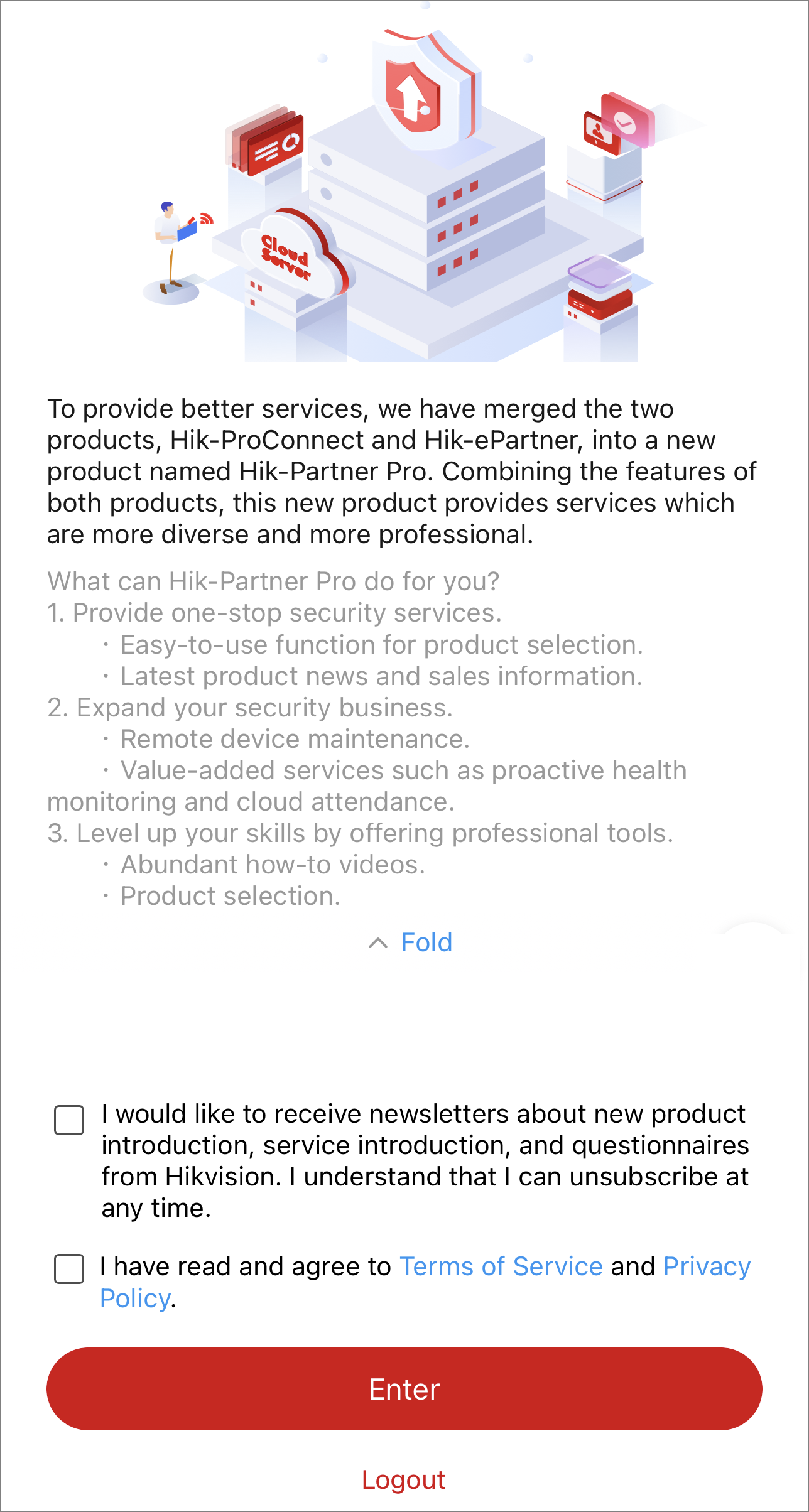
After you check I would like to receive newsletters about new product introduction, service introduction, and questionnaires from Hikvision. I understand that I can unsubscribe at any time. (which is optional) and I have read and agree to Terms of Service and Privacy Policy., and tap Enter, you become a Hik-Partner Pro user and can continue to use Hik-Partner Pro.
-
In some countries/regions, the above-mentioned window will not pop up.
-
If your existing account is an Admin account of Hik-ePartner, after you become a Hik-Partner Pro user, the employee account add-on will be given as a gift to you which can cover the existing employee accounts in your company and is valid for one year.
-
In some countries/regions, the authenticated channel partners can complete the process of becoming a Hik-Partner Pro user offline.
Refer to the following sections for more details.
Situations Where You Enter the Home Page Directly After You Tap Enter
-
Your account only exists in Hik-ProConnect.
-
Your account exists in both Hik-ProConnect and Hik-ePartner, and is the Installer Admin / Admin account in both companies on Hik-ProConnect and Hik-ePartner, which means the two companies can be merged into one company, and the data (devices, employees, etc.) of both companies can also be merged and not lost. Moreover, the information about the two companies are the same so that you don't need to select the company information to be kept, or only one of the two companies is authenticated so that the information of the authenticated company will automatically be kept.
-
Your account only exists in Hik-ePartner. And your account is the Admin account, or is an employee account but the Admin user has completed company merging.
Other Situations
-
Your account exists in both Hik-ProConnect and Hik-ePartner, and is the Installer Admin / Admin account in both companies on Hik-ProConnect and Hik-ePartner, which means the two companies can be merged into one company, and the data (devices, employees, etc.) of both companies can also be merged and not lost. Moreover, the information about the two companies are the different, and both companies are authenticated / not authenticated. You have to select the company information you would like to keep after you tap Enter.
-
Your account exists in both Hik-ProConnect and Hik-ePartner. The Installer Admin / Admin accounts of the two companies are different, so company merging is not supported, which means both companies are kept for you on Hik-Partner Pro. You have to select one for login after you tap Enter.
-
Your account exists in both Hik-ProConnect and Hik-ePartner, and your account is an employee account in Hik-ePartner. You can log in to the company created on Hik-ePartner only after the Admin user completes merging companies. Or you can continue to log in to your company created on Hik-ProConnect for using.
-
Your account only exists in Hik-ePartner and is an employee account. Moreover, the Admin user has not completed company merging. You can log in to use Hik-Partner Pro only after the Admin user completes merging companies.
-
Your account exists in both Hik-ProConnect and Hik-ePartner. And your account exists in more than one company on Hik-ePartner. You have to select one from the companies on Hik-ePartner for company merging. You should also select the company information you would like to keep if needed.
After First-Time Login
If you have completed company merging and your account still exists in more than one company, or if the companies in which your account exists are all kept on Hik-Partner Pro, you need to select one company for login.
You can also tap Switch Company on the Me page to switch to another company.