(Distributors) Manage My Promotions
If you are a distributor or reseller who is on the provider list for the sell-out promotion, you will be able to receive purchase intentions. You can manage the purchase intentions submitted to you in My Promotion. You can decide whether to confirm a purchase intention after you check the purchase intention details (purchase quantity, the total amount after discount, etc.). After you confirm a purchase intention, the intention submitter may come to you and purchase the promotional products from you at the discounted price based on the confirmed intention.
-
This function is only available to some users in some countries/regions.
-
Only the Installer Admin account can manage the purchase intentions in My Promotion.
Tap to go to the My Promotion page.
You can tap To Be Confirmed or Confirmed to switch between the intentions that you have confirmed and the intentions that are to be confirmed.
Enter the name of your customer (intention submitter) or the promotion in the search field to search for intentions, or tap All Time and select a time period to filter the intentions.
After you switch to the confirmed intention list, you can also tap  and select confirmed intentions to export the information about
the selected intentions to an XLSX file.
and select confirmed intentions to export the information about
the selected intentions to an XLSX file.
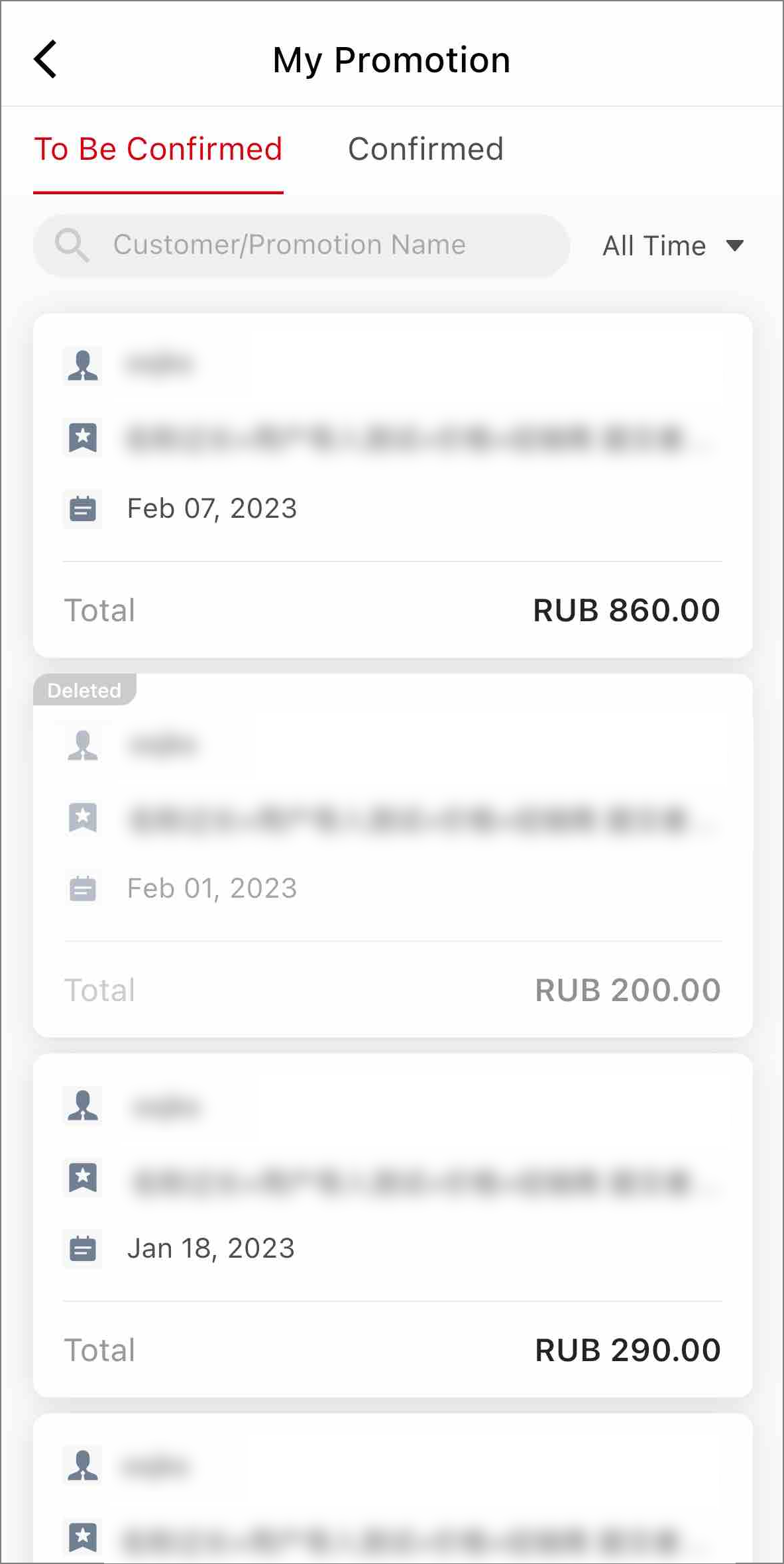
Tap an intention card to go to the Intention Details page.
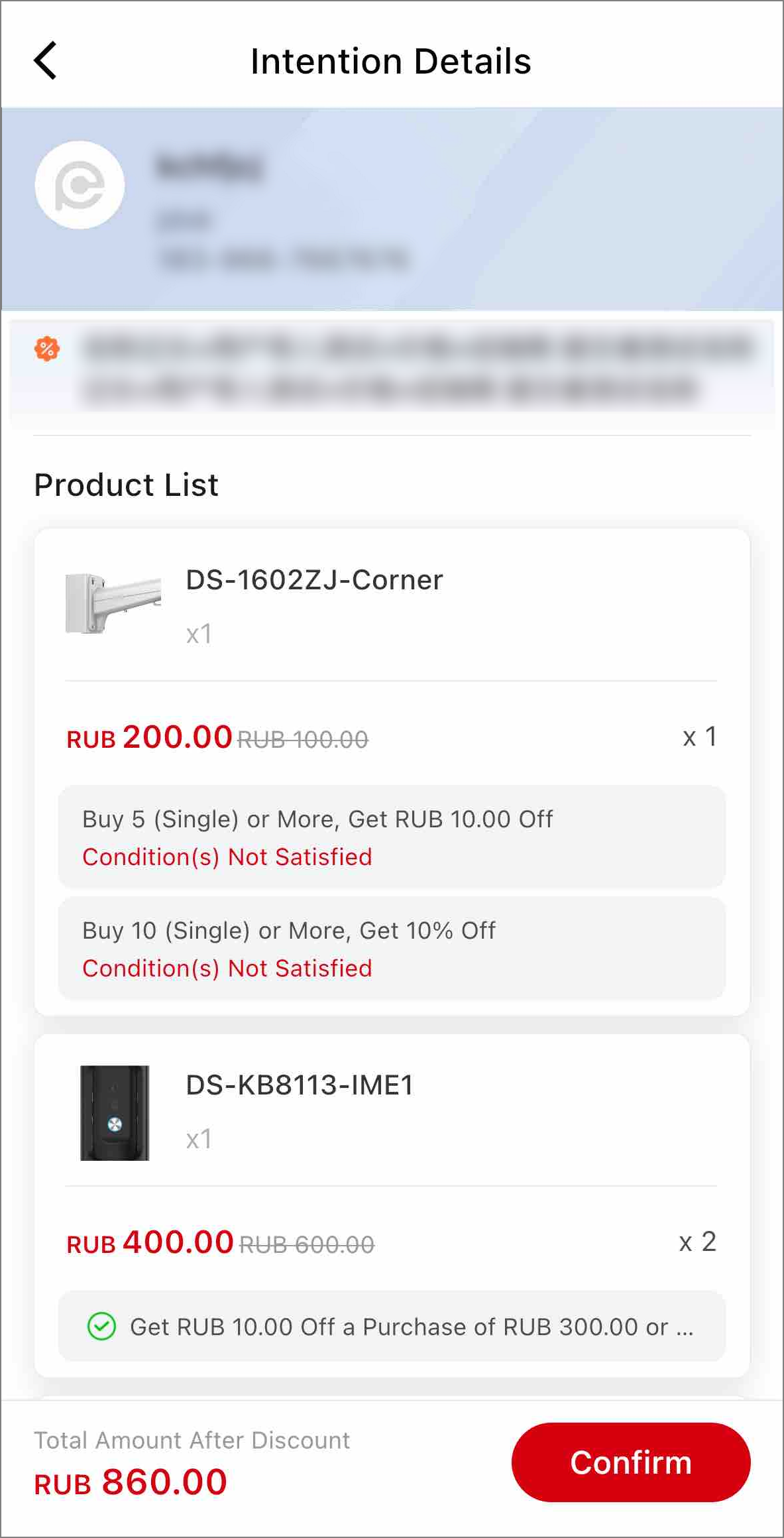
For to-be-confirmed intentions, you can check the intention details (product list, promotional discount, total amount after discount, etc.) and then tap Confirm to confirm an intention.
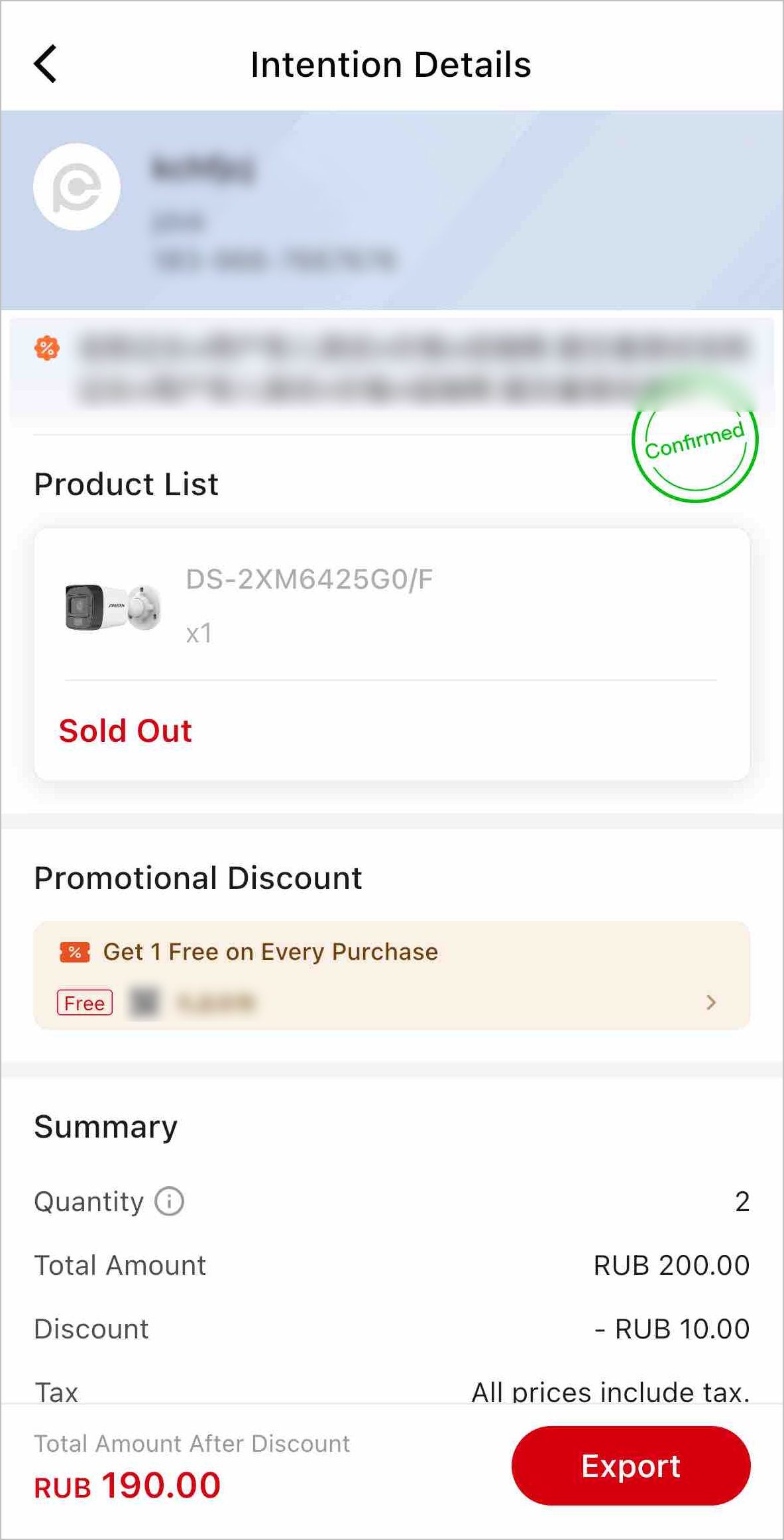
For confirmed intentions, you can tap Export to export them to XLSX files.