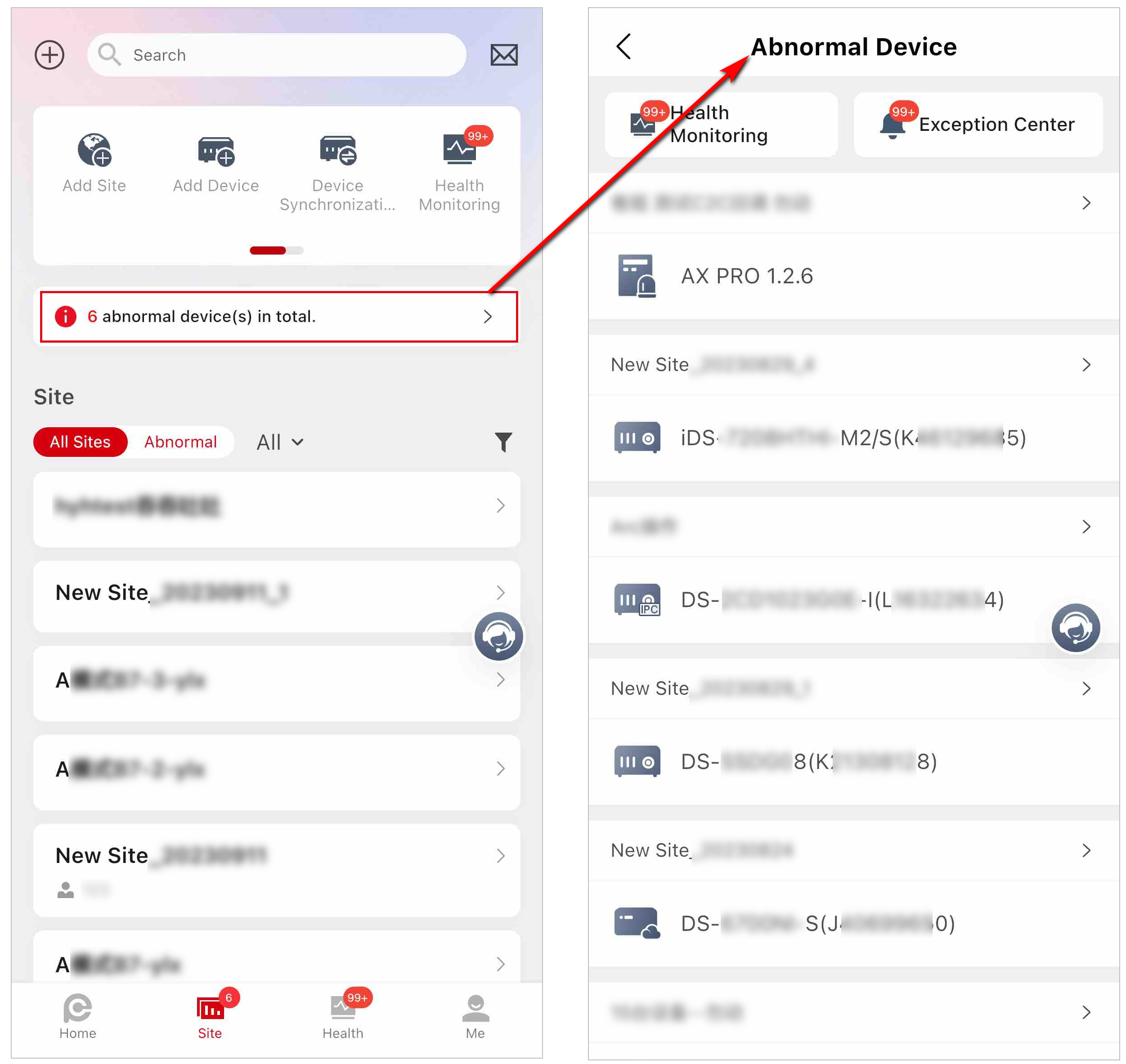
Site Page Introduction
On the Site page, you can view the sites that are assigned to you (the Installer Admin as well as Installers with Manage All Sites permission can view all the sites of the company), and perform some operations for the sites, such as searching for sites, adding sites, and handing over sites.
There are different statuses for the sites in Site list.
- Not Handed Over
-
The site is newly added, and you have not handed over it to the customer.
- Not Registered
-
The handover has be sent to a customer who has not registered a Hik-Connect account.
- To Be Accepted
-
The handover application has been sent but has not been accepted by the customer who has registered a Hik-Connect account.
- Handed Over, Not Authorized (Shown as No Commission Authorization)
-
The site is handed over to the customer by transferring, but the installer is not authorized to manage the site.
- Authorized and Monitoring (Shown as Email Address or Phone Number)
-
The site is handed over by transferring and the Installer gets the site authorization from the customer.
- Shared
-
The site is handed over to customers by sharing.
According to site status, the Installer Admin and Installers with related permissions can perform the following operations in the table.
|
Supported Operations |
Not Handed Over |
To Be Accepted Not Registered |
Handed Over, Not Authorized (Shown as No Commission Authorization |
Authorized and Monitoring (Shown as Email Address or Phone Number) |
Shared |
|---|---|---|---|---|---|
|
Search Site |
√ |
√ |
√ |
√ |
√ |
|
Assign Site |
√ |
√ |
√ |
√ |
√ |
|
Hand Over Site by Transferring |
√ |
× |
× |
× |
× |
|
Hand Over by Sharing |
√ |
× |
× |
× |
× |
|
Manage Device |
√ |
√ |
× |
√ |
√ |
|
Edit Site |
√ |
√ |
× |
√ |
√ |
|
Delete Site |
√ |
√ |
× |
× |
√ |
|
Apply for Device Permissions |
× |
× |
√ |
√ |
√ |
|
Site Collaboration |
√ |
× |
× |
√ |
× |
|
Batch Share Devices |
× |
× |
× |
× |
√ |
|
Move to Group |
√ |
√ |
√ |
√ |
√ |
If there are abnormal devices on sites, you can view a red icon
indicating the number of abnormal devices beside Site. If the
number of abnormal devices equals or exceeds 100, you can view the icon  . Also, you can tap the abnormal device prompt above the site list to view all
abnormal devices.
. Also, you can tap the abnormal device prompt above the site list to view all
abnormal devices.