Health Monitoring
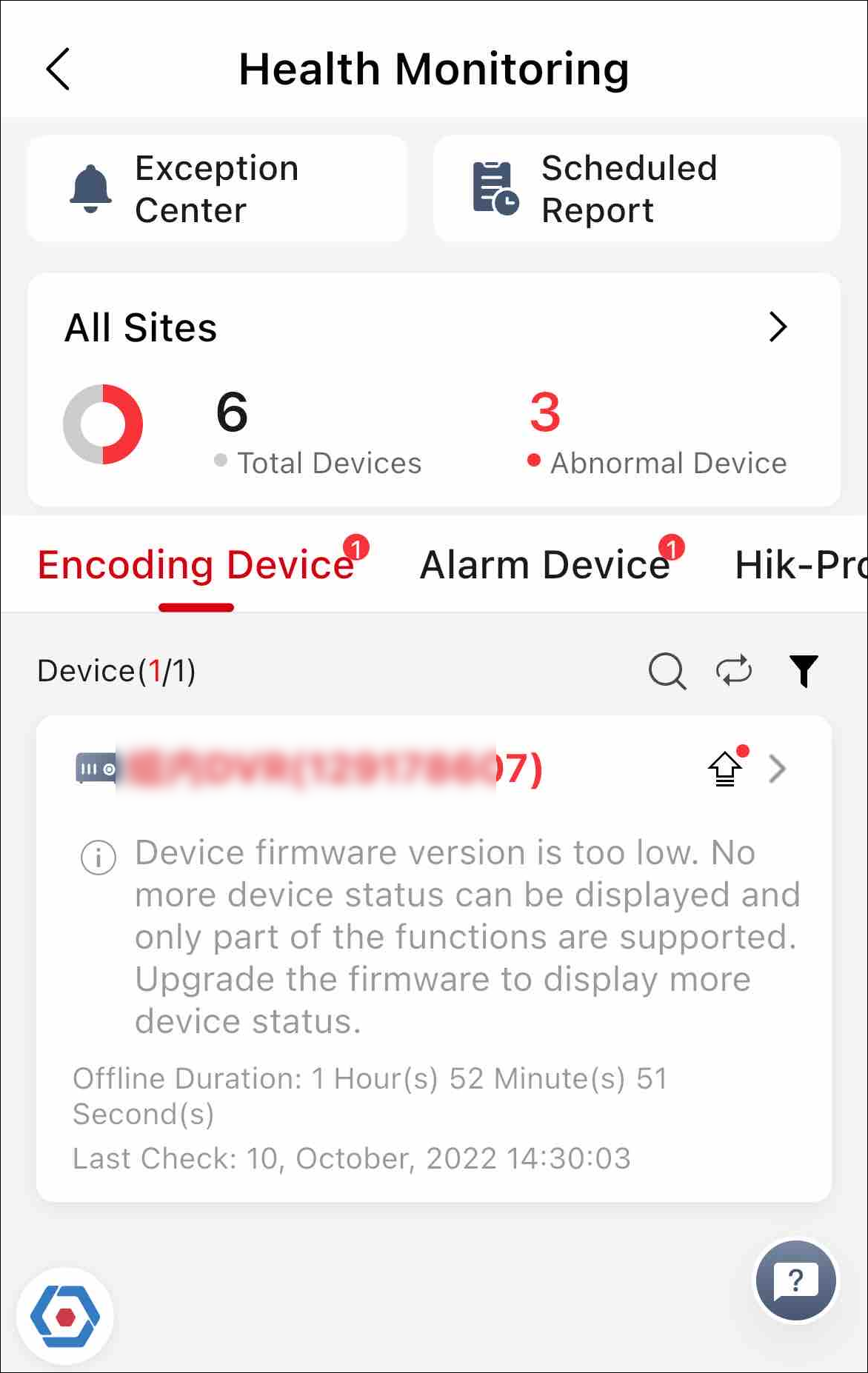
The Health Monitoring module includes Exception Center, Scheduled Report and Health Status, where you can view the device exceptions, configure the report schedule, and check device health status.
Exception Center
When any exception occurs during health monitoring, the notification will appear in the Exception Center under the Notification Center module. See details in Exception Center.
Scheduled Report
With the scheduled report feature, the device status information will be sent to you or the corresponding user based on the configured schedule.
Health Status
Shows the near-real-time information about the status of the devices added to the sites. If you have added network switches to a site, you can view the device status and link status in a visualized way via network topology. The status information, which is important for the maintenance of devices managed across the Hik-Partner Pro platform as a whole, helps you locate the source of exceptions and determine troubleshooting methods in time, thus ensuring the smooth running of these devices.
-
The link of video tutorial on how to check device health status will pop up on the bottom of the page when you first enter the Health Monitoring module.
Tap
 to make the video link pop up when you
enter Health Monitoring next time.
to make the video link pop up when you
enter Health Monitoring next time. -
For Installer, you can only view the status information of devices on the site assigned to you. For Installer Admin, you can view the status information of devices on all sites.