Merge Your Company with Another Company
If you and your employees or colleagues have created more than one Installer Admin account / company on Hik-Partner Pro, you can merge the companies into one for more efficient management and to carry on your business smoothly (you may have encountered the problem that your second registered account/company cannot be authenticated).
This article contains the following sections:
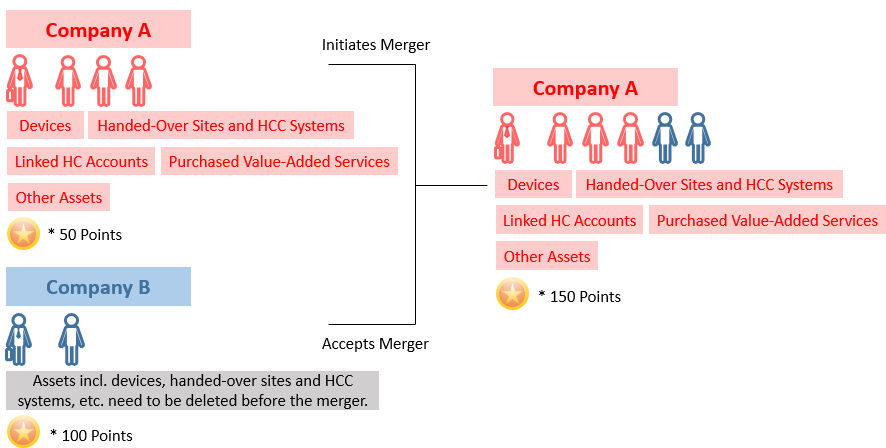
View of Merged Companies
Benefits of the Company Merger
-
Manage your employees and the co-branding of your company via one account.
-
Manage all your customers and their devices under one account.
-
Get points faster to redeem for more gifts and value-added services.
Effects on the Accounts/Companies After the Merger
|
Installer Admin and Employee Accounts |
|
|
Reward Points |
Points of both companies will be combined and points history of both companies and all employees will be preserved. |
|
Company Information |
Only the information (company name, logo, address, authentication status, etc.) about the initiating company will be preserved. |
|
Others |
|
Limitations
-
This feature is not available in some countries/regions.
-
Both the account that initiates the company merger and the account that is invited to merge companies need to be Installer Admin accounts, should have been upgraded to OneHikID accounts, and should have upgraded and become Hik-Partner Pro users.
-
The invited company cannot be an authenticated channel partner, or be added to the ARC list already.
-
The initiator's account and the invited account need to be in the same country/region.
-
The merger may also fail for the following reasons:
-
There are devices or handed-over sites under the invited account.
-
The invited account is linked with a Hik-Connect account.
-
The invited account has purchased value-added services and the services are still in use.
-
Initiate Company Merger
If you need to merge the data of another company into your company, you can initiate a company merger.
If the company merger is initiated by Hikvision, you do not need to initiate the merger manually.
-
Find the entry for initiating a company merger.
-
Go to the Me page.
Figure 2 Entry on the Me Page
-
If other companies with information similar to your company's are detected, you will receive a company merger reminder in System Message of the Notification Center.
Figure 3 Entry in System Messages of Notification Center (Company Merger Reminder)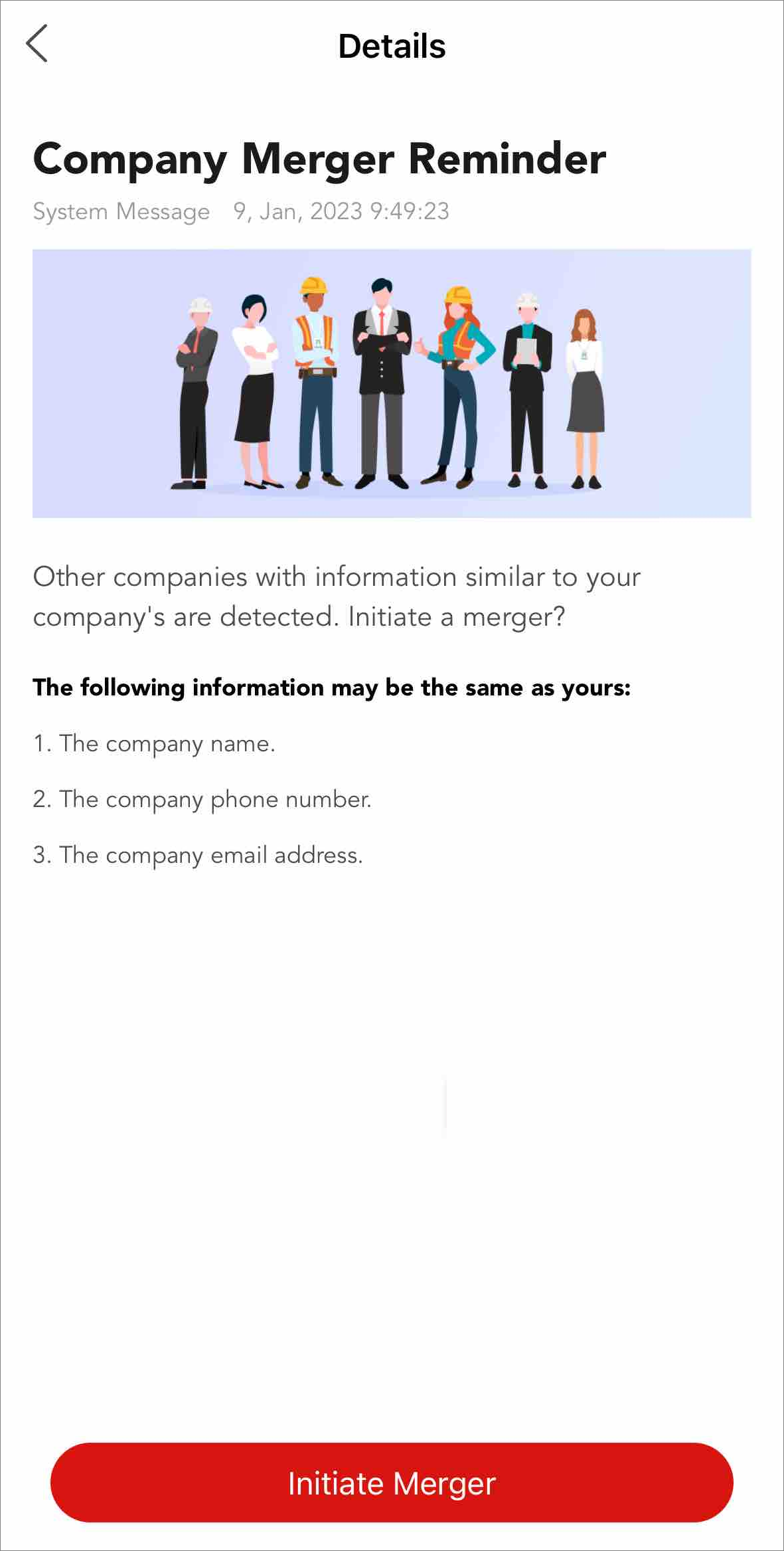
-
-
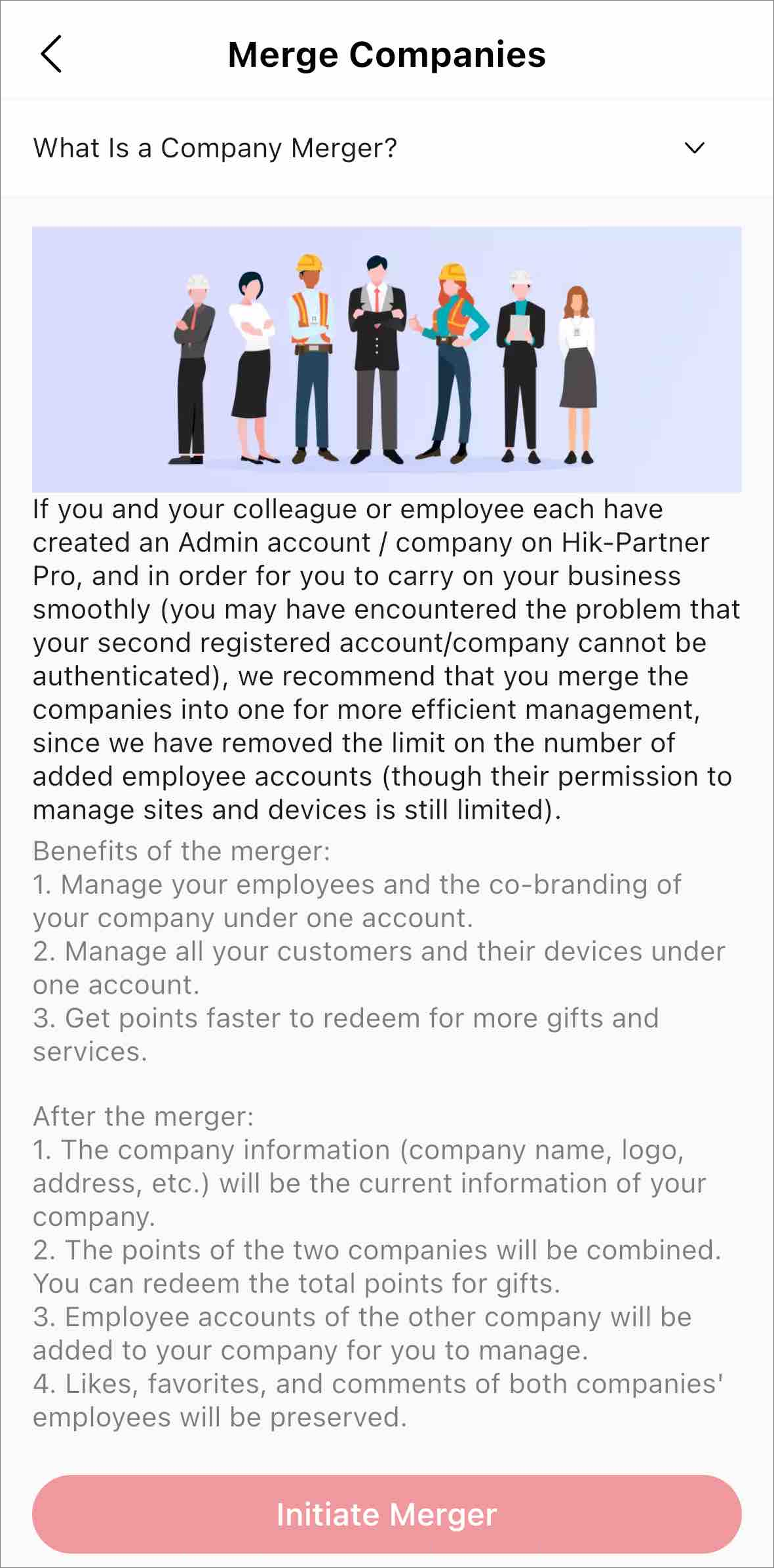
Tap the Merge Companies section or tap
Initiate Merger to enter the Merge Companies
page.
Figure 4 Merge Companies
Contact the invited Installer Admin (who will receive an email and a message reminder) to log in to Hik-Partner Pro and accept the company merger request in the Notification Center.
Accept/Reject Company Merger
If you are invited by another company to merge your company with theirs, you can receive and handle the company merger invitation in the Notification Center on Hik-Partner Pro. If a company merger is initiated by Hikvision, you can handle it upon login or in the Notification Center.
Merger Initiated by Another Company
On the top right of the Home page, go to  > Business Notification, and tap the company merger notification to view the details.
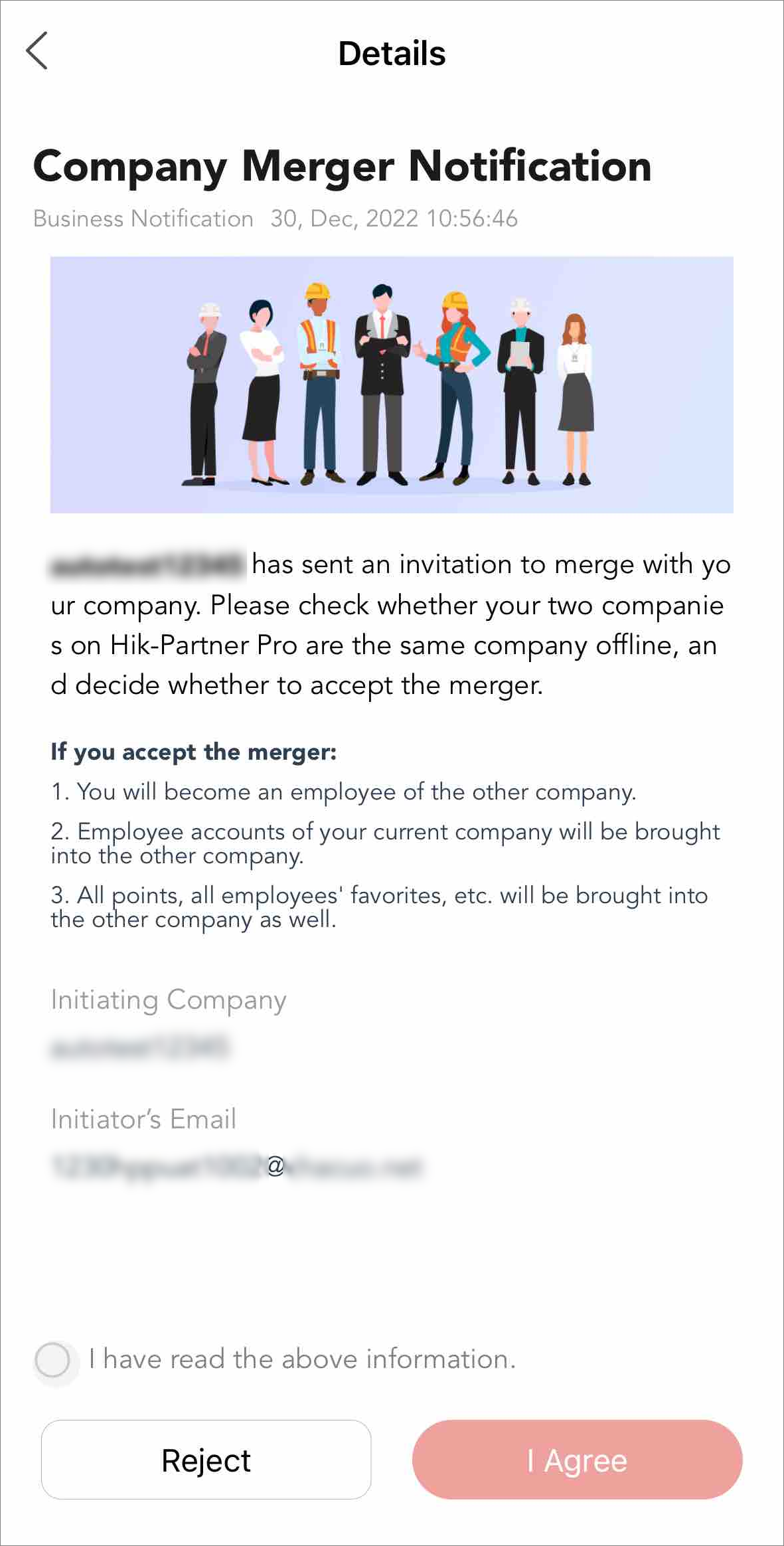
You can view the information about what will happen if you accept the company merger, and also the initiating company's name and the initiator's email address.
To accept the company merger, check I have read the above information. and tap I Agree.
To reject the company merger, tap Reject.
Merger Initiated by Hikvision
If a company merger is initiated by Hikvision, after both companies to be merged agree to the merger, and the company (Company B) to be merged into the other company (Company A) does not have assets under their account, the company merger completes.
-
If a company merger is initiated by Hikvision, the Installer Admin of Company B first receives and handles the merger message as a system message in the Notification Center or upon login.
-
After Company B accepts the merger, the Installer Admin of Company A receives and handles the system message of merger.