Submit Software Product Case
You can submit software product cases for issues related to Hik-Connect and iVMS-4200.
The function is only available in certain countries and regions. For details about whether your country or region supports the function, refer to the after-sales or local distributor.
-
Fill in the fields as required.
Figure 1 Software Case
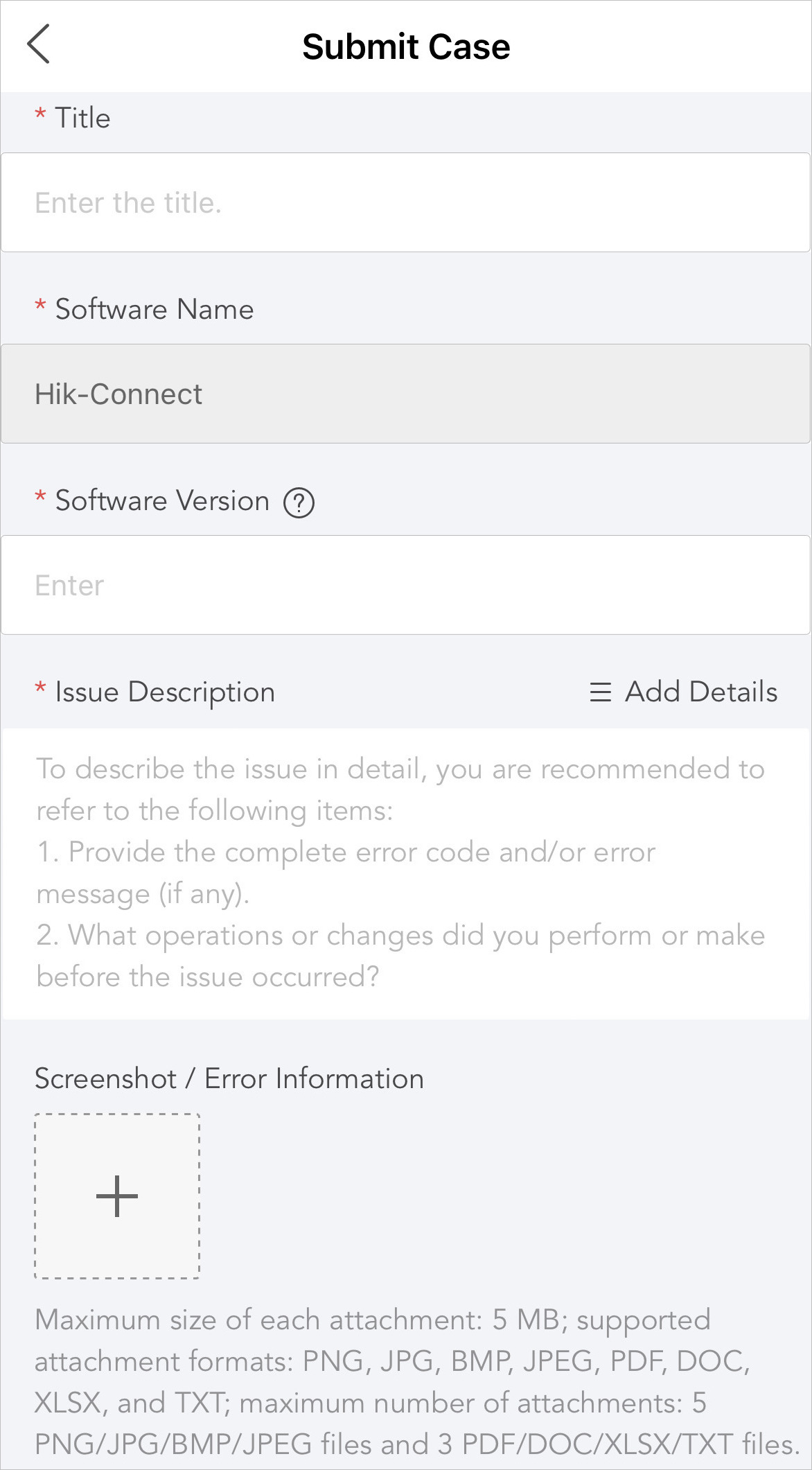
- Title
-
Enter the title of your case.
Note:The maximum length of the title is 100 characters.
- Software Name
-
The software name is predefined and cannot be edited.
- Software Version
-
Enter the software version. You can tap
 to see where to
find the software version.
to see where to
find the software version. - Issue Description
-
Describe your issue according to the suggestions in the blank.
Note:The length of issue description should vary from 20 to 2,000 characters.
You can also tap Add Details to add issue details to your description as needed.
- Screenshot / Error Information
-
Tap
 to upload
screenshots or error information.Note:
to upload
screenshots or error information.Note:-
You can upload attachments in PNG, JPG, BMP, JPEG, PDF, DOC, XLSX, and TXT formats.
-
No more than 5 PNG/JPG/BMP/JPEG files and 3 PDF/DOC/XLSX/TXT files are allowed.
-
The maximum size of each attachment is 5 MB.
-
- Link for Accessing Files on Network Disk
-
For files larger than 5 MB, upload them to a network disk.
- Contact Information
-
This field is filled with your account information by default. You can edit it as needed.