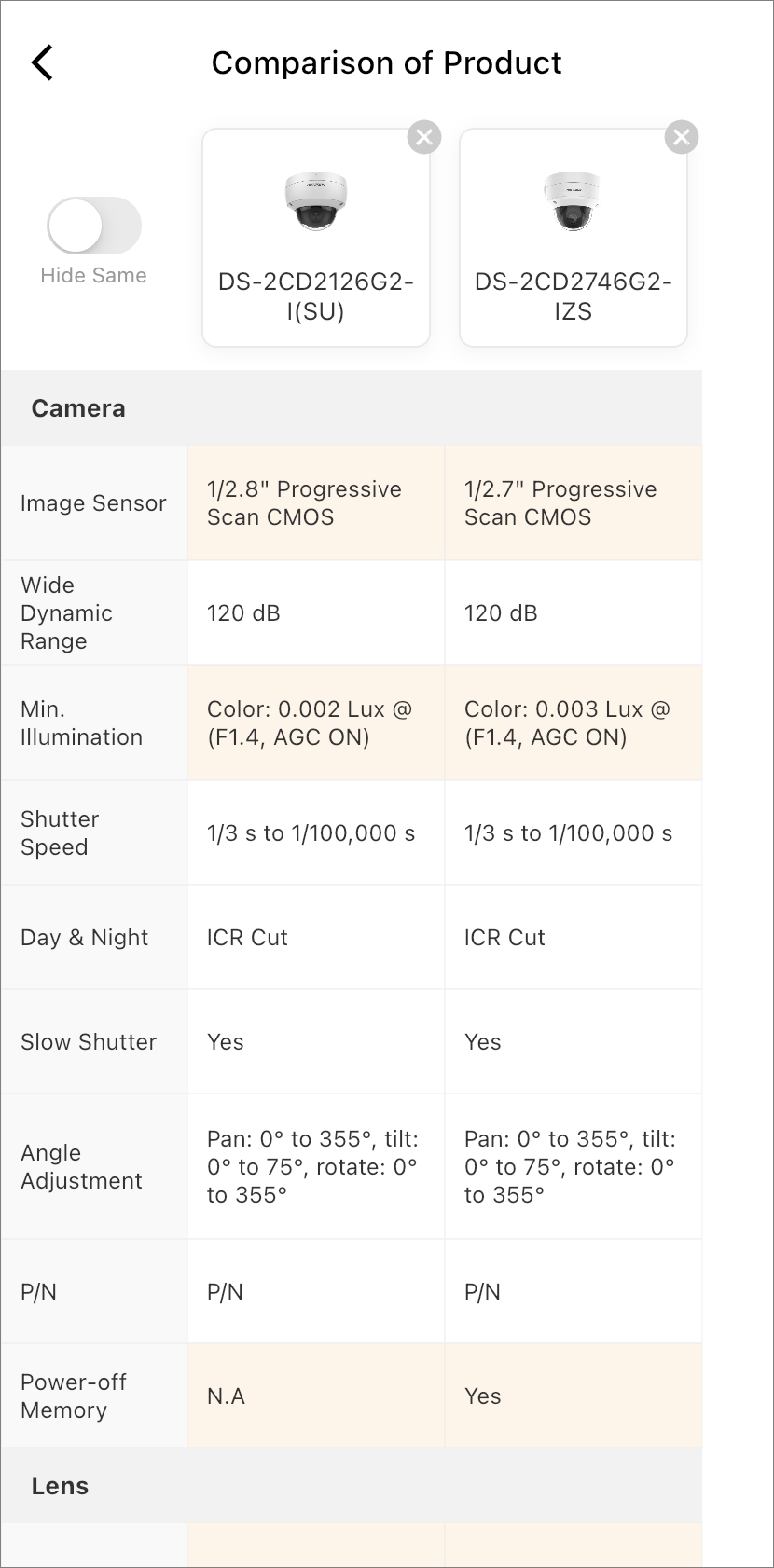
Compare Products
You can compare the parameters/specifications of products to learn about their similarities and differences.
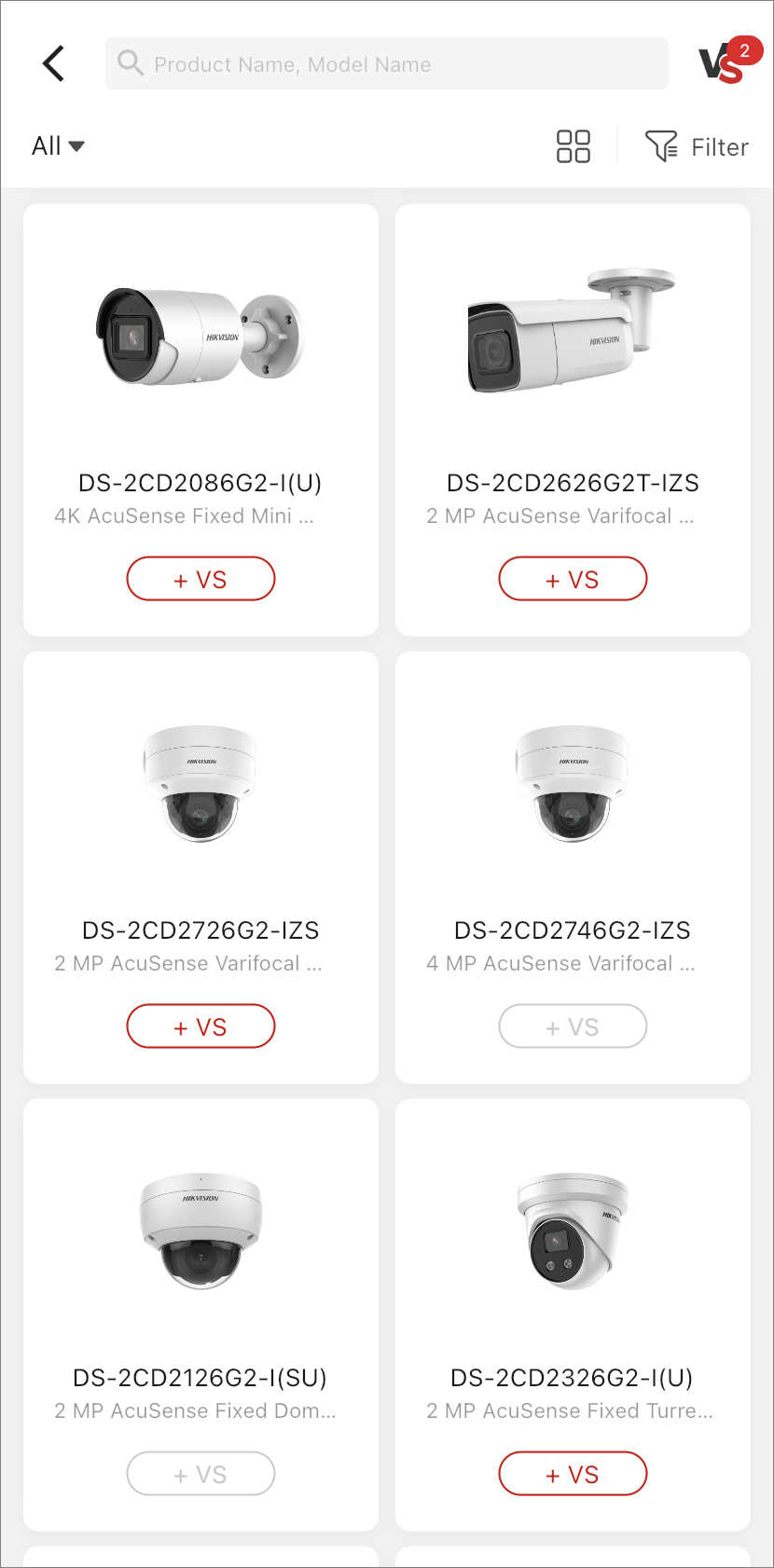
On the product display page, you can add a product to the comparison list by tapping
+VS next to it. You can check the comparison list by tapping
 on the top right with the total number of added products
displayed on top.
on the top right with the total number of added products
displayed on top.
To start comparing products, select at least two but no more than four products from the comparison list and tap Start VS. On the comparison result page, fields that are different are highlighted with a background color. You can switch on Hide Same on the top left to hide parts that are the same and focus only on the differences.