Site Collaboration
Before the site handover, you can invite your installation service partner (ISP) to collaborate with you on the site so that they can help you add and hand over devices. After the site handover (by transferring), you can invite your maintenance service partner (MSP) to collaborate with you on the site in providing device management/maintenance services for your customer, especially in offering technical support. For the ISP, they have all permissions for devices on a collaborated site before the site handover, and their device permissions will be removed after the site is handed over or the collaboration is canceled. For the MSP, you can determine the permissions for them to access devices on the collaborated site, and after inviting your MSP to collaborate with you on the site, you can change the MSP's permissions.
-
Site collaboration that is after handover is not supported by sites handed over by sharing.
-
If you change the MSP's permissions, your customer will receive a notification about it on the Hik-Connect Mobile Client.
-
If the site is handed over by the ISP to your customer, the handover email/message your customer receives will only contain your company's information and will not contain any information about the ISP.
-
You can initiate site collaboration with your ISP before the site handover only on the Portal. The Mobile Client currently does not support initiating site collaboration with the ISP. For details, refer to Hik-Partner Pro Portal User Manual.
Read the following sections to learn the overall process and limitations of site collaboration.
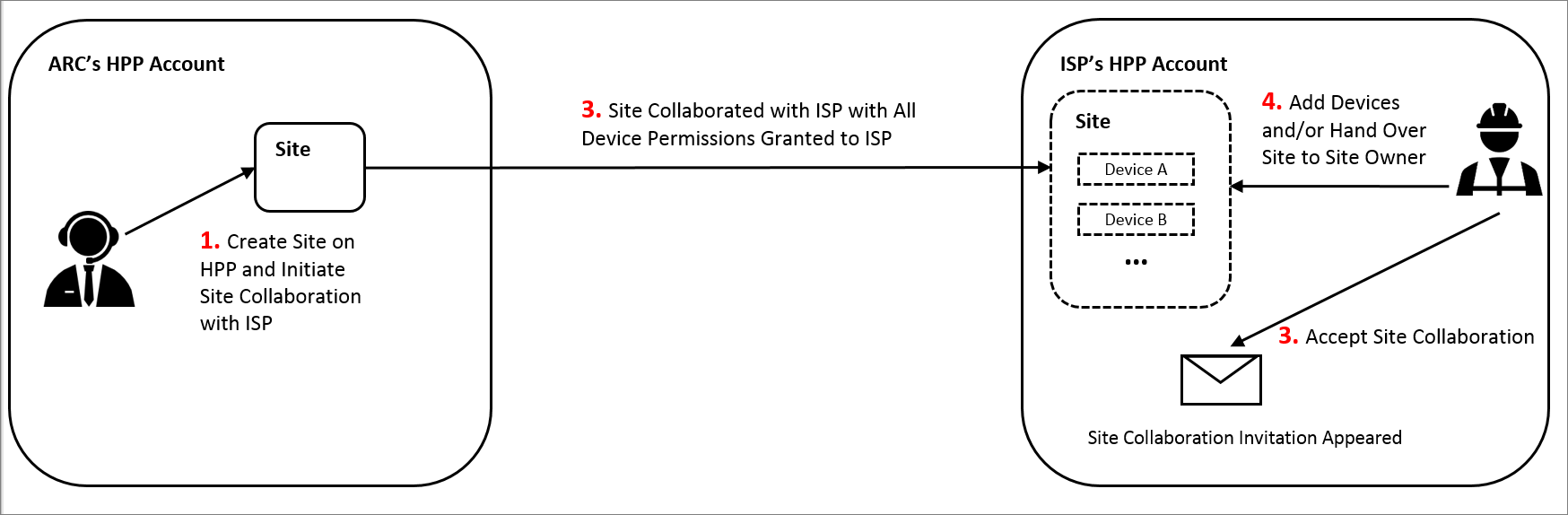
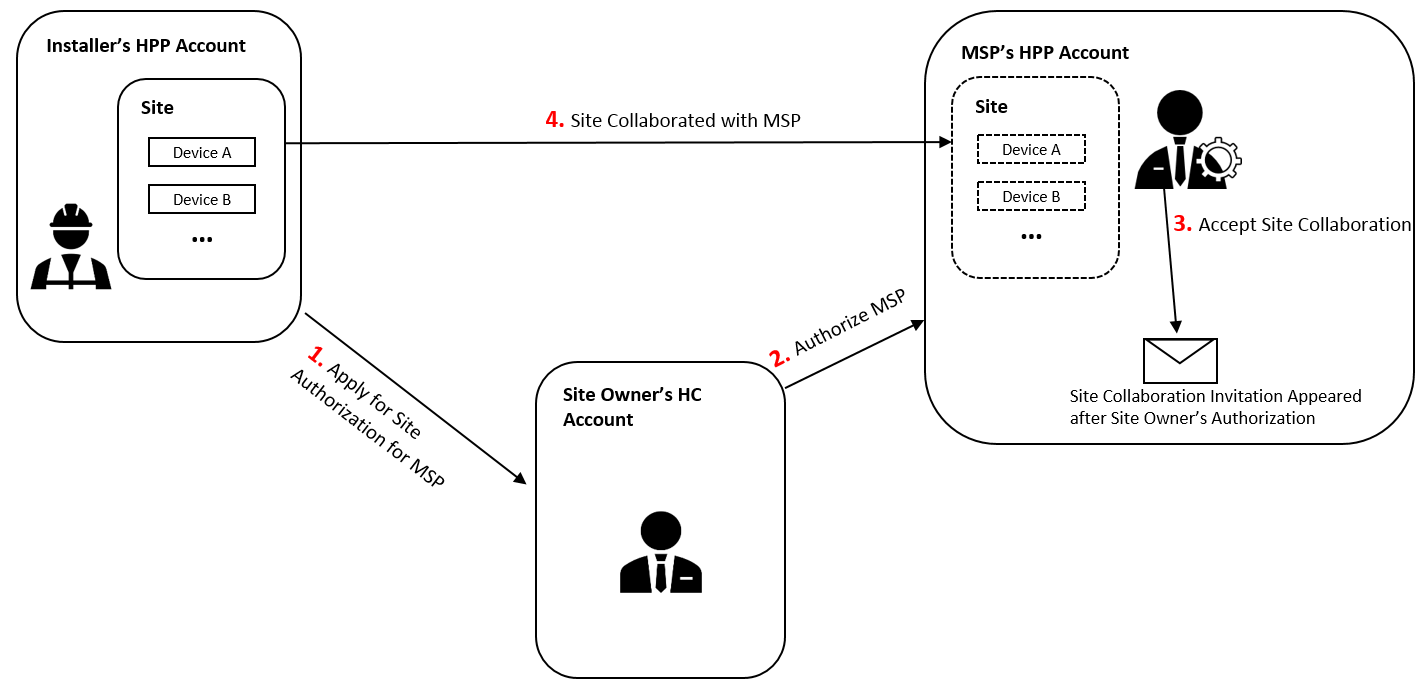
In the diagrams, HPP represents Hik-Partner Pro, HC represents Hik-Connect, MSP represents maintenance service partner, and ISP represents installation service partner.
Site Collaboration Before Handover
The diagram below shows the overall process of site collaboration before you hand it over to your customer, and in this scenario, suppose your company is an ARC company. For detailed steps, see Hik-Partner Pro Portal User Manual.
Site Collaboration After Handover
The diagram below shows the overall process of site collaboration after the site is handed over by transferring to your customer, and in this scenario, suppose your company is an installation company. For detailed steps, see #GUID-217EBEA3-07F3-4FDD-AECC-0CB2AB3BA663.
Limitations
-
Site collaboration is not supported in some countries/regions or by some accounts.
-
You can only invite these accounts to collaborate with you on the site: your MSP's Installer Admin account, and your ISP's account with the Manage All Sites or Manage Assigned Sites permission.
-
Your account and the account which you invite need to be in the same country/region.
-
You cannot invite any Installer account of your company.