Submit Hik-Partner Pro Case
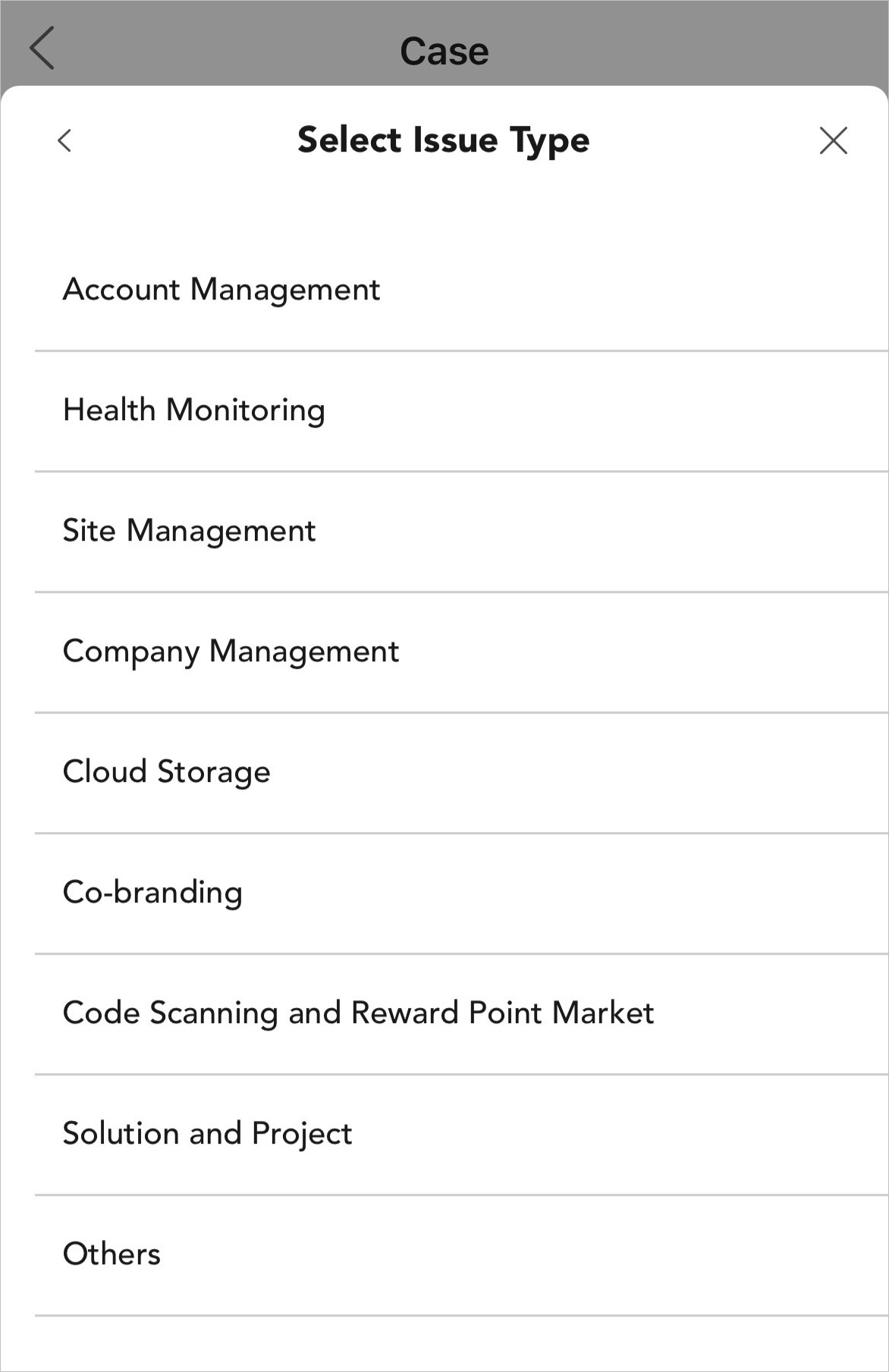
You can submit Hik-Partner Pro cases for 9 types of issues related to Hik-Partner Pro. The issues include account management, health monitoring, site management, account management, cloud storage, co-branding, code scanning and reward point market, solution and projects, and others. You can get professional help from our support team by submitting cases.
The function is only available in certain countries and regions. For details about whether your country or region supports the function, refer to the after-sales or local distributor.
-
On
the Case page, tap , and select an issue type from the 9 supported ones.
Figure 1 Issue Type
-
Fill in the fields as required.
- Title
-
Enter the title of your case.
Note:The maximum length of the title is 100 characters.
- Issue Description
-
Describe your issue according to the suggestions in the blank.
Note:The length of issue description should vary from 20 to 2,000 characters.
- Screenshot / Error Information
-
Tap
 to upload
screenshots or error information.Note:
to upload
screenshots or error information.Note:-
You can upload attachments in PNG, JPG, BMP, JPEG, PDF, DOC, XLSX, and TXT format.
-
No more than 5 PNG/JPG/BMP/JPEG files and 3 PDF/DOC/XLSX/TXT files are allowed.
-
The maximum size of each attachment is 5 MB.
-
- Link for Accessing Files on Network Disk
-
For files larger than 5 MB, please upload them to a network disk.
- Authorization Code
-
This field is not available for the following issue type: Code Scanning and Reward Point Market, Solution and Project, and Others.
- Other Contacts
-
Enter the email address of other contact.
Note:No more than 5 contacts can be added.