Set Device No. via Web
The device can be used as a door station or outer door station. You should set the device No. before usage.
Click .
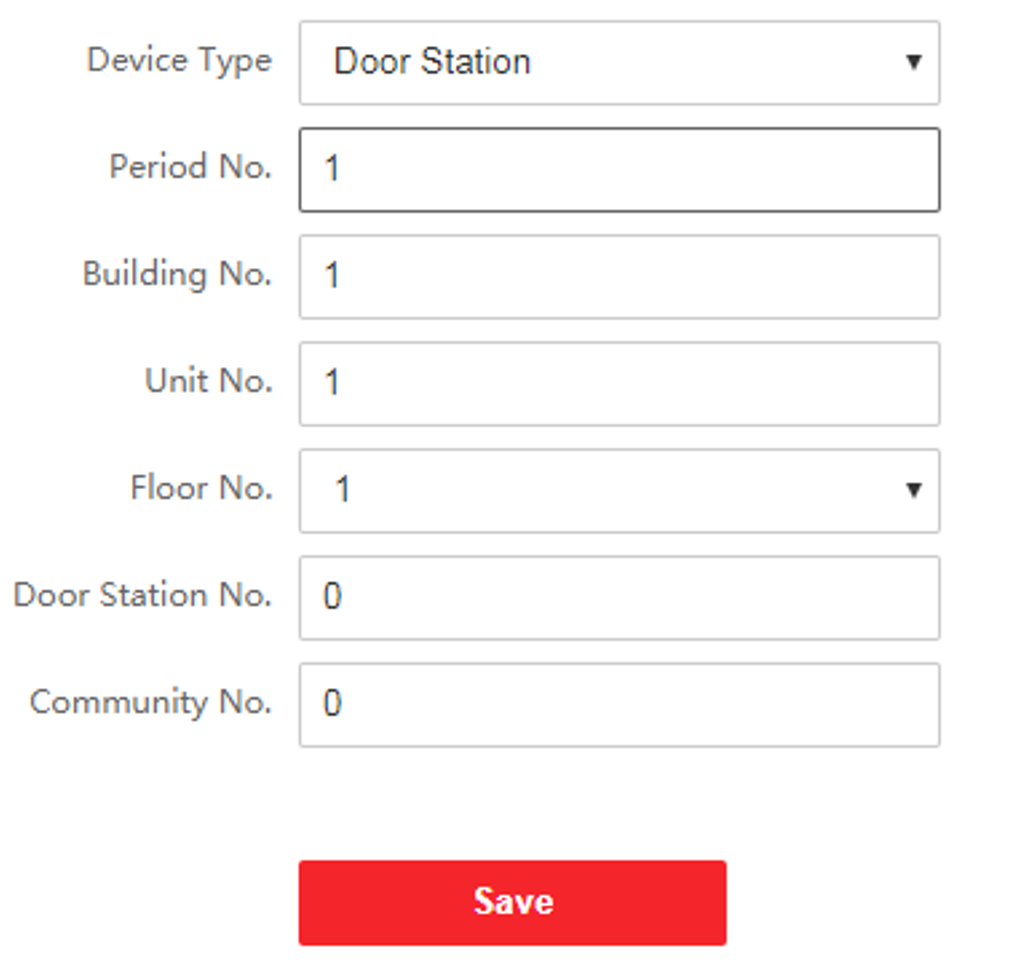
If set the device type as Door Station, you can set the Floor No., Door Station No., Community No., Building No., and Unit No.
- Device Type
-
The device can be used as a door station or outer door station. Select a device type from the drop-down list.
Note:If you change the device type, you should reboot the device.
- Floor No.
-
Set the device installed floor No.
- Door Station No.
-
Set the device installed floor No.
Note:-
If you change the No., you should reboot the device.
-
The main door station No. is 0, and the sub door station No. ranges from 1 to 16.
-
- Community No.
-
Set the device community No.
- Building No.
-
Set the device building No.
- Unit No.
-
Set the device unit No.
Note:If you change the No., you should reboot the device.
Click Save to save the settings after the configuration.
If set the device type as Outer Door Station, you can set outer door station No., and community No.