Activate via Device
If the device is not activated, you can activate the device after it is powered on.
On the Activate Device page, create a password and confirm the password. Tap Activate and the device will activated.
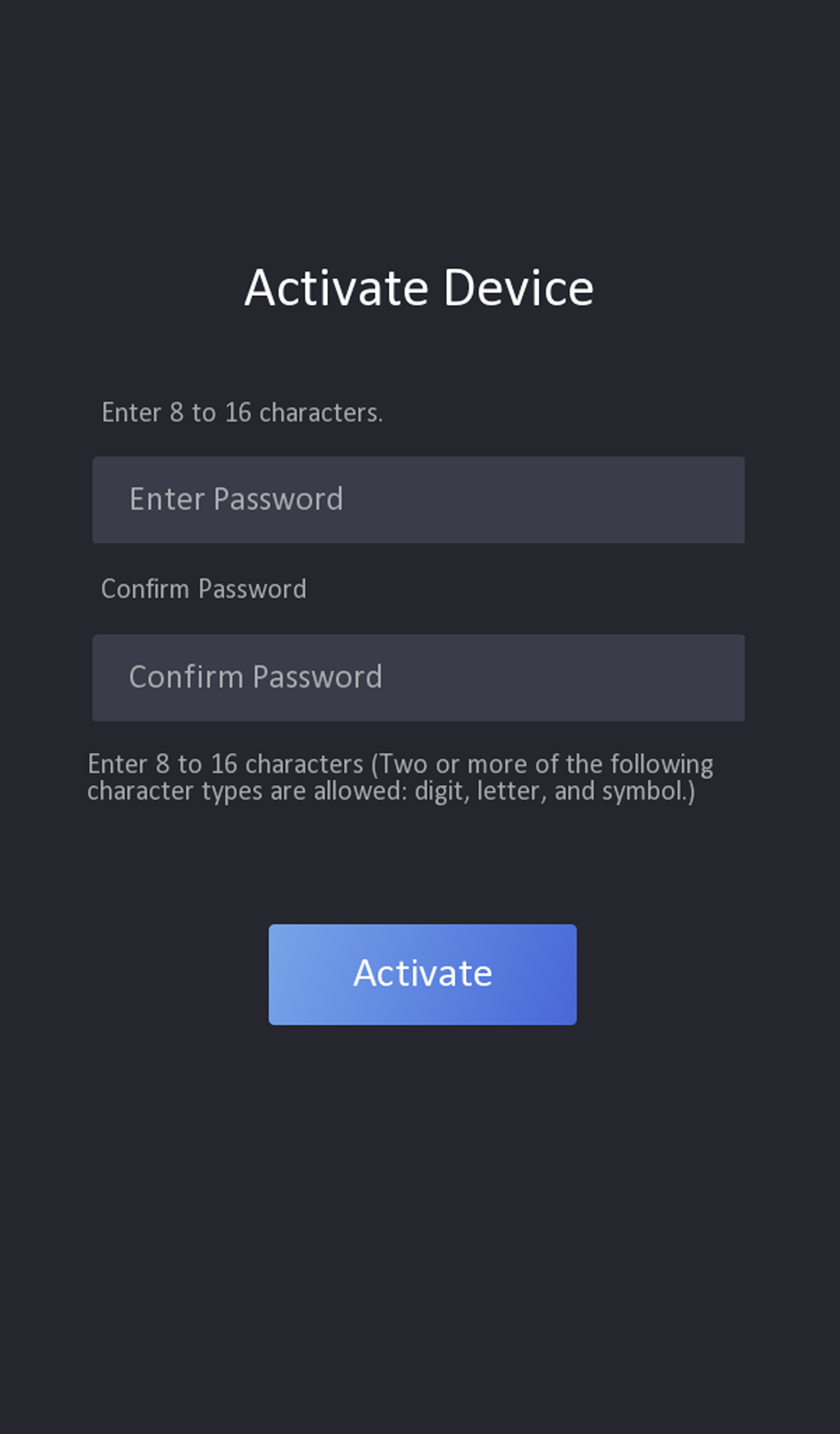
-
The password strength of the device can be automatically checked. We highly recommend you change the password of your own choosing (using a minimum of 8 characters, including at least three kinds of following categories: upper case letters, lower case letters, numbers, and special characters) in order to increase the security of your product. And we recommend you change your password regularly, especially in the high security system, changing the password monthly or weekly can better protect your product.
-
Proper configuration of all passwords and other security settings is the responsibility of the service provider and/or end-user.
-
Do not contain following characters in the password: the user name, 123, admin (case-insensitive), 4 or more continuously increasing or decreasing digits, or 4 or more consecutively repeated characters.
-
Password cannot contain words such as hik, hkws, and hikvision (case insensitive).
-
After activation, you should select a language according to your actrual needs.
-
After activation, you should select an application mode. For details, see #GUID-BCED45E1-8D29-446D-9C6A-C349BEF6F3EF.
-
After activation, if you need to set privacy, you should check the item. For details, seePrivacy Settings .
-
After activation, if you need to add administrator to manage the device parameters, you should set administrator. For details, see Add Administrator.