When the configured event is triggered, upload the event information to the central platform according to the configured method.
-
Click to enter the settings page.
Figure 1 Linkage
Settings
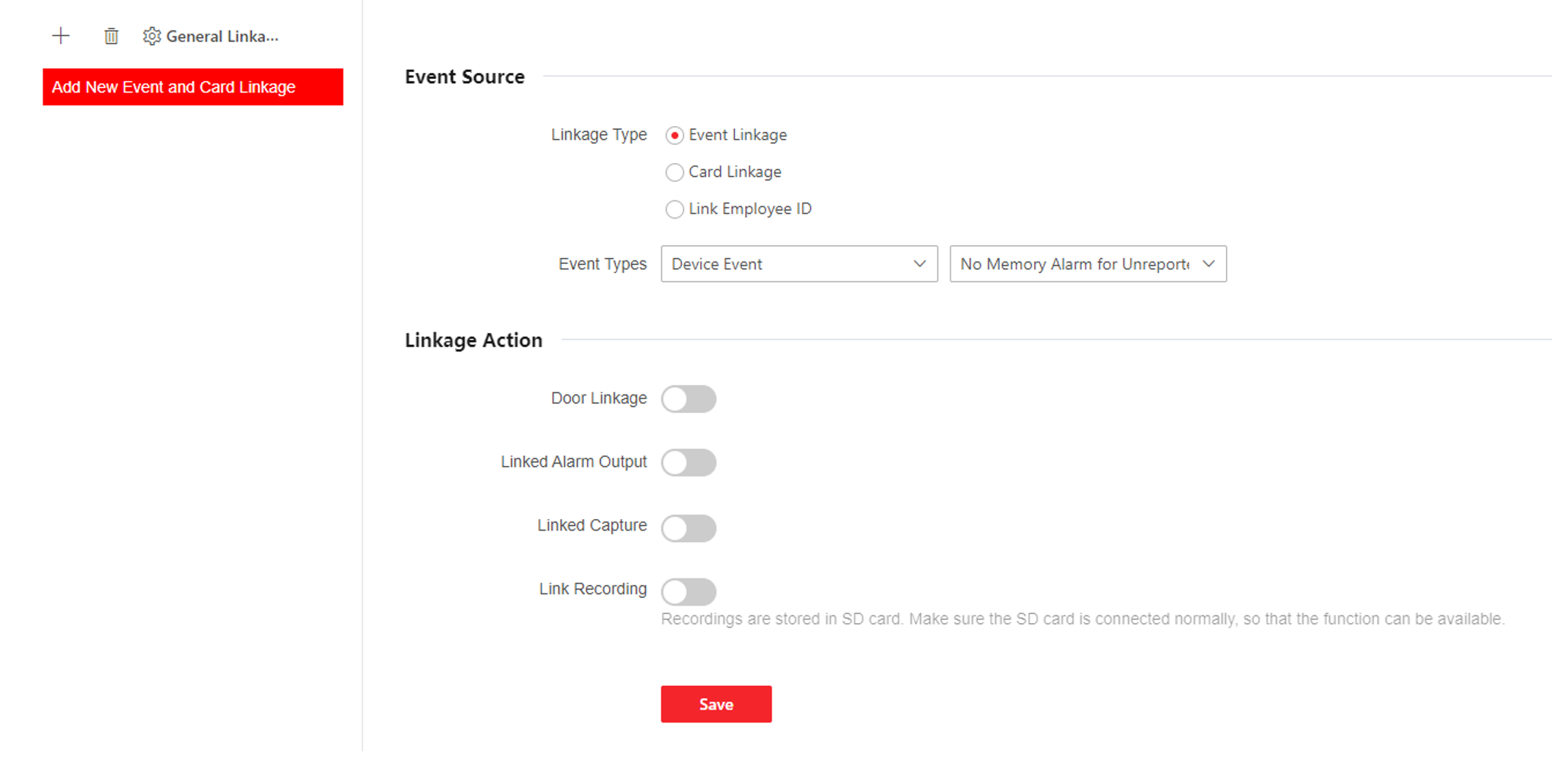
-
Click + .
-
Set event source. Select the linkage type as Event Linkage, Card Linkage or Link Employee ID.
-
Select Linkage Type as Event Linkage, you can select event types according to your actual needs.
-
Select Linkage Type as Card Linkage, enter Card No. and select Card reader.
-
Select Linkage Type as Link Employee ID, enter Employee ID and select Card reader.
-
Set linkage action.
-
Enable Door Linkage, check and select door action.
-
Enable Linked Alarm Output, check and select alarm output action.
-
Enable Linked Capture.
-
Enable Link Recording, click General Linkage Settings to set pre-record time and recording delay, and enable record audio when recording video. Click Save.
Note:
To use the recording function, you need to prepare
the SD card. After recording, you can click Event
Search to view recordings. For details, see
Search Event
-
ClickSave to enable the settings.