SADP is a tool to detect, activate and modify the IP address of the device
over the LAN.
-
Get the SADP software from the supplied disk or the official
website http://www.hikvision.com/en/, and install
the SADP according to the prompts.
-
The device and the PC that runs the SADP tool should be within
the same subnet.
The following steps show how to activate a device and modify its IP
address. For batch activation and IP addresses modification, refer to User Manual of SADP for details.
-
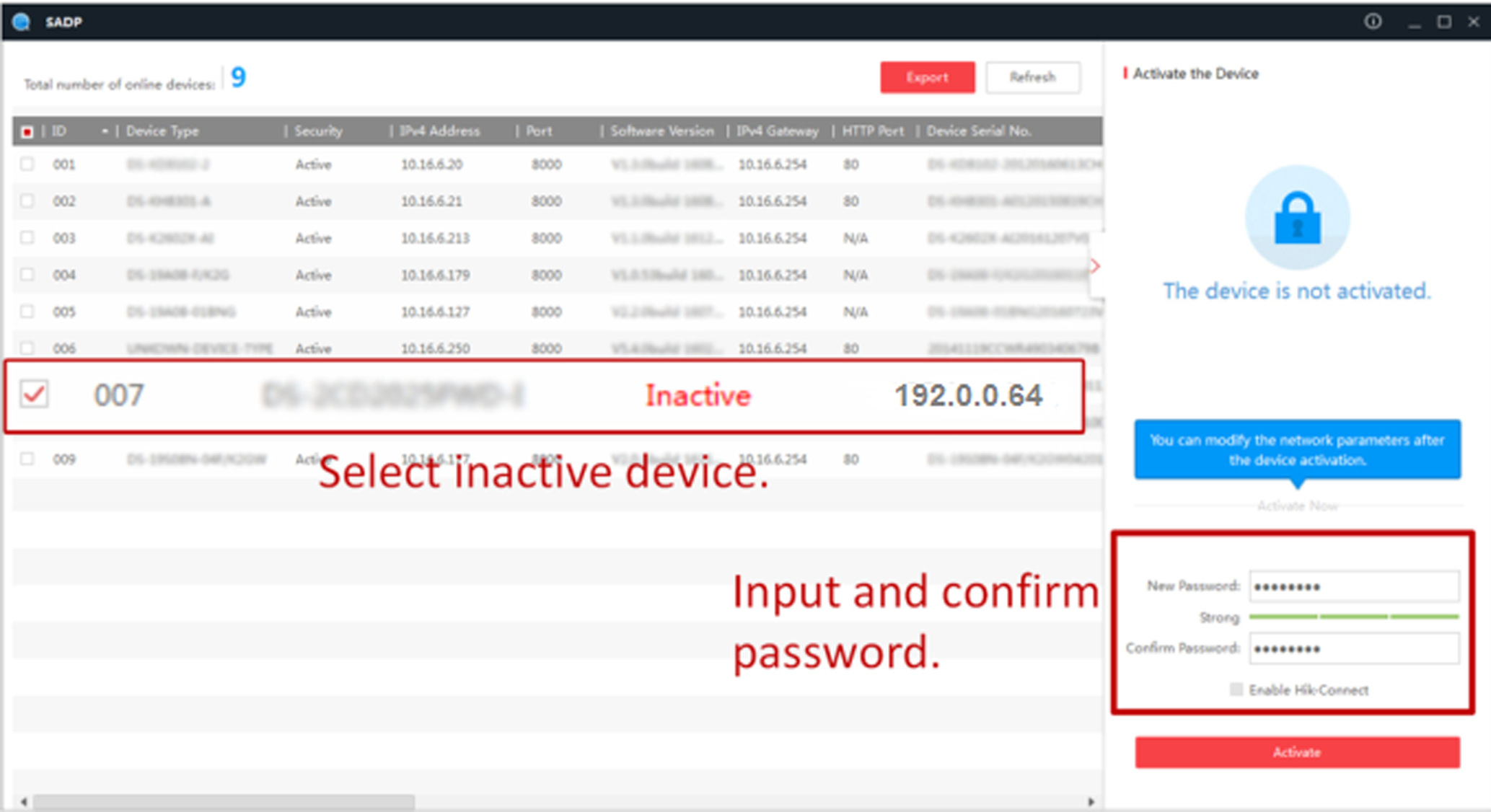
Run the SADP software and search the online devices.
-
Find and select your device in online device list.
-
Input new password (admin password) and confirm the password.
CAUTION:
STRONG PASSWORD RECOMMENDED-We highly recommend you create a strong
password of your own choosing (using a minimum of 8 characters, including upper case
letters, lower case letters, numbers, and special characters) in order to increase
the security of your product. And we recommend you reset your password regularly,
especially in the high security system, resetting the password monthly or weekly can
better protect your product.
Note:
Characters containing admin and nimda are not supported to be set as
activation password.
-
Click Activate to start activation.
Status of the device becomes Active after
successful activation.
-
Modify IP address of the device.
-
Select the device.
-
Change the device IP address to the same subnet as your computer by
either modifying the IP address manually or checking Enable
DHCP.
-
Input the admin password and click Modify to
activate your IP address modification.
 Status of the device becomes Active after successful activation.