Set Time
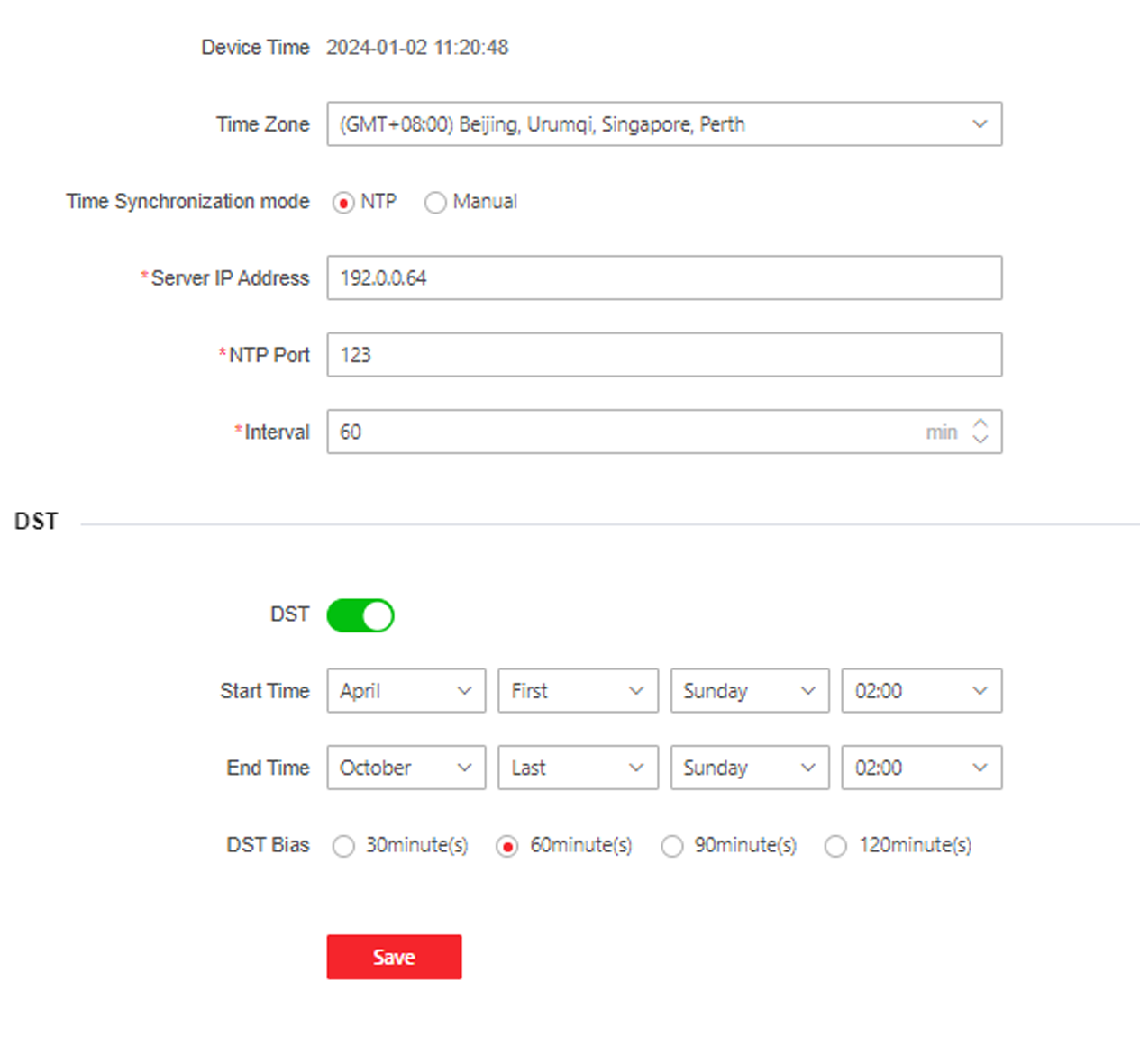
Set the device's time zone, synchronization mode, server address, NTP port, and interval.
Click .
Figure 1 Time Settings
Click Save to save the settings after the configuration.
- Time Zone
-
Select the device located time zone from the drop-down list.
- Time Sync.
-
- NTP
-
You should set the NTP server's IP address, port No., and interval.
- Manual
-
By default, the device time should be synchronized manually. You can set the device time manually or check Sync. with Computer Time to synchronize the device time with the computer's time.
- Server Address Type/Server Address/NTP Port/Interval
-
You can set the server address type, server address, NTP port, and interval.