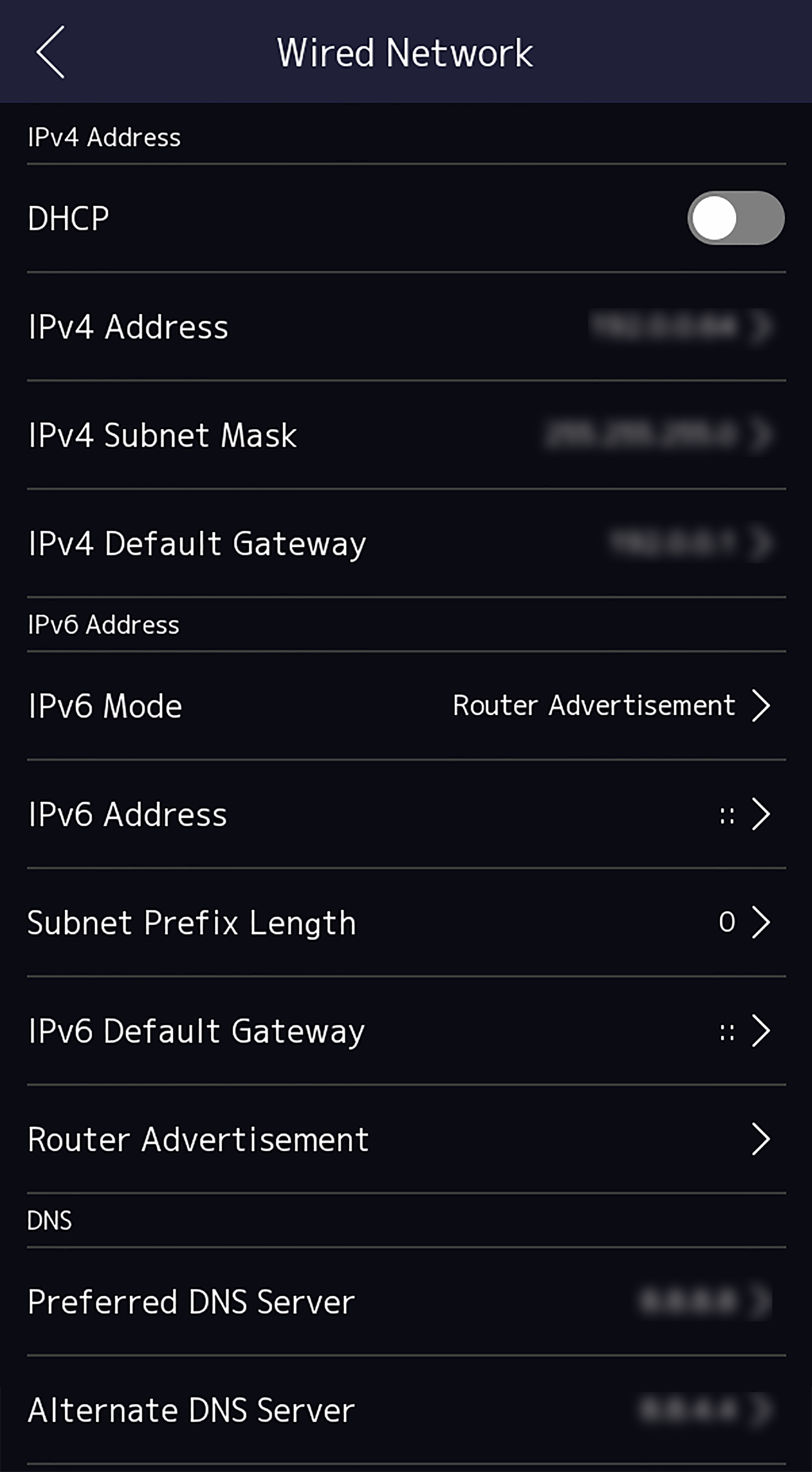
You can set the device wired network parameters, including the IPv4/IPv6 IP
address, the subnet mask, the gateway, and DNS parameters.
-
Tap (Communication Settings) on the Home page to enter the
Communication Settings page.
-
On the Communication Settings page, tap Wired
Network.
Figure 1 Wired Network
Settings
-
Set IPv4/IPv6 IP Address, Subnet Mask, and Gateway.
-
Enable DHCP, and the system will
assign IP address, subnet mask, and gateway automatically.
-
Disable DHCP, and you should set the
IP address, subnet mask, and gateway manually.
Note:
The device's IP address and the computer IP address
should be in the same IP segment.
-
Set the DNS parameters. You can enable Auto Obtain DNS,
set the preferred DNS server and the alternate DNS server.