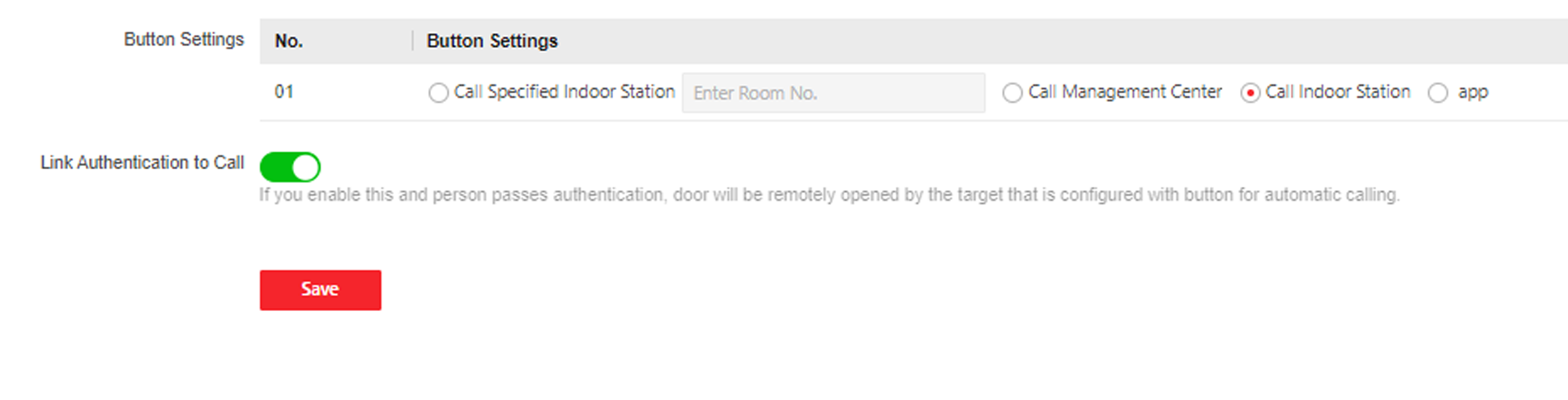
Click Access Control > Call Settings > Press Button to Call to enter the settings page.
Figure 1 Press Button to Call
Select Call Specified Indoor Station, Call
Management Center, Call Indoor Station or
APP at your needs.
Note:
If you select Call Specified Indoor
Station, you need to enter the Room
No. of the indoor station.
Enable Link Authentication to Call according to your
needs. After enabled, when person passes authentication, the door will be
remotely opened by the target that is configured with button for automatic
calling.