Configure Video Intercom Network Parameters via Web Browser
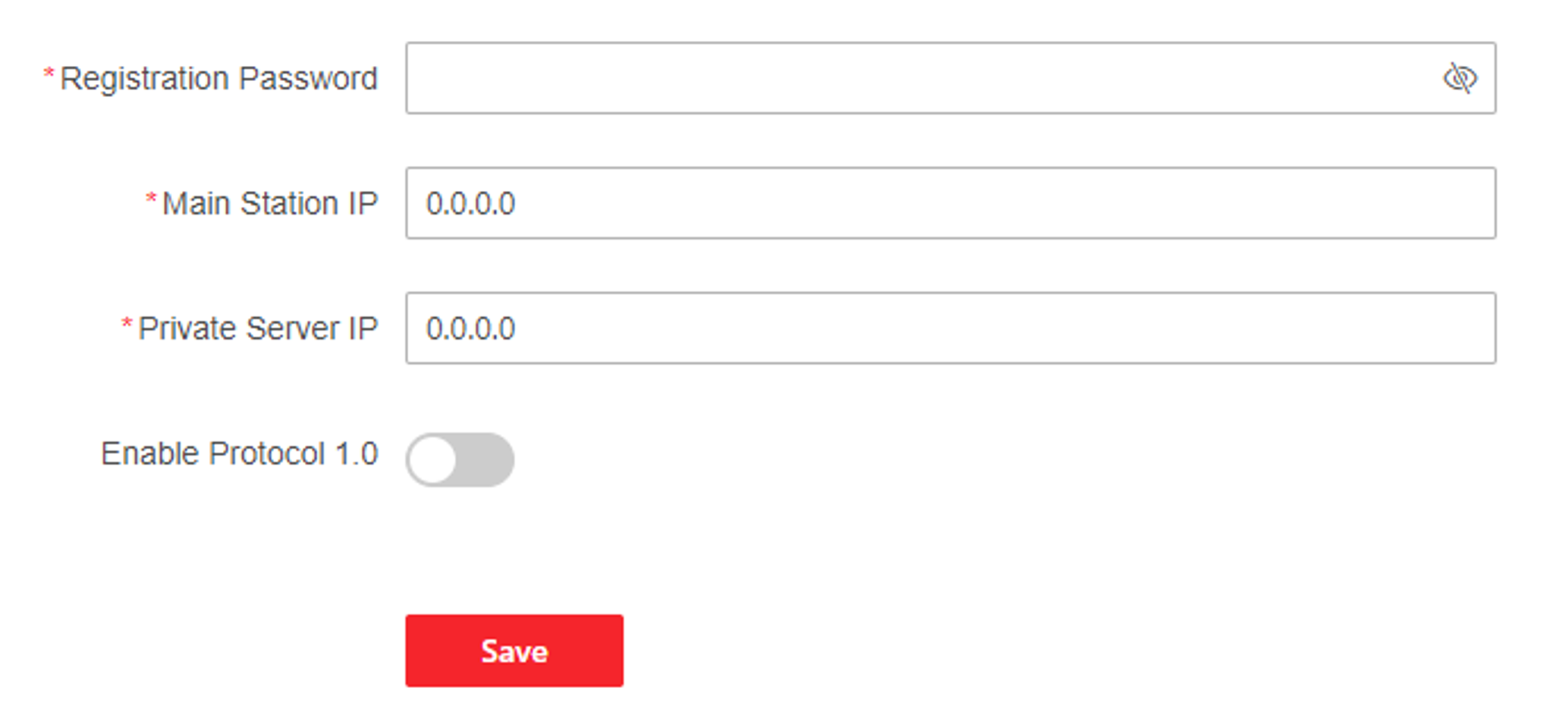
You can set the registration password, main station IP and private server IP, and you can enable protocol 1.0 according to your actual needs.
Click to enter the settings page.
- Registration Password
-
Set the registration password of the main station for communication. Set the registration password of the main station for communication.
- Main Station IP
-
Enter the main station’s IP address that used for communication.
- Private Server IP
-
Refers to the SIP server IP. Enter the main station’s IP address that used for communication. At this time the main station is used as a SIP server. Other intercom devices should registered to this server address to realize communication.
- Enable Protocol 1.0
-
If enabled, the door station can be registered to the main station by old protocol version. If disabled, the door station can be registered to the main station by new protocol version.
After configuration, you can achieve communication between access control devices and video intercom door station, indoor station, main station, platforms, etc.
Click Save.