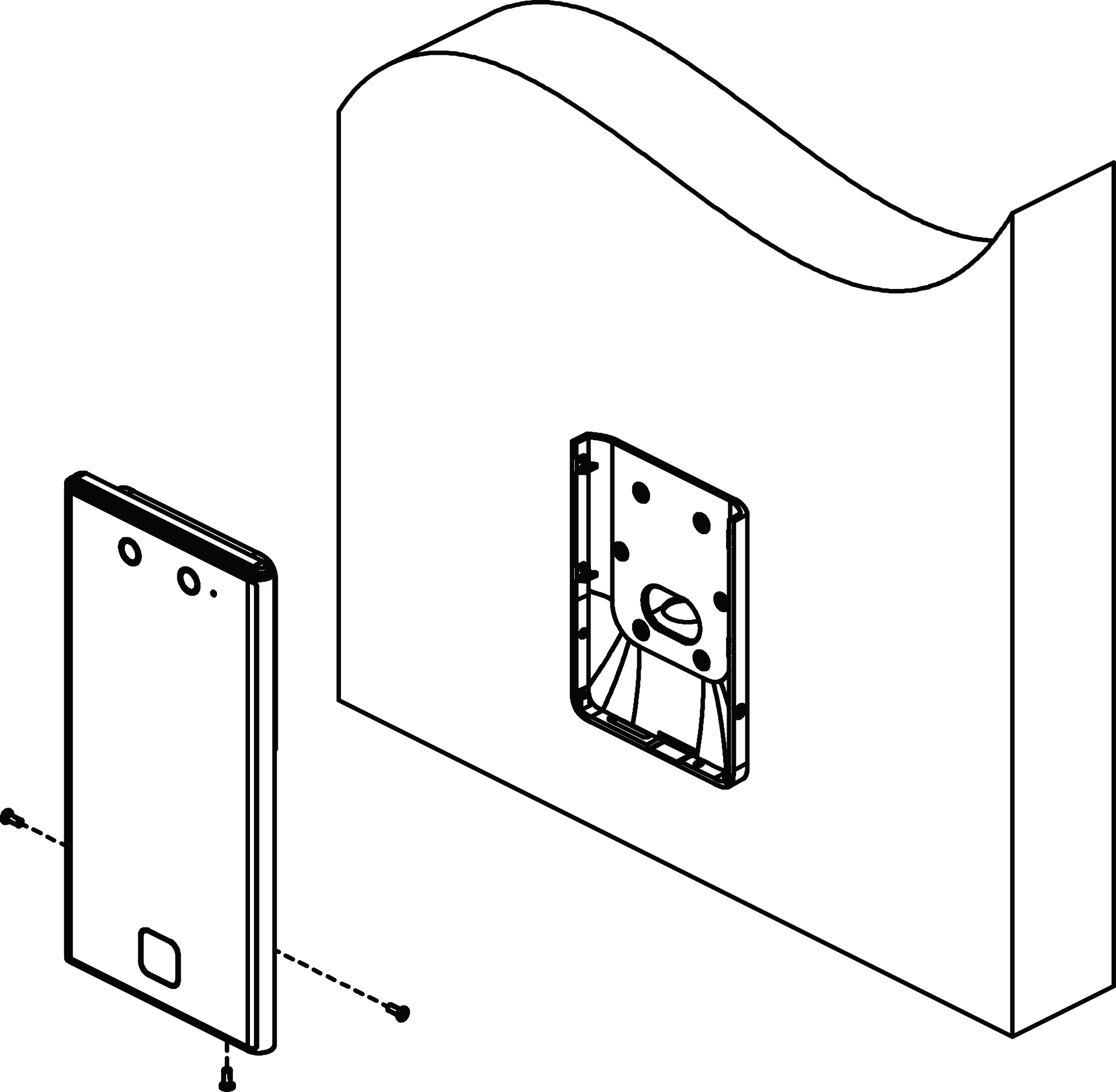
Flush Mounting with Gang Box
Remove the back sheet of the device.
-
Make sure the gang box is installed on the wall.
Note:
Gang box is not supplied.
Figure 1 Install Gang Box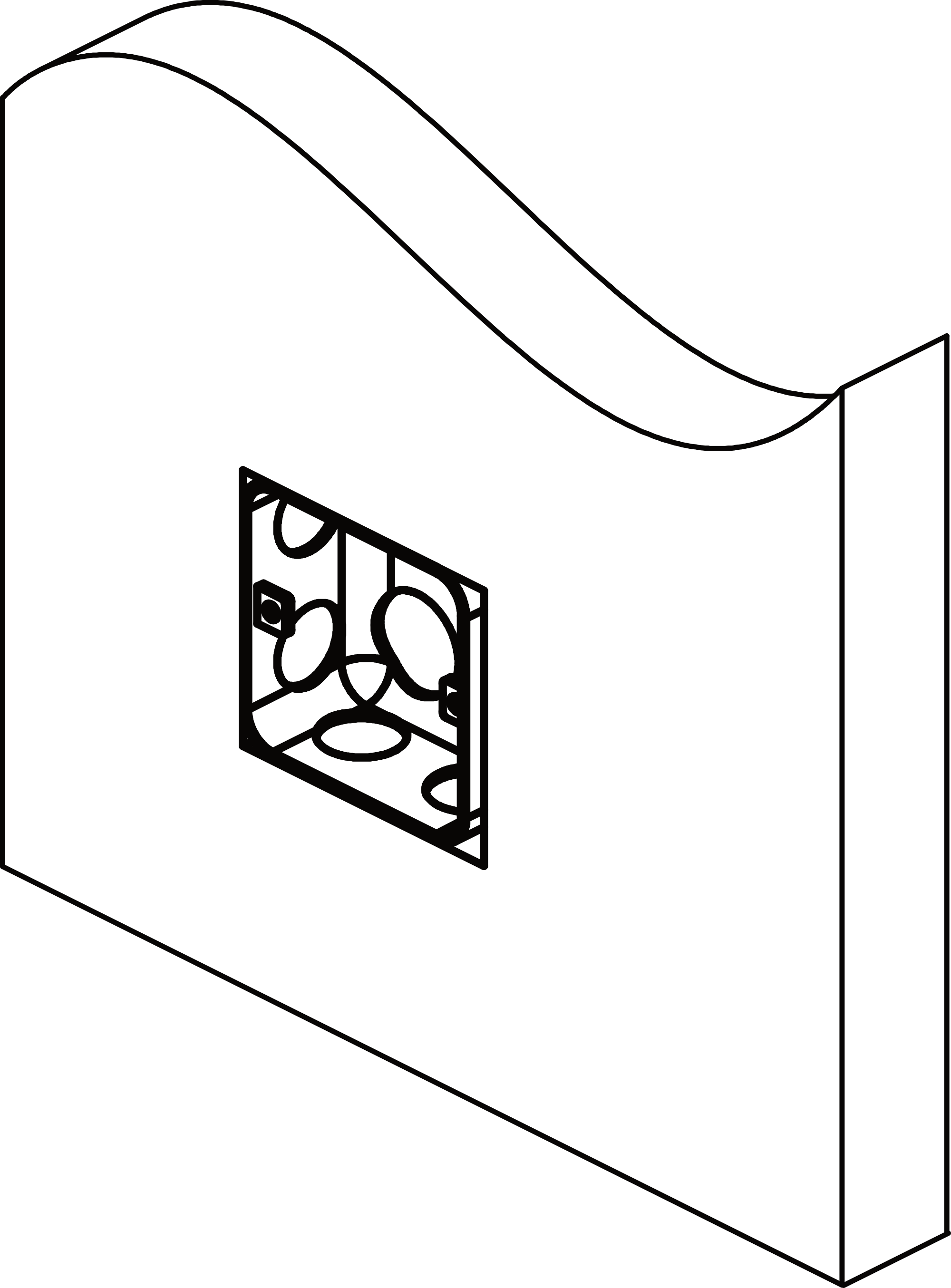
-
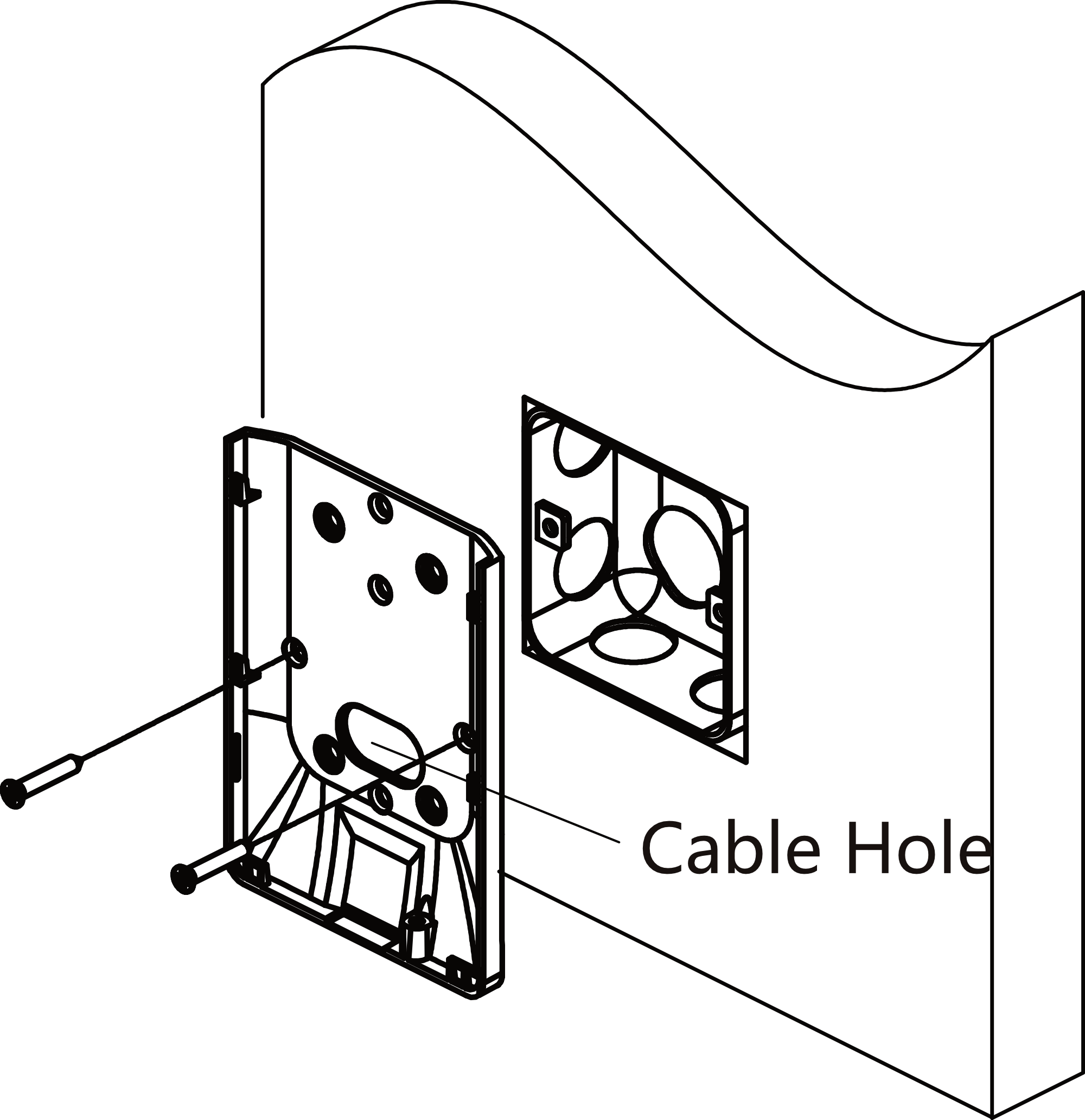
Secure the mounting plate on the gang box with 2 supplied screws
(SC-K1A4X24_5).
Figure 2 Install Mounting Plate
-
Route the cable through the cable hole, wire the cables and insert the cables
in the gang box.
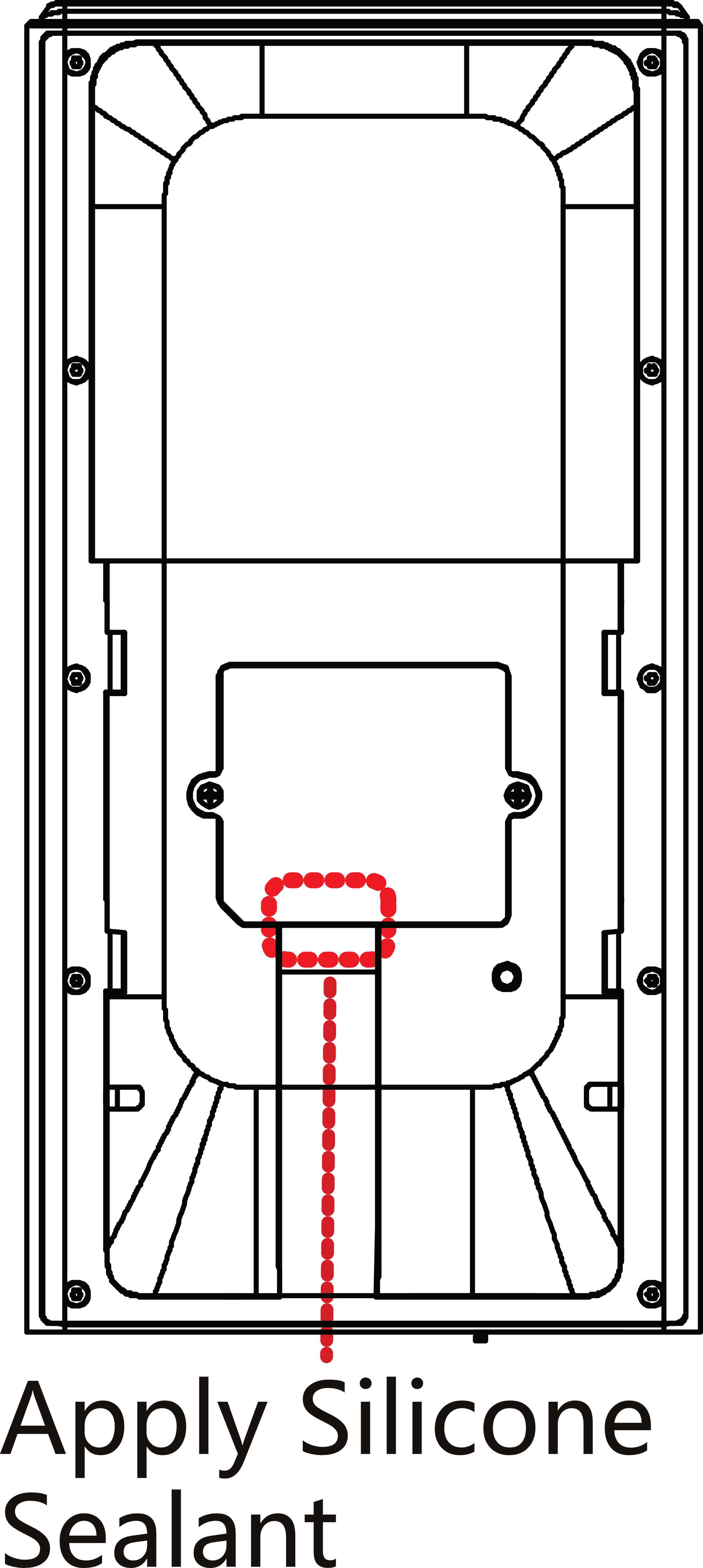
Note:
Apply Silicone sealant among the cable wiring area to keep the raindrop from entering.
-
Align the device with the mounting plate, and secure the device on the mounting
plate with 1 supplied screw (SC-KM3X6-H2-SUS).
Figure 3 Secure Device