Customize the output audio content when authentication succeeded and
failed.
-
Go to .
Figure 1 Prompt
Schedule
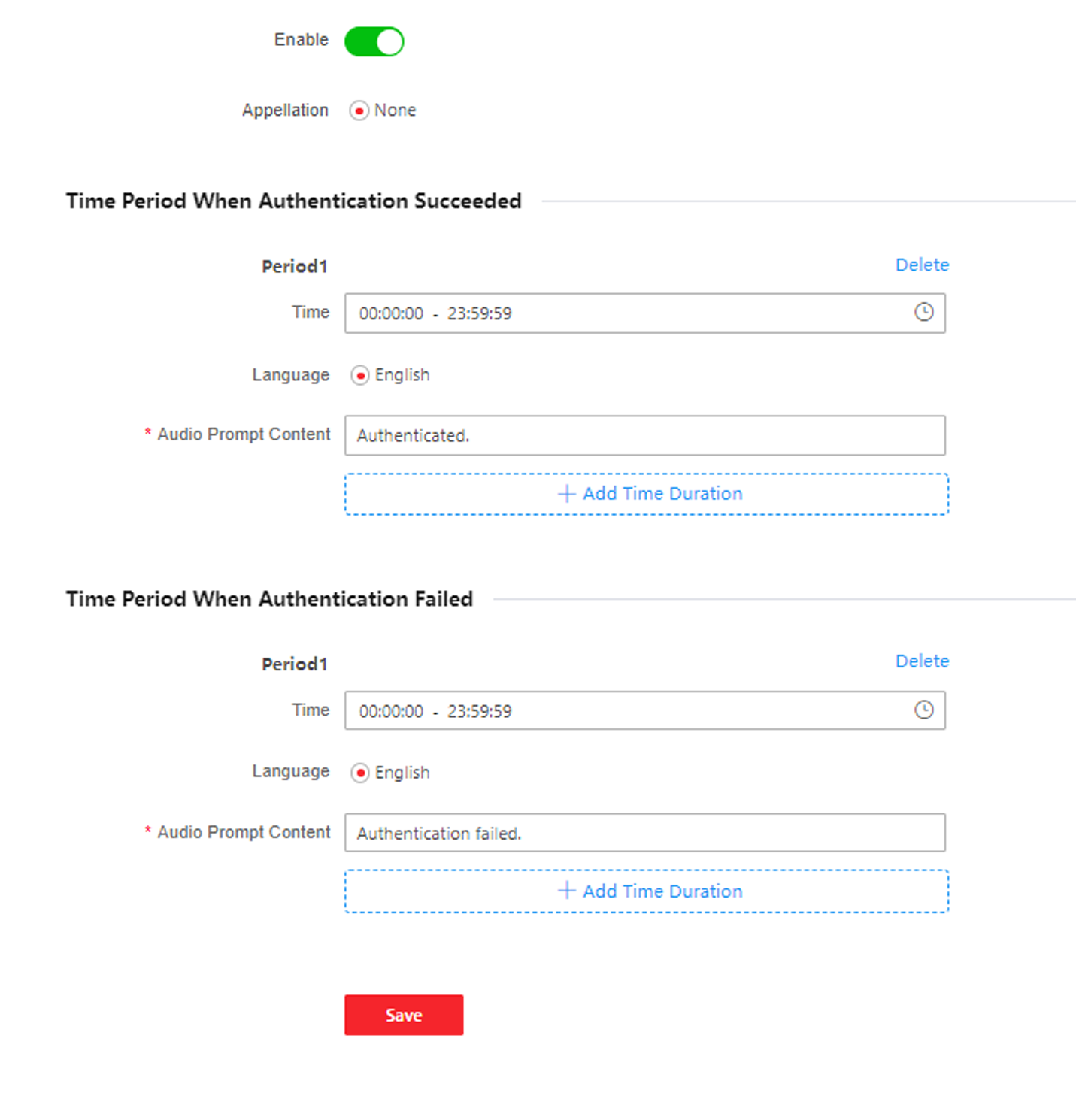
-
Enable the function.
-
Set the appellation.
-
Select time schedule.
-
Set the time period when authentication succeeded.
-
Click Add Time Duration.
-
Set the time duration.
Note:
If authentication is succeeded in the configured
time duration, the device will broadcast the configured
content.
-
Set the audio prompt content.
- Optional:
Repeat substep 1 to 3.
- Optional:
Click
to delete the configured
time duration.
-
Set the time duration when authentication failed.
-
Click Add Time Duration.
-
Set the time duration.
Note:
If authentication is failed in the configured time
duration, the device will broadcast the configured content.
-
Set the audio content.
- Optional:
Repeat substep 1 to 3.
- Optional:
Click
to delete the configured
time duration.
-
Click Save to save the settings.