Set Wi-Fi Parameters
Set the Wi-Fi parameters for device wireless connection.
Note:
The function should be supported by the device.
-
Click .
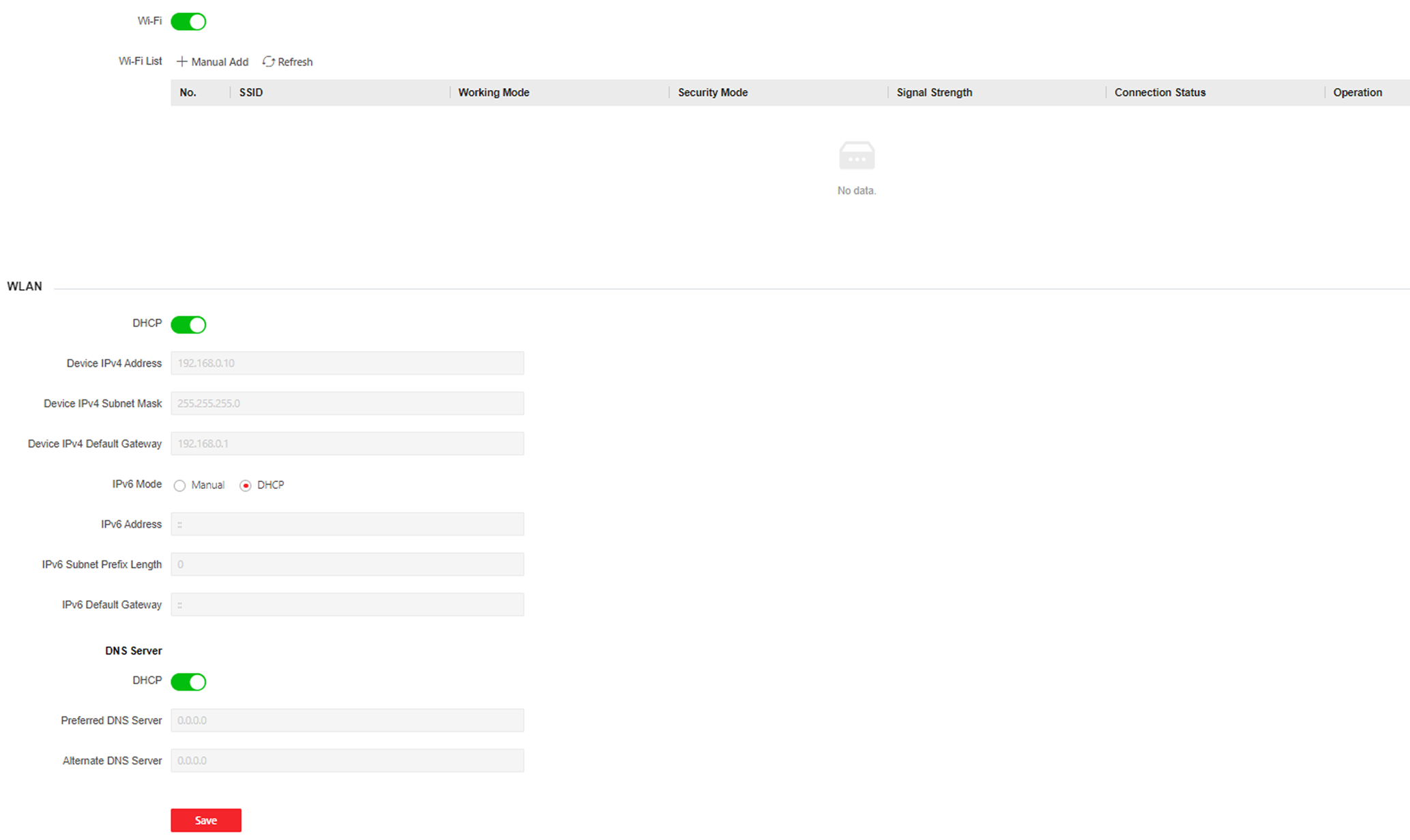
Figure 1 Wi-Fi Settings Page
-
Select a Wi-Fi
-
Click
 of a Wi-Fi in the list
and enter the Wi-Fi password.
of a Wi-Fi in the list
and enter the Wi-Fi password. -
Click Add and enter a Wi-Fi's name, password, and encryption type. Click Connect. When the Wi-Fi is connected, click OK.
-