You can set the Wiegand transmission direction.
Note:
Some device models do not support this function. Refer to the
actual products when configuration.
-
Click .
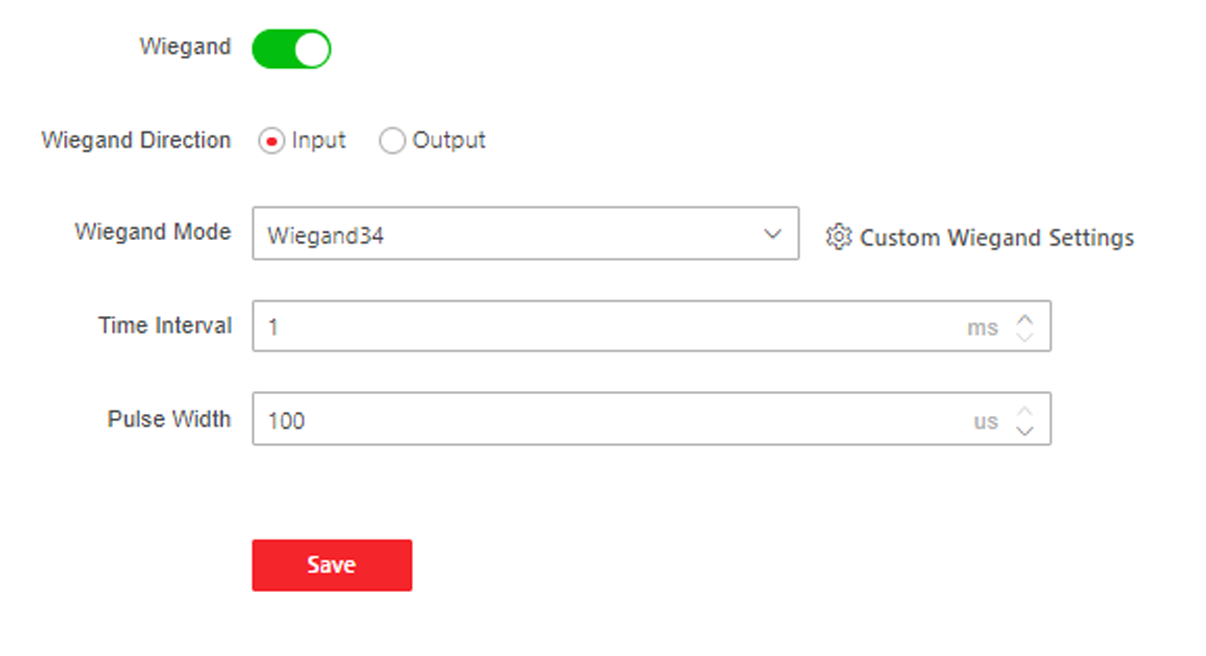
Figure 1 Wiegand Page
-
Check Wiegand to enable the Wiegand function.
-
Set a transmission direction.
- Input
-
The device can connect a Wiegand card reader.
- Output
-
The can connect an external access controller. And
the two devices will transmit the card No. via Wiegand 26 or
34.
-
Click Save to save the settings.
Note:
If you change the peripheral, and after you save the device
parameters, the device will reboot automatically.