Elevator Control via Web
-
Click System and Maintenance > System Configuration > Elevator Control.
Figure 1 Elevator Control
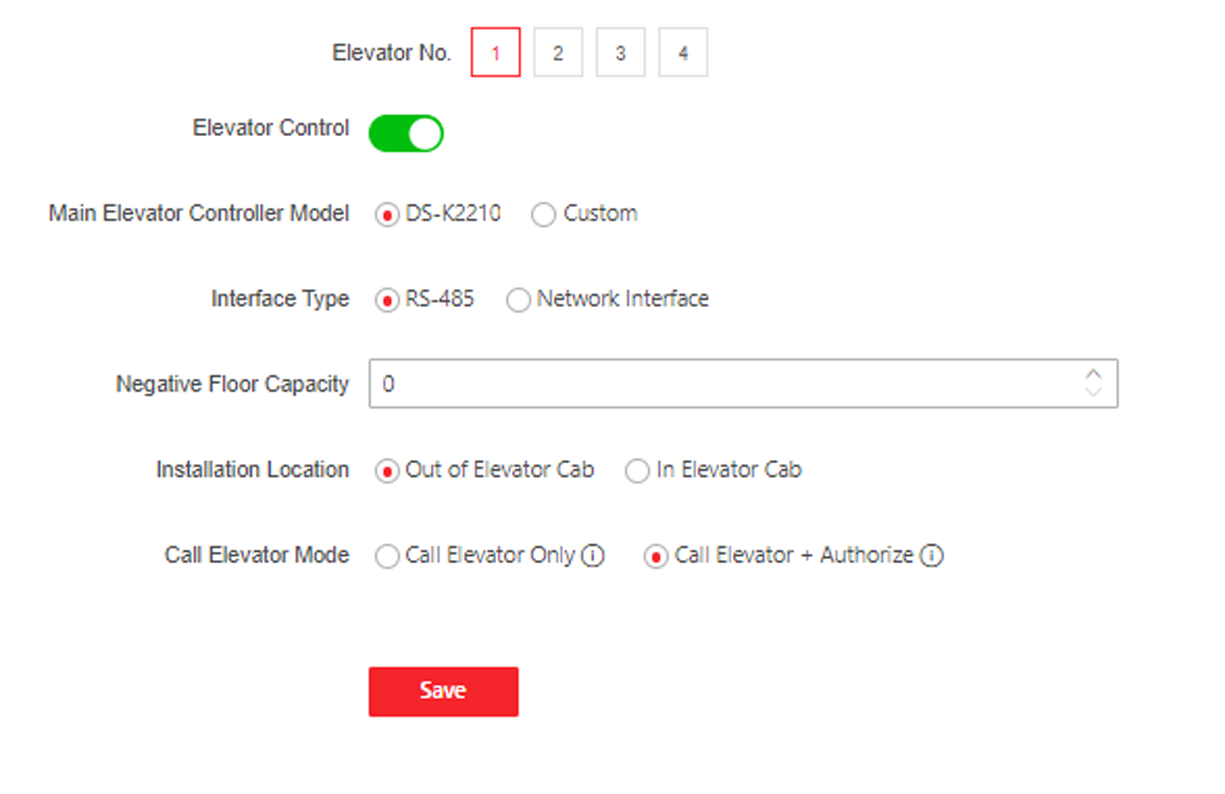
- Enable Elevator Control.
-
Set the elevator parameters.
- Main Elevator Controller Model
-
Select an elevator No. for configuration.
- Interface Type
-
Select a communication type from the drop-down list for elevator communication.
If you select RS-485, make sure you have connected the device to the elevator controller with RS-485 wire.
If you select Network Interface, enter the elevator controller's IP address, port No., user name, and password for communication.
- Negative Floor Capacity
-
Set the negative floor number.
- Installation Location
-
Select installation location as Out of Elevator Cab or In Elevator Cab.
- Call Elevator Mode
-
Select call elevator mode.
- Call Elevator Only
-
After the person passes authentication, the device will call elevator to its floor.
- Call Elevator + Authorize
-
After the person passes authentication, the device will call elevator to its floor and authorize the permission of the floor linked to the person's room. The person can get to the target floor by pressing corresponding floor No.
Note:-
Up to 4 elevator controllers can be connected to 1 device.
-
Up to 10 negative floors can be added.
-
Make sure the interface types of elevator controllers, which are connected to the same device, are consistent.