Flow Chart of Patrol Management
The flow chart below shows the process of configuring and managing patrols.
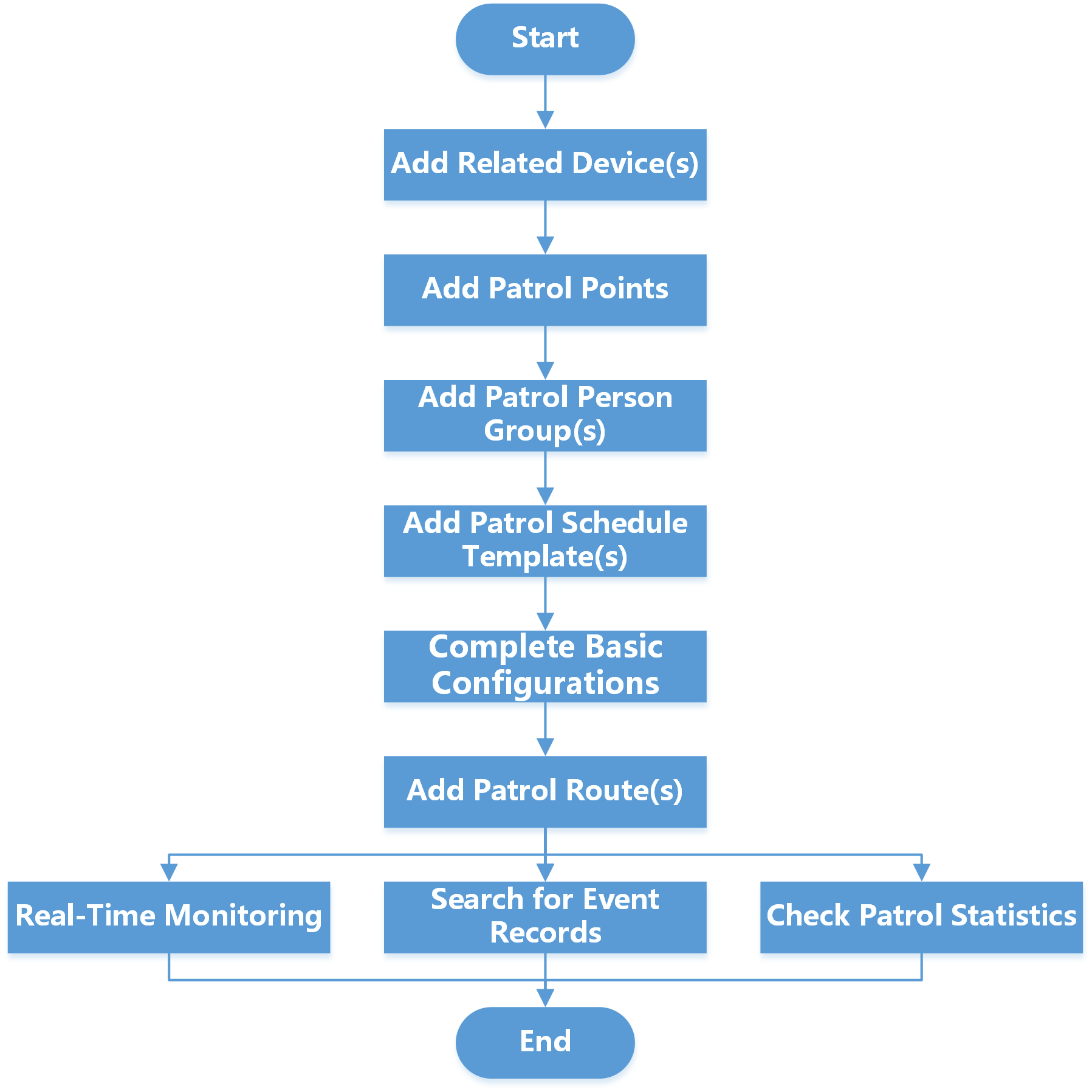 Figure 1 Flow Chart of Patrol Management
|
Step |
Description |
|---|---|
|
Add Related Device(s) |
Add devices used for adding patrol points, real-time monitoring, etc. See Manage Access Control Device and Manage Encoding Device for details. |
|
Add Patrol Points |
Before you create a patrol route and start a patrol, you need to add patrol points. You can set access points as patrol points, or generate QR codes to be patrol points. The patrol persons have to check in at the patrol points to perform the patrol. See Add Patrol Points for details. |
|
Add Patrol Person Group(s) |
Before adding a patrol route, you can select persons to form a patrol person group and set their patrol mode. See Add Patrol Person Group for details. |
|
Add Patrol Schedule Template(s) |
You need to set the schedule template first in order to schedule a patrol. See Add Patrol Schedule Template for details. |
|
Complete Basic Configurations |
To manage patrols, you need to set the parameters according to your needs. You can set the exception types for patrol persons to report, storage location of attachments, time for advance notification, and detection interval at which the server detects patrol route status. See Basic Configurations for Patrol Management for details. |
|
Add Patrol Route(s) |
Set the route name, patrol person / patrol person group, patrol schedule, patrol duration, patrol point, patrol pattern, shift schedule, etc., to form a complete patrol route. See Add Patrol Route for details. |
|
Real-Time Monitoring |
Monitor the patrol status in real time via map or list, to conveniently know whether an exception occurs during the patrol, which helps handling the exception in time. See Real-Time Patrol Monitoring for details. |
|
Search for Event Records |
Search for and export patrol-related event records including patrol events and exception reporting. See Search for Patrol-Related Event Records for details. |
|
Check Patrol Statistics |
Filter, check, and export patrol statistics by patrol route, patrol point, and patrol person. See Check Patrol Statistics for details. |