Flow Chart of Parking Lot Management
The flow chart below shows the overall process of parking lot management.
Make sure you have added the relevant vehicle information to the platform and managed the vehicles as needed (e.g., categorize them into different types or add them to vehicle lists). Refer to Vehicle Management for details.
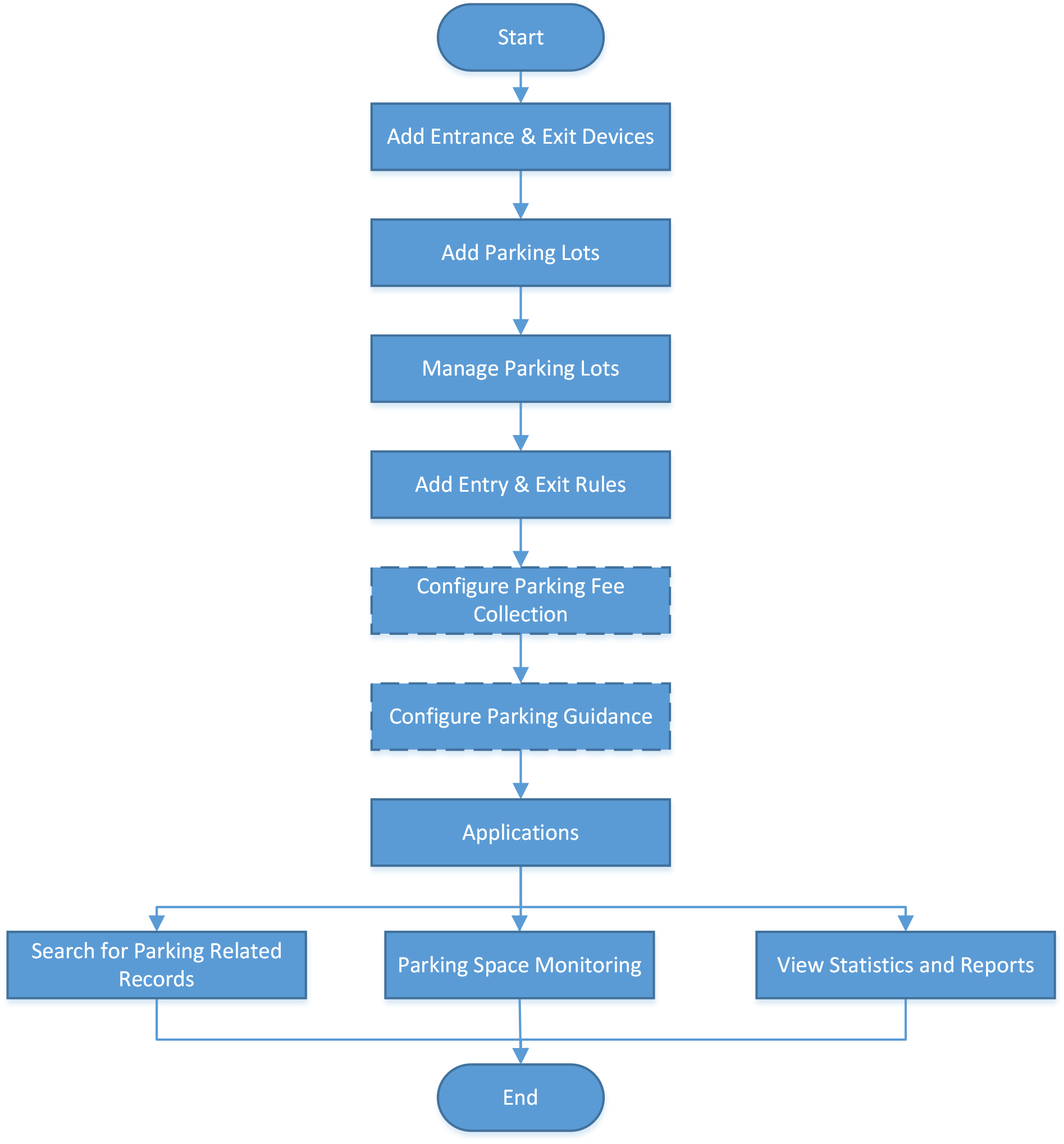 Figure 1 Flow Chart of Parking Lot
Management
Figure 1 Flow Chart of Parking Lot
Management|
Procedure |
Description |
|---|---|
|
Add Entrance & Exit Devices |
Add the relevant devices, such as cameras, entrance/exit control devices, display screens, etc., to the platform via the Resource Management module according to your needs. |
|
Add Parking Lots |
Refer to Add Parking Lot for details about how to add parking lots to the platform. |
|
Manage Parking Lots |
After adding parking lots, you can add entrances and exits to the platform, add lanes for linking different devices to realize different functions, and link display screens to parking lots. Refer to Add Entrance and Exit, Add Lane, and Link Display Screen and Set Displayed Content respectively for more details. |
|
Add Entry & Exit Rules |
An entry & exit rule defines how the barrier gate opens when the platform detects a vehicle at the lane. The barrier gate can be set to open automatically when a vehicle is detected or you can also open it manually by clicking the Allow button on the Control Client after verifying its identity. Refer to Configure Entry & Exit Rules for details. |
|
Configure Parking Fee Collection |
If the parking lot is a paid parking lot that charges money for parking, you can configure rules for how to calculate and collect the parking fees. Refer to Flow Chart of Parking Fee Collection for details. |
|
Configure Parking Guidance |
For parking lots with guidance terminals and display screens, parking guidance can be configured so that the guidance terminal can link with multiple parking cameras for management, and the display screen displays the number of vacant parking spaces in a parking lot to guide drivers to those parking spaces. Refer to Flow Chart of Parking Guidance Configuration for details. |
|
Applications |
After completing the above-mentioned configurations, you can perform operations such as monitoring parking spaces, searching for parking related records, and viewing the relevant statistics and reports. For details, refer to Parking Space Monitoring, Record Search, and Statistic and Report respectively. |