Flow Chart of Time and Attendance
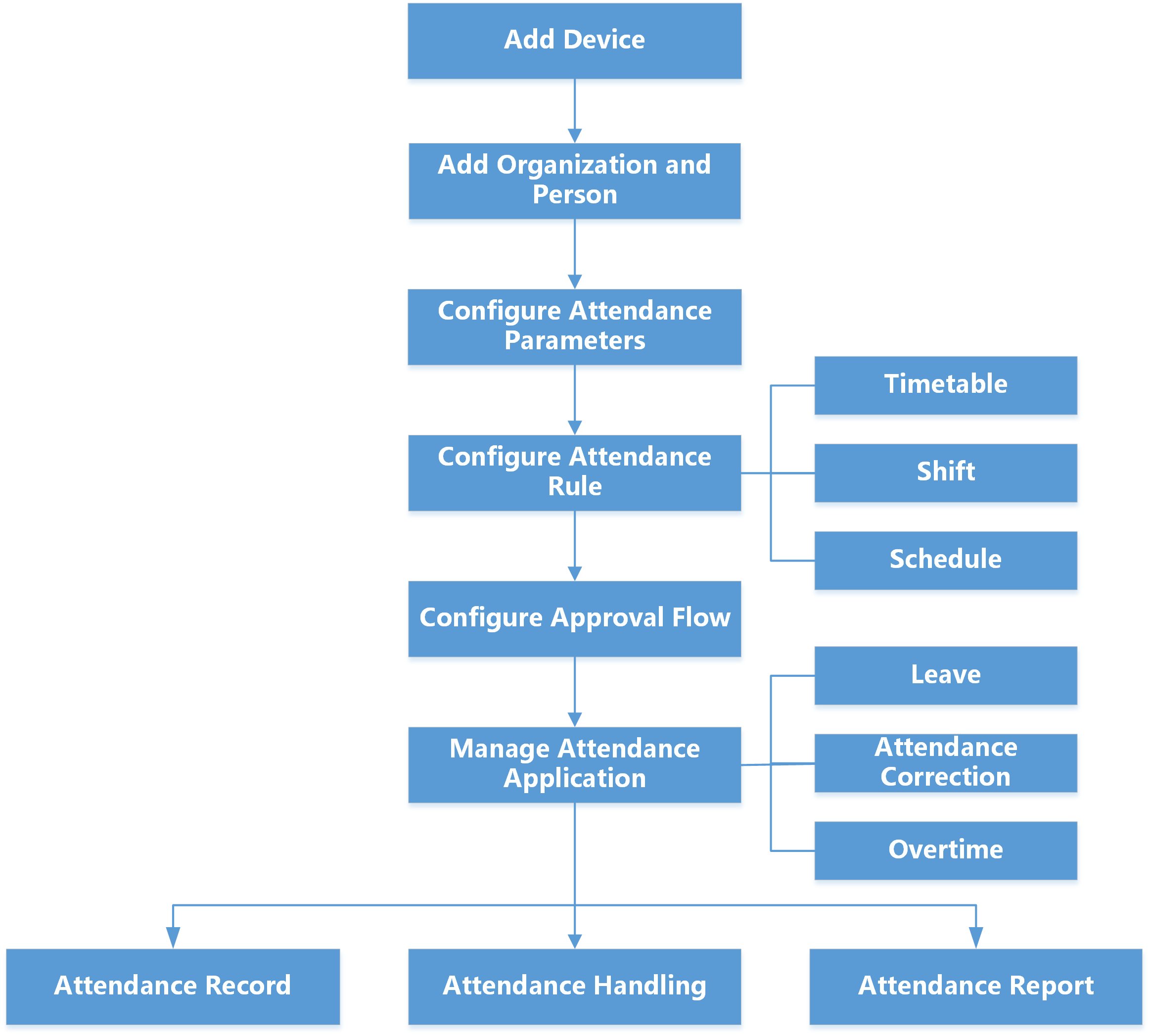 Figure 1 Flow Chart of Time &
Attendance
Figure 1 Flow Chart of Time &
Attendance-
Add Device: Add devices (e.g., access control devices) to the platform. For more details, refer to Device and Server Management.
-
Add Organization and Person: Add departments, attendance group, and persons. For more details, refer to Add Departments, Add an Attendance Group, and Add Person.
-
Configure Attendance Parameters: Configure attendance check points, general rule, overtime rule, leave types, check-in/check-out via Mobile Client, display rule for report, third-party database, etc. For more details, refer to Configure Attendance Rules for Global / Department / Attendance Group, Configure Check-In/Check-Out via Mobile Client, Set Display Rules for Attendance Report, and Synchronize Card Swiping Records to Third-Party Database.
-
Configure Attendance Rule: Add timetable (including break timetable and work timetable), shift, and schedule. For more details, refer to Add Timetable, Add Shift and Manage Schedule.
-
Configure Approval Flow: Configure approval roles and application flows for departments / attendance groups / persons. For more details, refer to Approval Management.
-
Manage Attendance Application: Manage applications for employees and admins. For more details, refer to Application Management for Employee and Application Management for Admin.
-
Attendance Record, Attendance Handling: Search and correct attendance records, apply for leave, get devices' attendance records, manually calculate attendance results, etc. For more details, refer to View Attendance Records.
-
Attendance Report: Export attendance report to local PC or send it via email regularly. For more details, refer to Manage Attendance Reports.