Flow Chart of Digital Signage Management
You can follow the flow chart below for using the digital signage module for the first time.
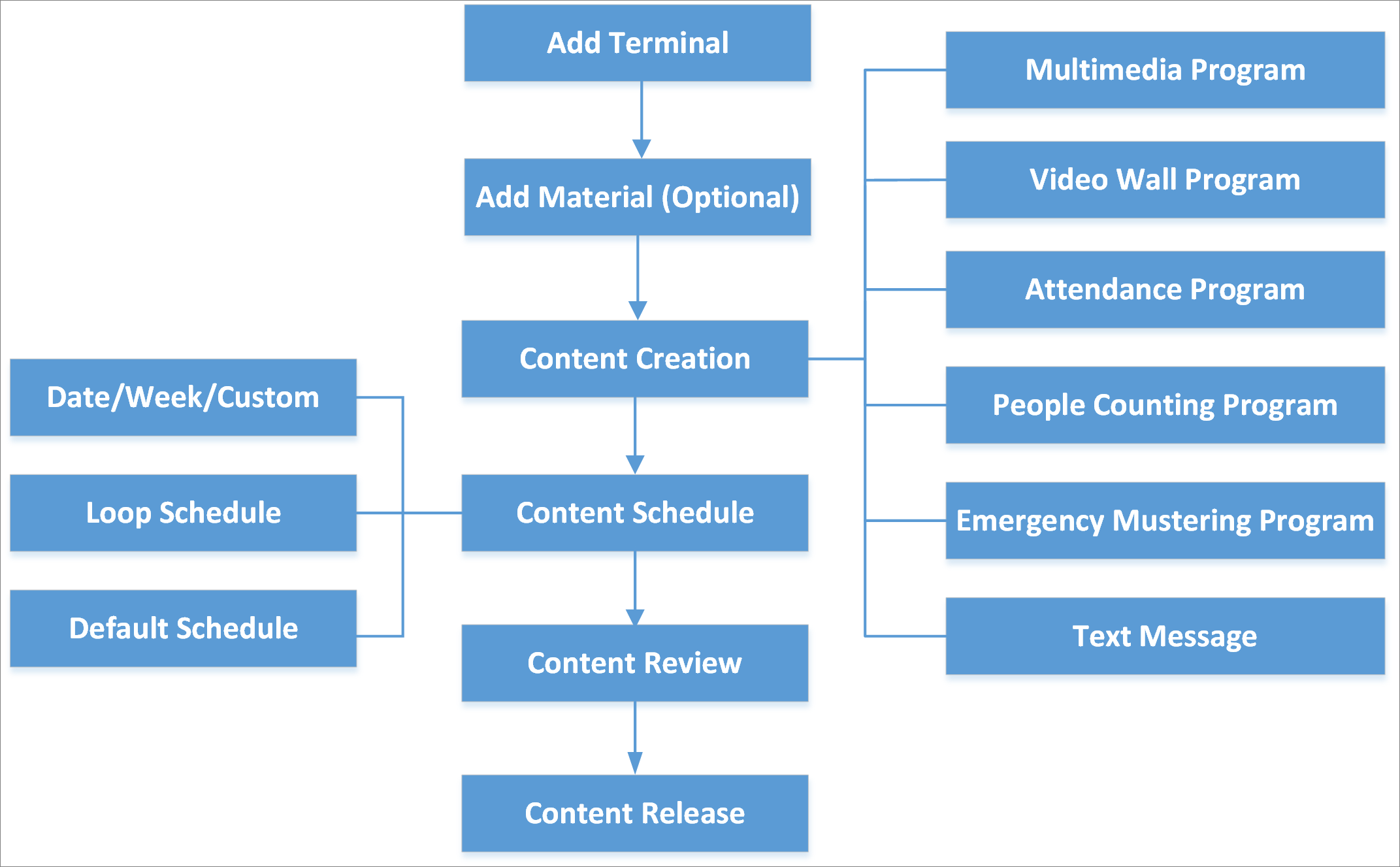 Figure 1 Flow Chart of Digital Signage
Management
Figure 1 Flow Chart of Digital Signage
Management-
Add Terminal: You should add digital signage terminals to the platform. For details, refer to Manage Digital Signage Terminals.
-
Add Material: Material is used for creating programs. You can upload local materials from local PC, or create dynamic materials in the platform. For details, refer to Material Library.
-
Content Creation: You can create different contents including multimedia program, video wall program, attendance program, people counting program, and so on in the platform according to the required application scenarios. For details, refer to Content Creation.
-
Content Schedule: You should define a playing schedule for the added programs, which will then be played according to the scheduled time or method on the terminals. For details, refer to Schedule Management.
-
Content Review: The added contents should be approved before they are used. For details, refer to Content Review.
-
Content Release: You can view the release details and release progress of multiple tasks. After being released, the related task can take effect on the terminals. For details, refer to Content Release.