Parking Space Monitoring
On the Parking Space Overview page, you can view the statistics of parking spaces, and can search for specific statistics by parking space No., license plate No., and parking time.
The Parking Space Overview page displays various kinds of statistics of parking spaces, including the occupancy rate of the parking spaces in a parking lot, the number of vacant parking spaces, occupied parking spaces, parking spaces with unknown status, and the number of overtime parking and parking violations.
-
If there is no map added for the parking lot, parking space information will be overlaid directly on the monitoring video.
-
An
 icon will be displayed on a
parking space for overtime parking. Click the icon to view the parking space
details and check the type of the vehicle that parked overtime.
icon will be displayed on a
parking space for overtime parking. Click the icon to view the parking space
details and check the type of the vehicle that parked overtime. -
By selecting
 > Export Unknown Parking Space Information next to the number of parking spaces with the unknown status
under Violation, you can export details
such as the related parking space numbers and the corresponding parking lot
and floor information to the local PC as an
XLSX
file.
> Export Unknown Parking Space Information next to the number of parking spaces with the unknown status
under Violation, you can export details
such as the related parking space numbers and the corresponding parking lot
and floor information to the local PC as an
XLSX
file.
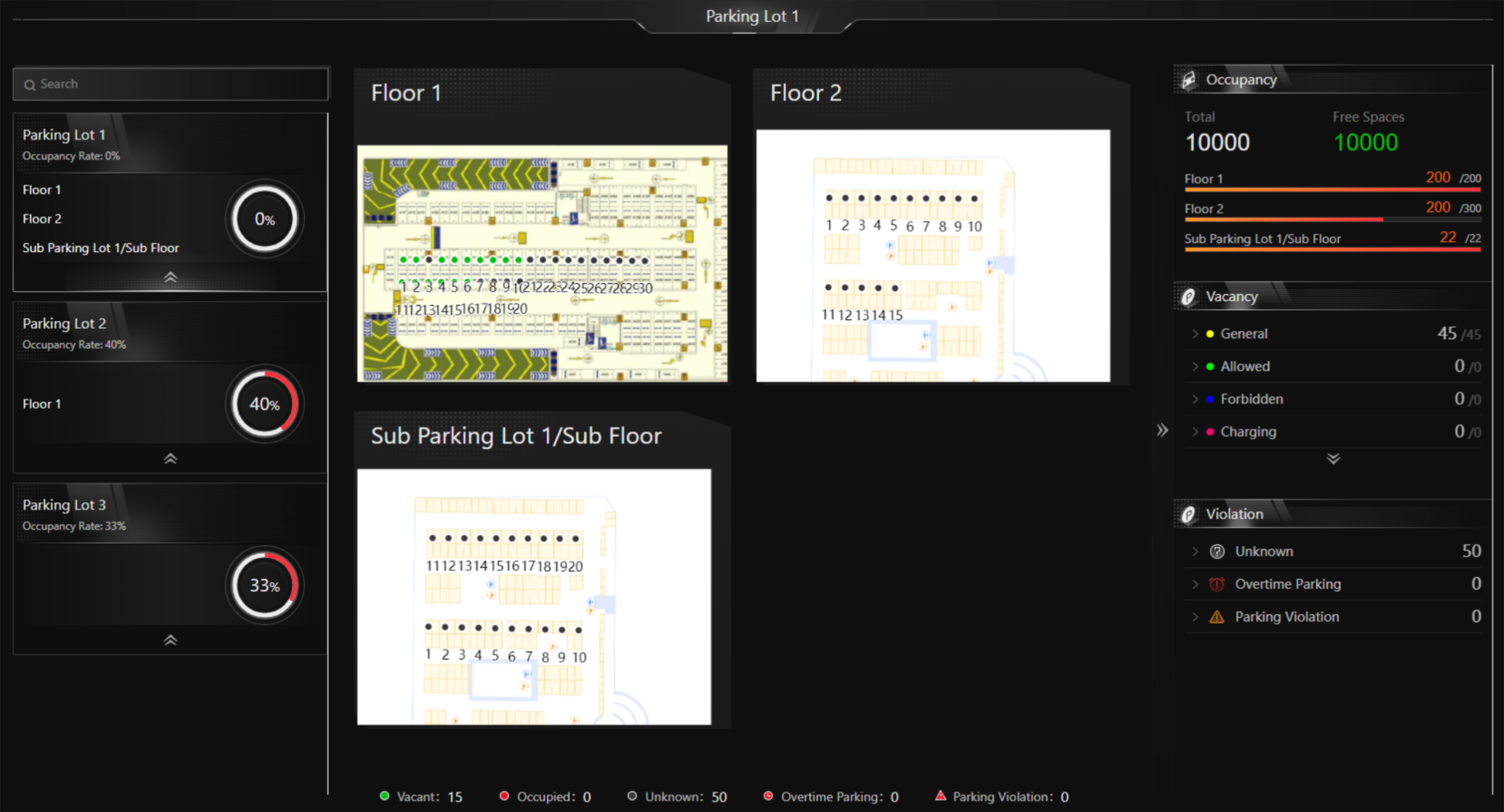 Figure 1 Parking Space Overview
You can click a floor name to view the statistics of the parking spaces of this floor. On the following page, you can move to a specific parking space to view its detailed information, and can click a parking space to view its real-time status and search for parking records. Moreover, you can click Occupancy Status Overview or Parking Duration Overview to view these two types of statistics respectively.
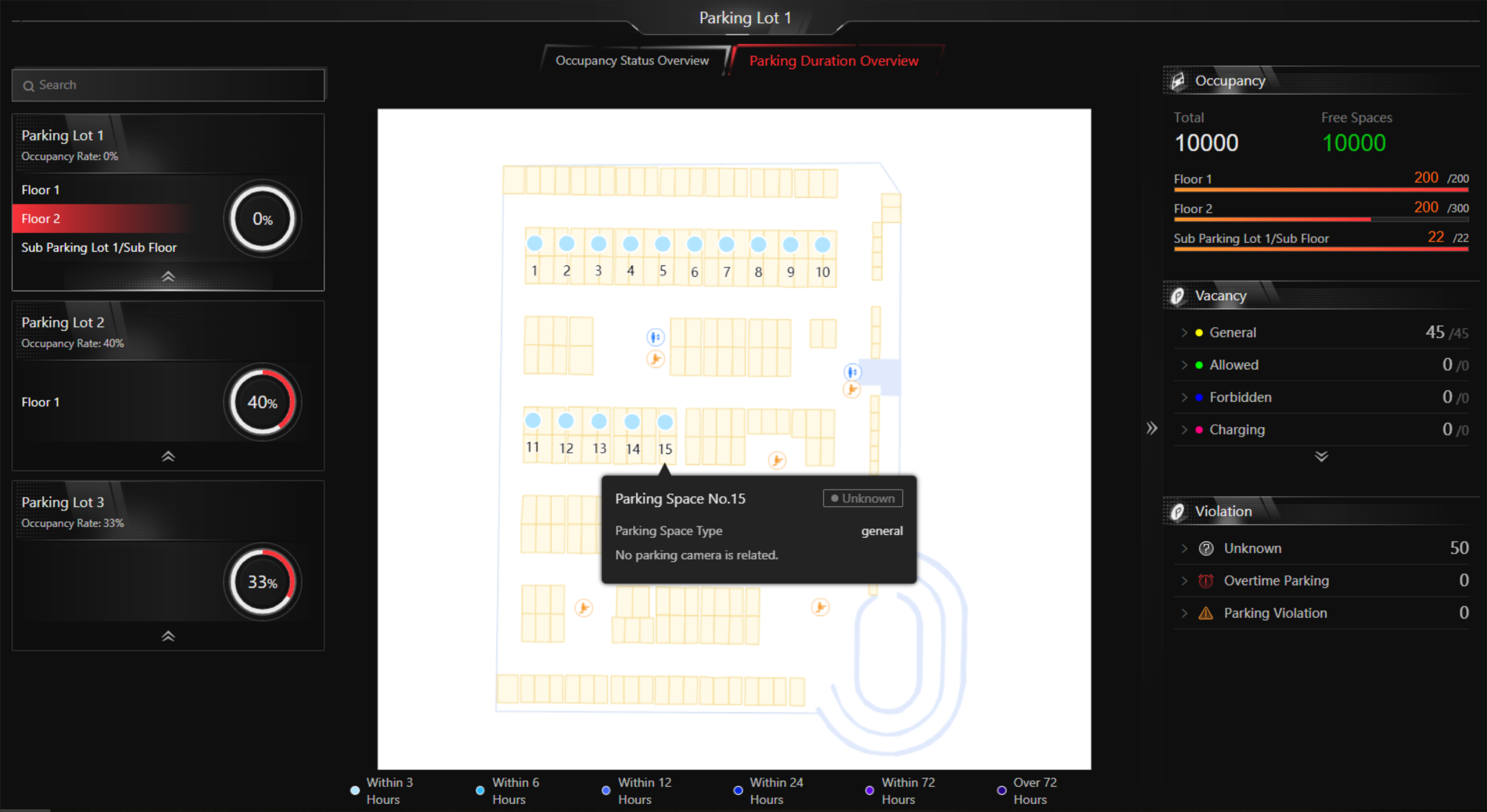 Figure 2 Floor Parking Space
Overview
Figure 2 Floor Parking Space
Overview