Add Entrance and Exit
An entrance or exit helps control vehicles to enter/exit the parking lot or prevent vehicles from entering/exiting the parking lot. For example, the entrance or exit allows a vehicle in the allowlist to enter/exit the parking lot, and prevent a vehicle in the blocklist from entering the parking lot. You need to configure lanes linked with devices for an entrance and exit to control the barriers.
Make sure you have added a parking lot. See Add Parking Lot for details.
-
On the top navigation bar, select
 > Passing Management > Parking Lot > Parking Lot Management.
-
On the top of the left list, select a parking lot and click
 .
.
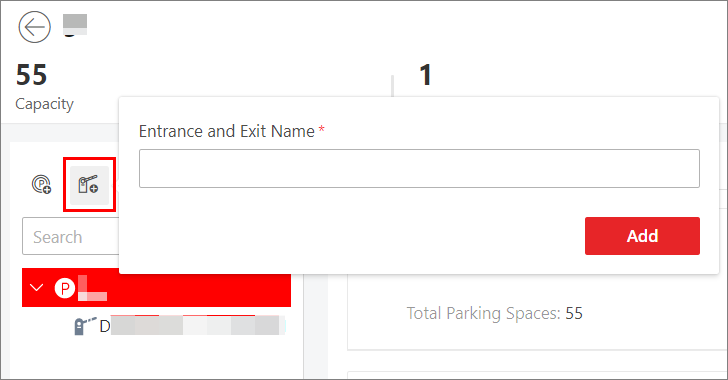 Figure 1 Add Entrance and
Exit
Figure 1 Add Entrance and
Exit - Optional:
Perform the following operations if needed.
Option Description Edit an Entrance & Exit
Select an entrance & exit, and click
 to edit it.
Delete an Entrance & Exit
Select an entrance & exit, and click
 to delete it.
Add lane for the entrance and exit. See Add Lane for details.