Use Door Station to Configure Relay Module
You can check the Serial No., Rotary Swtich No., Room No., Relay Work Mode, Network Status and other information on door station's web interface. You can also add, edit or delete relays via door station's web interface.
-
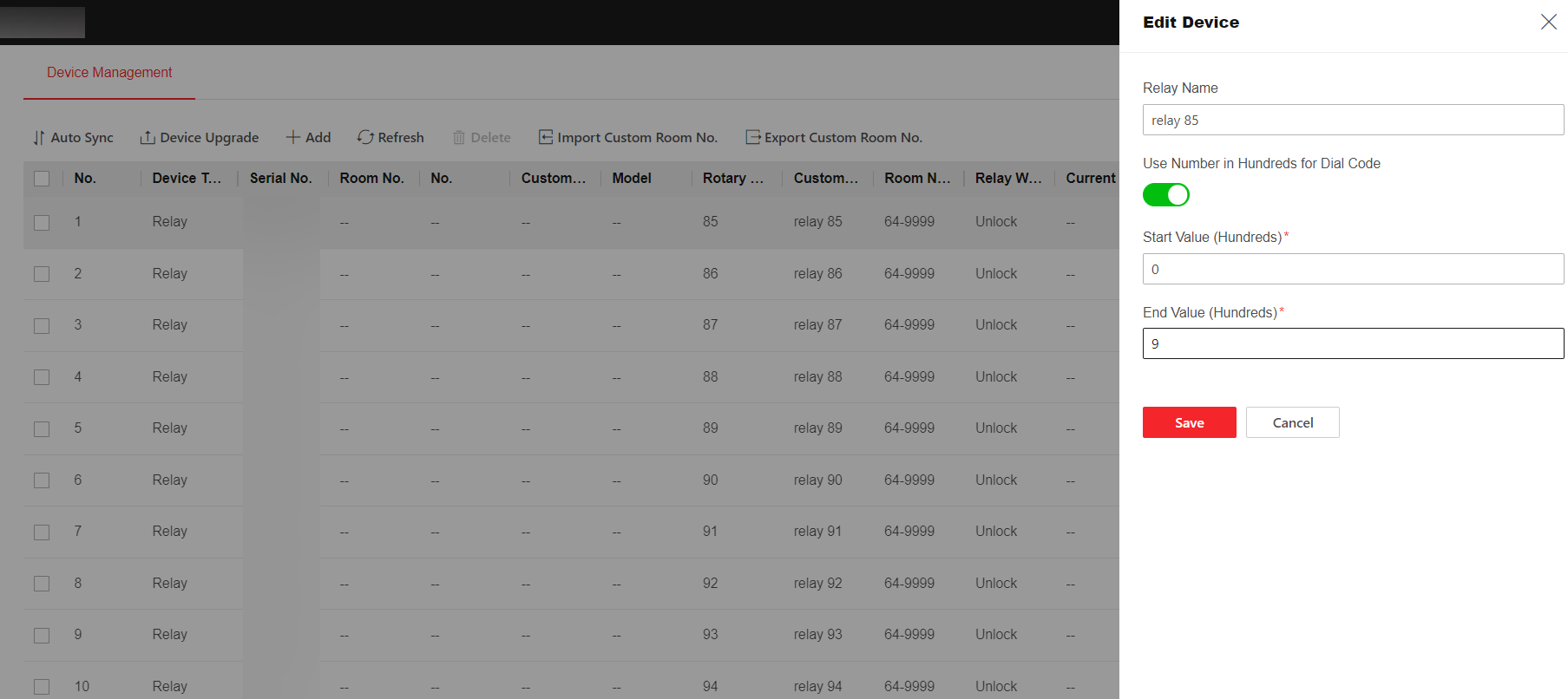
To configure room number in hundreds, you need to visit the web interface of
the door station. ClickDevice Management >
 . Enter Relay Name. Slide to enable
Use Number in Hundreds for Dial Code. Edit the
Start Value (Hundreds) and End Value
(Hundreds). Clik Save.
Note:
. Enter Relay Name. Slide to enable
Use Number in Hundreds for Dial Code. Edit the
Start Value (Hundreds) and End Value
(Hundreds). Clik Save.
Note:The range of start value (Hundreds) and end value (Hundreds) is 0~9.
-
The door station supports managing relay modules in batches. Press the call
button for 10 seconds, then you can add relay modules in batches, name the relay
module (uniform naming remotely), check configuration, software version, device
online status, speed test.
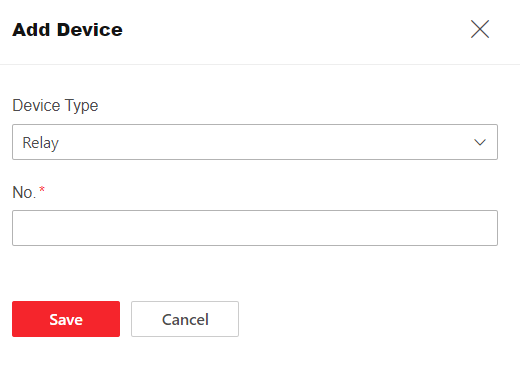
- To add realy modules via web interface. Click. Select Device Type as Relay,
enter relay's No. and click Save.
- To delete relay modules via web interface. Click Device Management >
 .
.
- To add realy modules via web interface. Click. Select Device Type as Relay,
enter relay's No. and click Save.