Set Device Rotary DIP Switch
After door stations have been connected to indoor stations, you can set rotary DIP switch of these devices.
DIP Switch of Door Station
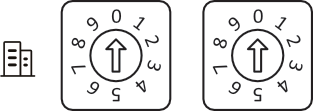
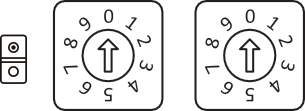
Use the rotary switch to set the building No., door station No., sub door station, outer door station No. and door open duration. The Tens column refers to the number in Tens, and the Units column refers to the number in Units. On each rotary DIP switch, 0 to 9 refers to No. 0 to 9. In total, you can use 1 to 99 to number the building. If the door station is main door station, the Door Station No. should be set as 0; If it is sub door station, set Door Station No. as 1~16; If it is outer door station, set Door Station No. as 90~99. Use the screwdriver to adjust the number. The arrow indicates the number.
Building No. (1~99)
Door Station No.
Main Door Station: 0
Sub Door Station: 1~16
Outer Door Station : 90~99
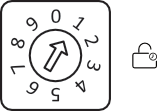
Door Open Duration
|
Rotary DIP Switch |
Door Open Duration(s) |
|---|---|
|
0 |
2 |
|
1 |
1 |
|
2 |
3 |
|
3 |
4 |
|
4 |
5 |
|
5 |
8 |
|
6 |
10 |
|
7/8/9 |
2 |
-
It is recommended to stick the supplied number remark on the back of the device to indicate the device's No.
DIP Switch of Indoor Station
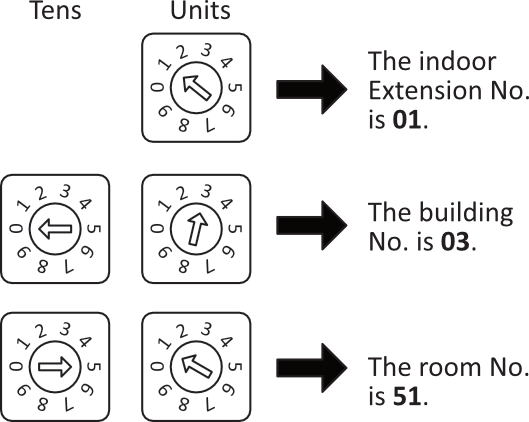
Use the rotary DIP switch to set the indoor extension No., the building No., and the room No. The Tens column refers to the number in Tens, and the Units column refers to the number in Units. On each rotary DIP switch, 0 to 9 refers to No. 0 to 9. In total, you can use 1 to 3 to number the indoor extension No., and use 1 to 99 to number the building or the room. Use the screwdriver to adjust the number. The arrow indicates the number. An example is shown below.
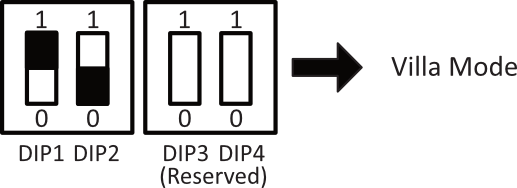
Villa Mode: The device can be powered by separate power supply. Under the villa mode, more than one device can be lightened up; when the extension is called, it can be lightened up and intercom via videos.
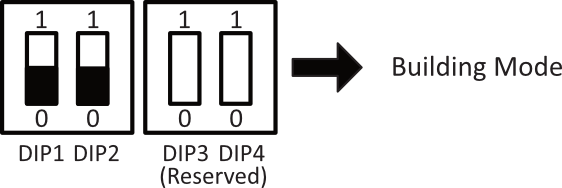
Building Mode: In one power supply system, up to 4 indoor stations can be wired and up to 1 indoor station can be normally used at the same time. When other devices are lightened up, the IN USE indicator will also be lightened up. Separate power supply is not supported. When the extension is called, the screen cannot be lightened up.
-
DIP 1 and DIP 2 are for mode settings, and DIP 3 and DIP 4 are reserved.
-
If DIP 2 is set as 1, the function of Professional Studio will be enabled.
-
The device is on debugging mode when the extension No. is 9. You can operate the indoor station on debugging mode without connecting to the door station.