FAQ of AP Mode
The FAQ of AP Mode is listed as follows.
-
Q: How to enable AP mode of door station?
A: Long press the left button for 10 s and you will hear sound beep and the back light will flashing for 2 minutes to indicate.Figure 1 Long press the left button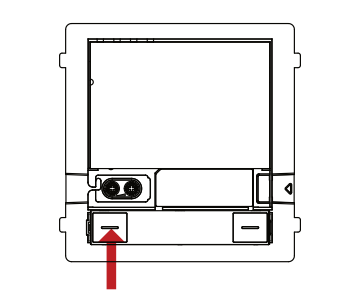 Note:
Note:if your device doesn't have left button, please remove the cover then you can see the button.
Figure 2 Remove the cover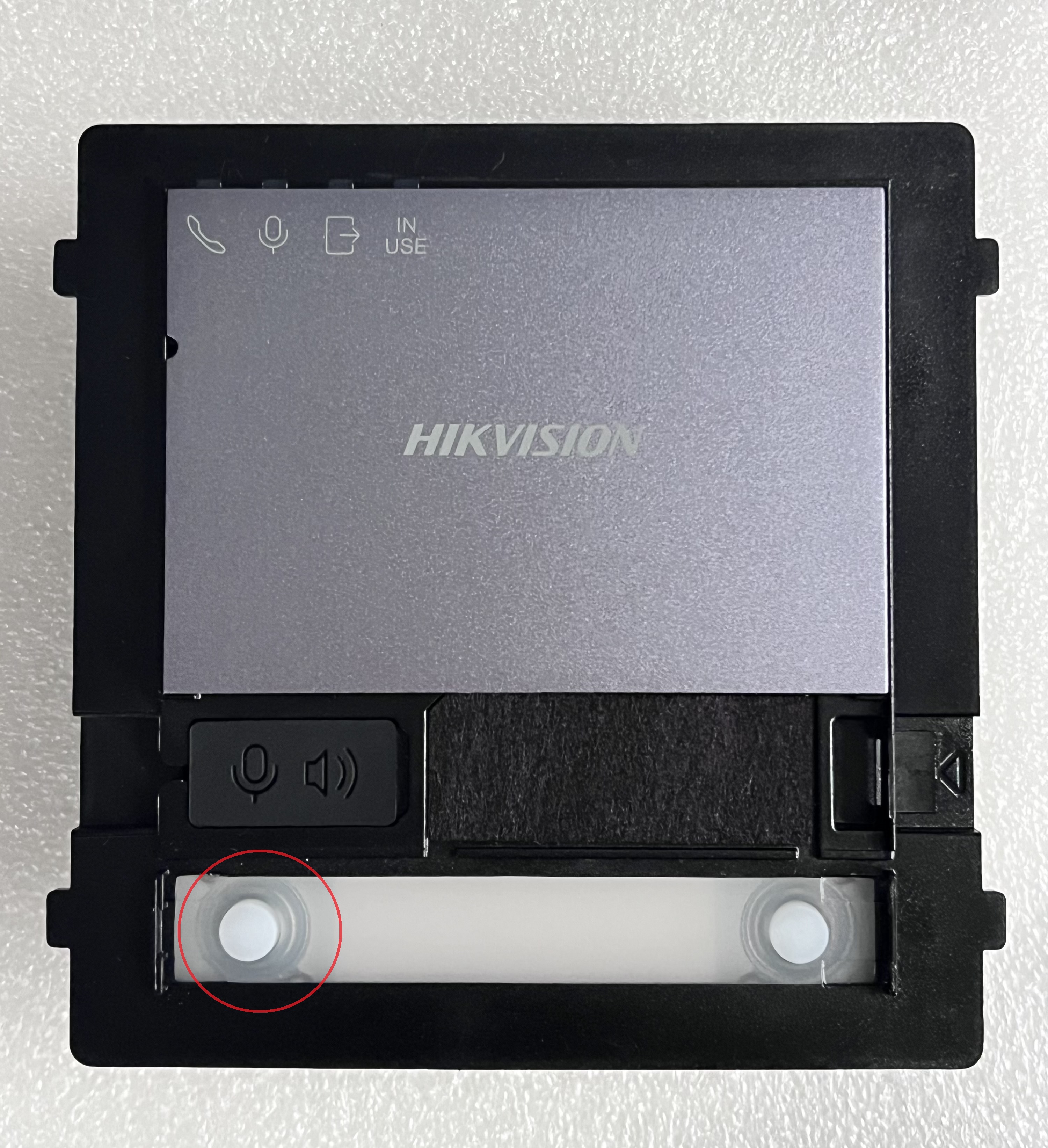
-
Q: What is the default password of device hotspot?
A: The hotspot SSID name is AP_device SN, for example, AP_K12345678. Before activation, the Wi-Fi password is on the label of door station. After activation and after login in mobile phone browser, you can modify the device activation and Wi-Fi password.
-
Q: I enabled the AP mode some time ago, but now I can't search the hotspot with my mobile phone or laptop.
A: The AP mode will be disabled automatically after 30 minutes, if you cannot search the Wi-Fi, please enable it manually again by long pressing left button for 10 s.Note:When the AP mode is enabled, if long pressing the left button for 10 s, the AP mode will start a new 30-minute countdown.
-
Q: How to disable the AP mode?
A: Just long press the left button for 15 s. Or if no device connects the AP, it will be disabled in 30 minutes automatically.