Add Person
Multiple methods are provided for you to add persons to the platform. You can add a person manually. If you want to add multiple persons at a time, you can import persons by downloading and filling in a template or import persons from access control devices / video intercom devices / enrollment stations. In addition, you can batch add profile pictures for persons, and import domain persons.
Before adding persons to the platform, you should confirm and set the person ID rule. As once a person is added, the ID rule cannot be edited any more. For more about the ID rule settings, refer to Set Person ID Rule.
You can perform the following operations for adding persons.
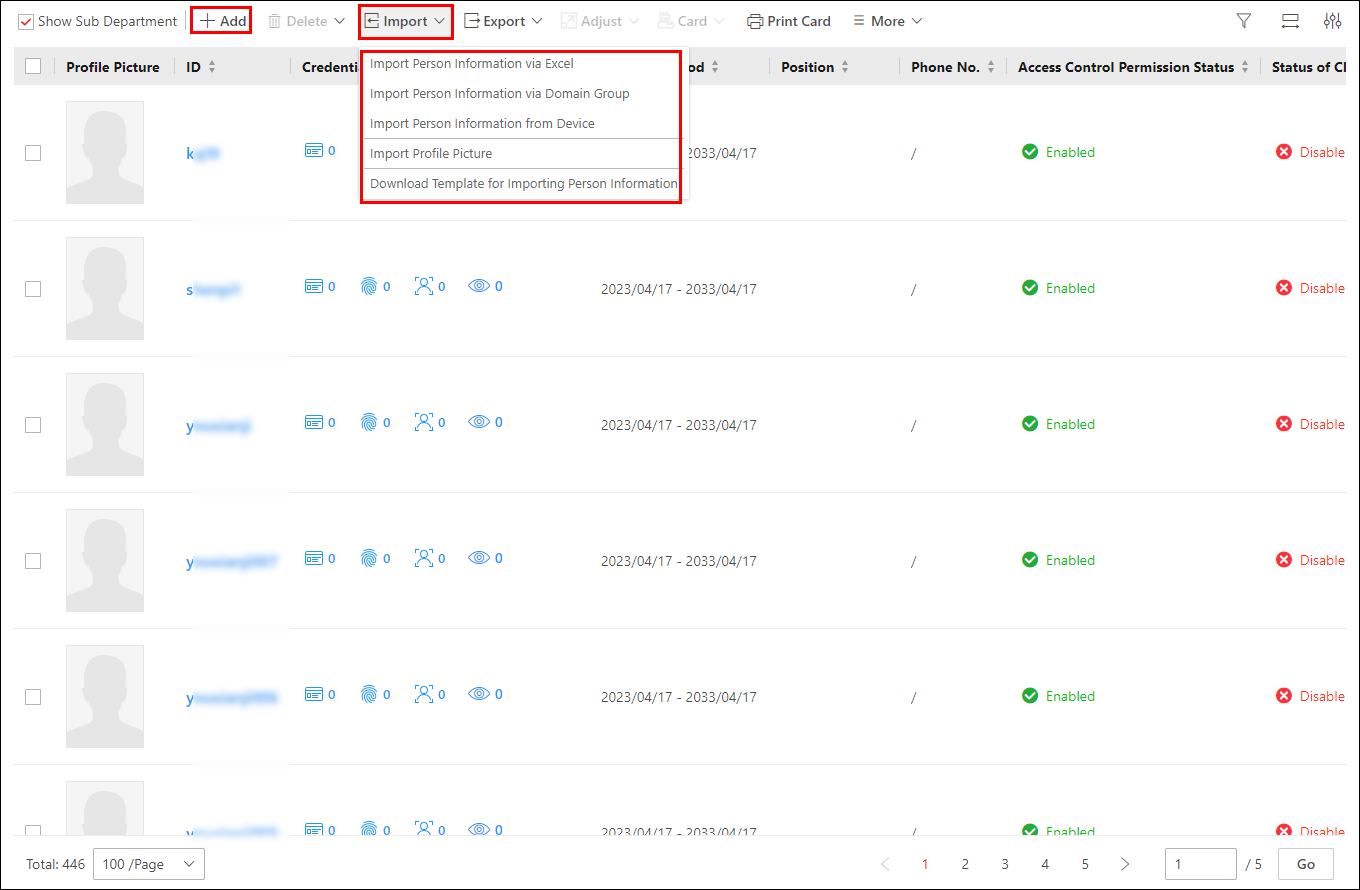 Figure 1 Introduction to Adding
Persons
Figure 1 Introduction to Adding
Persons-
You can click
 to add a single person. For details, refer to Add a Single Person.
 -
You can click
 to perform the following operations.
-
Batch import persons by template. For details, refer to Batch Add Persons by Template
-
Import users in the AD (Active Directory) domain to the platform as persons. For details, refer to Import Domain Persons.
-
Import person pictures. For details, refer to Import Profile Pictures.
-
Import persons information to the platform from devices, including access control devices, video intercom devices, or enrollment station. For details, refer to Import Persons from Access Control Devices or Video Intercom Devices or Import Persons from Enrollment Station.
-
-
If you have enabled the Use This Device as Registration Device function on the device's configuration page, the information about added persons and credentials, edited credentials on the device will be automatically synchronized to the platform.