Add Entry & Exit Rule for Holidays
You can configure free entry and exit for vehicles during holidays or certain days of a week, which can help you to manage the entry and exit of vehicles in this period more easily.
-
On the top navigation bar, select
 > Passing Management > Parking Lot > Parking Lot Management.
-
Click Add beside Free Entry &
Exit on Holidays to open the Add Holiday pane.
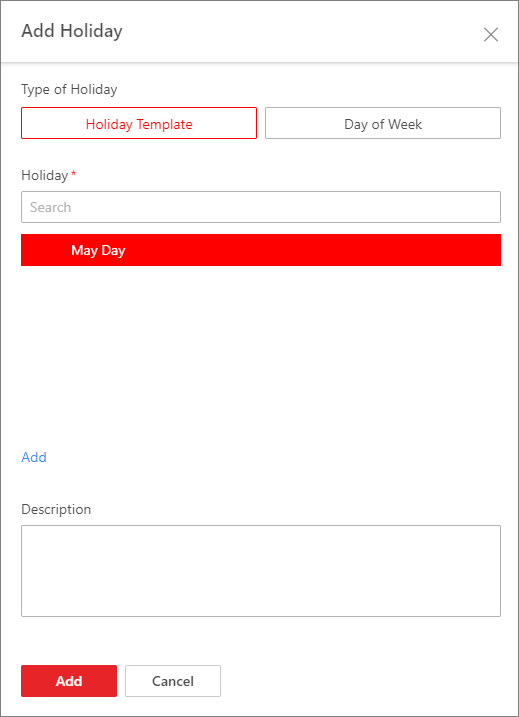 Figure 1 Holiday
Template
Figure 1 Holiday
Template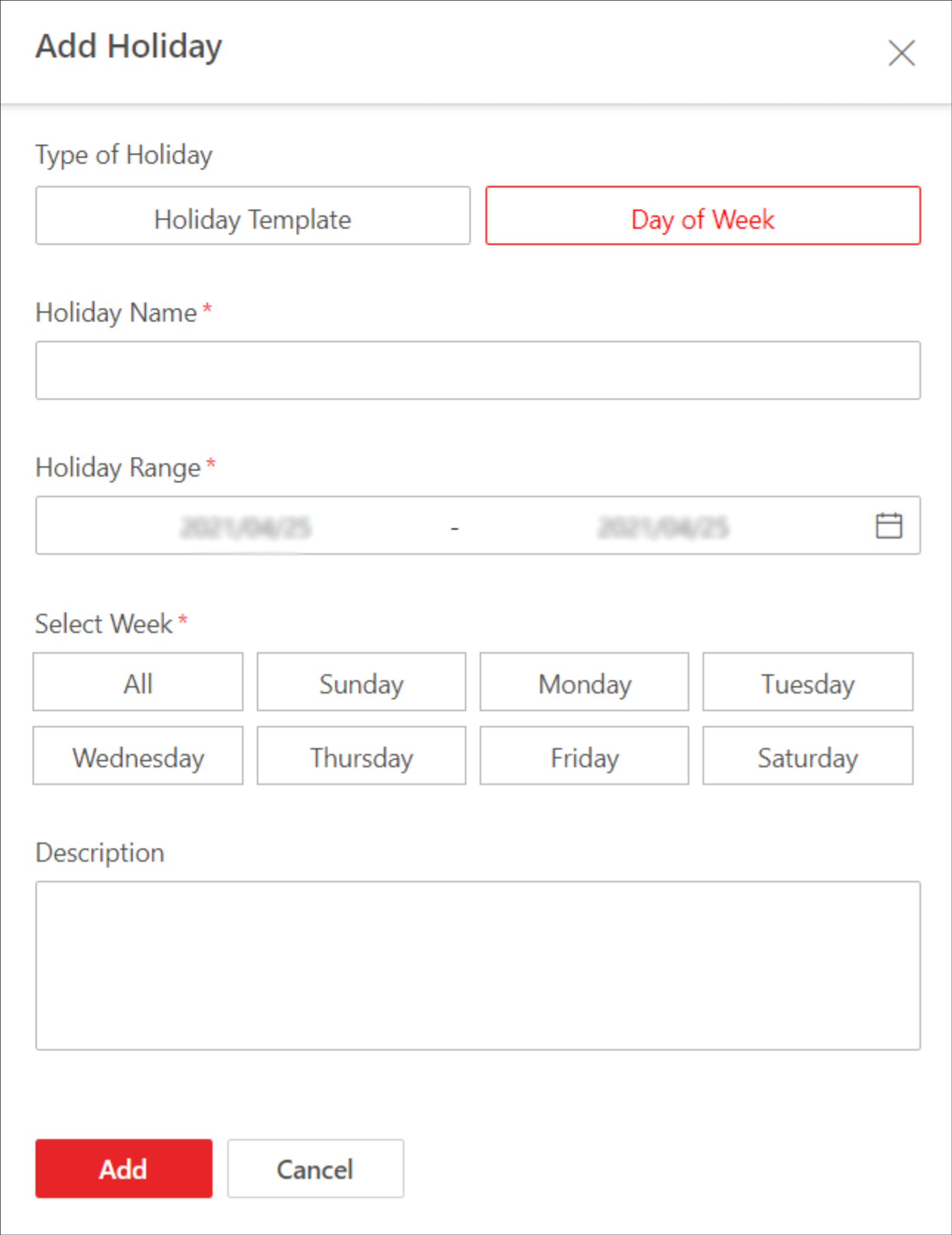 Figure 2 Day of Week
 -
Select Holiday Template or Day of
Week and complete relevant settings.
Option Description Holiday Template
-
Select a holiday from the list if any holiday has been added, or click Add New to create a new holiday.
-
(Optional) Enter remarks in the Description field if needed.
-
Click Add.
Day of Week
-
Create a name for the holiday.
-
Click
 to set a
time range for the holiday.
to set a
time range for the holiday. -
Select the day(s) of a week that the rule is applied to.
-
(Optional) Enter remarks in the Description field if needed.
-
Click Add.
-
- Optional:
Perform the following operation(s) if needed.
Option Description Edit a Rule
Click
 to edit a rule.
Delete a Rule
Click
 to delete a
rule.
to delete a
rule.