Parking Lot Overview
On the Parking Lot Overview page, you can view different information about the parking lot, including the occupancy statistics of parking spaces, the number of daily entries and exits, the health of devices, etc. You can also go to different pages via hyperlinks to view detailed information.
Occupancy: You can view the total number of parking spaces, the number of vacant parking spaces, and the occupancy statistics of different types of parking spaces. You can click Parking Space Overview to go to the Parking Space Overview page and view more detailed statistics of parking spaces. See Parking Space Monitoring for details.
Today's Entries & Exits: You can view the number of daily entries and exits, the entry/exit trend, and the number of entries and exits at different entrances and exits.
Vehicle Passing Event: You can view the vehicle-passing information of the parking lot. If you are managing more than one parking lot, you can click the name of a parking lot to view its detailed vehicle-passing information.
Device Monitoring: You can view the health of devices related to the parking lot, including guidance terminals, parking cameras, and display screens. You can also click Maintenance to go to the Maintenance page and view more detailed statistics of the health of devices. See Maintenance for details.
Other Parking Lot Entrance & Exit: In the lower-right corner, you can view the list of devices linked to lane(s) for other parking lot(s). You can click Configure Now to configure settings of the parking lot.
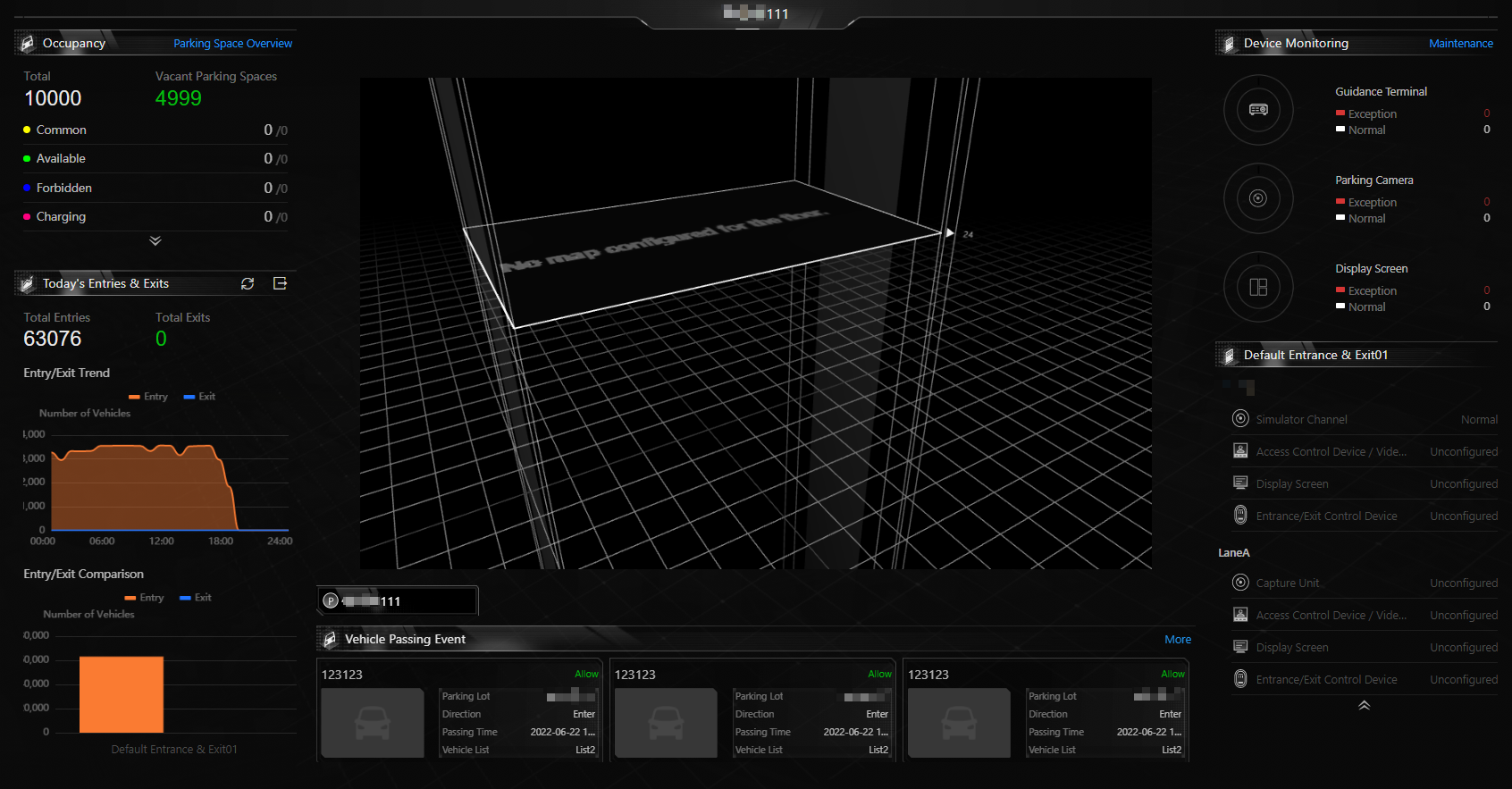 Figure 1 Parking Lot Overview Page