In the Search module, you can search for the transaction records of a
specific vehicle owner account, and export the records to your PC. With the statistics, you
can see the details about the transactions between a vehicle owner and the parking
lot.
-
On the top navigation bar, select .
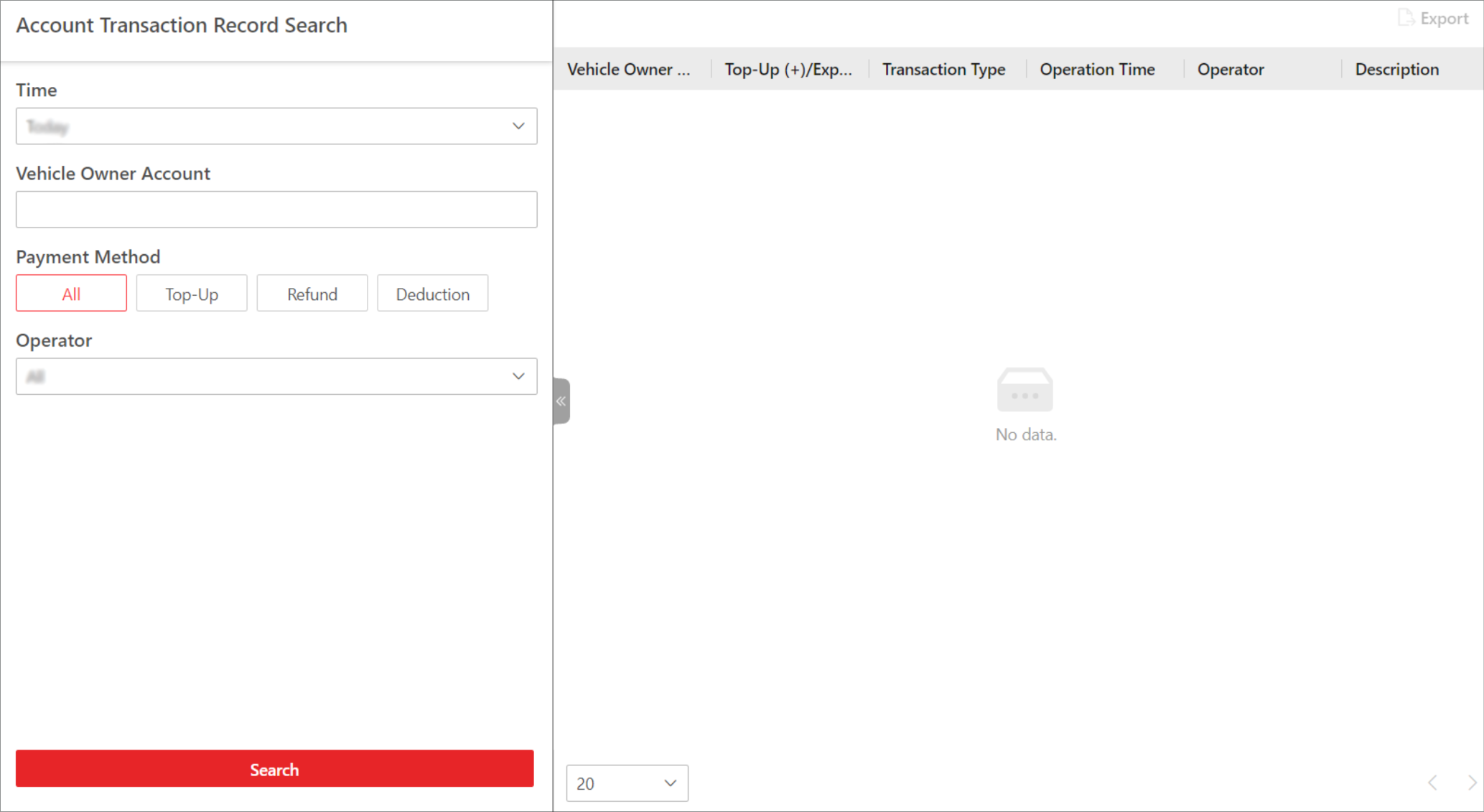 Figure 1 Account Transaction
Record Search Page
Figure 1 Account Transaction
Record Search Page
-
Select Today, Yesterday, Current Week,
Last 7 Days, or Last
30 Days from the drop-down list as the time range for search, or
click Custom Time Interval to customize a time
range.
-
Set the search condition(s) according to your needs. Here we only introduce
conditions that may confuse you.
- Transaction Type
-
Select the transaction type. Top-Up indicates adding money to a parking pass
to keep it valid or extend its validity period; Refund indicates getting paid back
(e.g., when you paid too much for one parking); Deduction indicates paying parking
fees with the account balance.
- Operator
-
Select the person responsible for handling the
transaction from the drop-down list.
-
Click Search.
The matched record(s) will be displayed on the right.
- Optional:
In the upper-right corner, click Export,
select
Excel or CSV as the format of
the exported file, and click Save to export the search
results to the local PC.
 > Passing Management > Parking Lot > Search > Account Transaction Record Search.