Set Event Video Settings
On the device list page, tap the security control panel and then log in to the device (if required) to enter the control panel page.
Tap  > Event Video Settings to enter the page.
You need to select the video channel and set parameters.
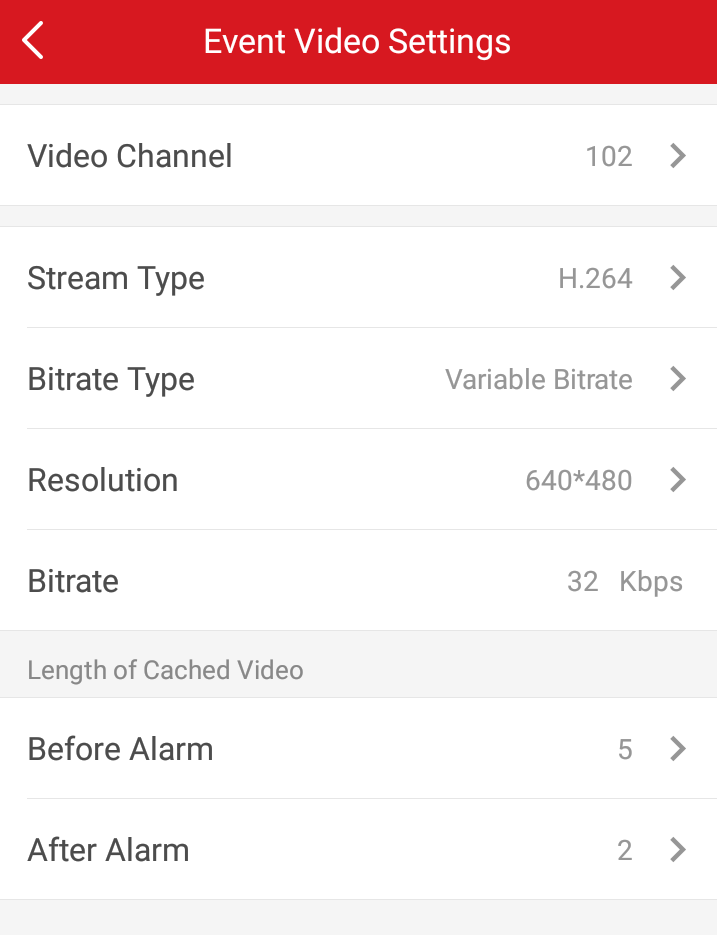 Figure 1 Event Video Settings
- Stream Type
-
Main Stream: Being used in recording and HD preview, it has a high resolution, code rate and picture quality.
-
Sub-Stream: It is used to transmit network and preview pictures as a video streaming with features of lower resolution, bit rate and picture quality.
- Bitrate Type
-
Select the Bitrate type as constant or variable.
- Resolution
-
Select the resolution of the video output
- Bitrate
-
The higher value corresponds to the higher video quality, but the better bandwidth is required.
- Before Alarm
-
Length of cached video before alarm.
- After Alarm
-
Length of cached video after alarm.