(Optional) Link Devices to the Floor
After adding a floor to the parking lot, you can link devices (guidance terminal, indoor guidance screen, ANPR camera, query terminal) to the floor. A guidance terminal can be related with multiple parking cameras for management, such as playing the live video and playing back the recorded video from linked cameras. A guidance screen can display the number of vacant parking spaces in the parking lot and guide vehicles to the area where there are vacant parking spaces. An ANPR camera can recognize license plates, capture the pictures of license plates and vehicles, and count the number of vehicles entering and exiting the parking lot which will be used to count the number of vacant and occupied parking spaces.
-
Enter the following page after adding a floor.
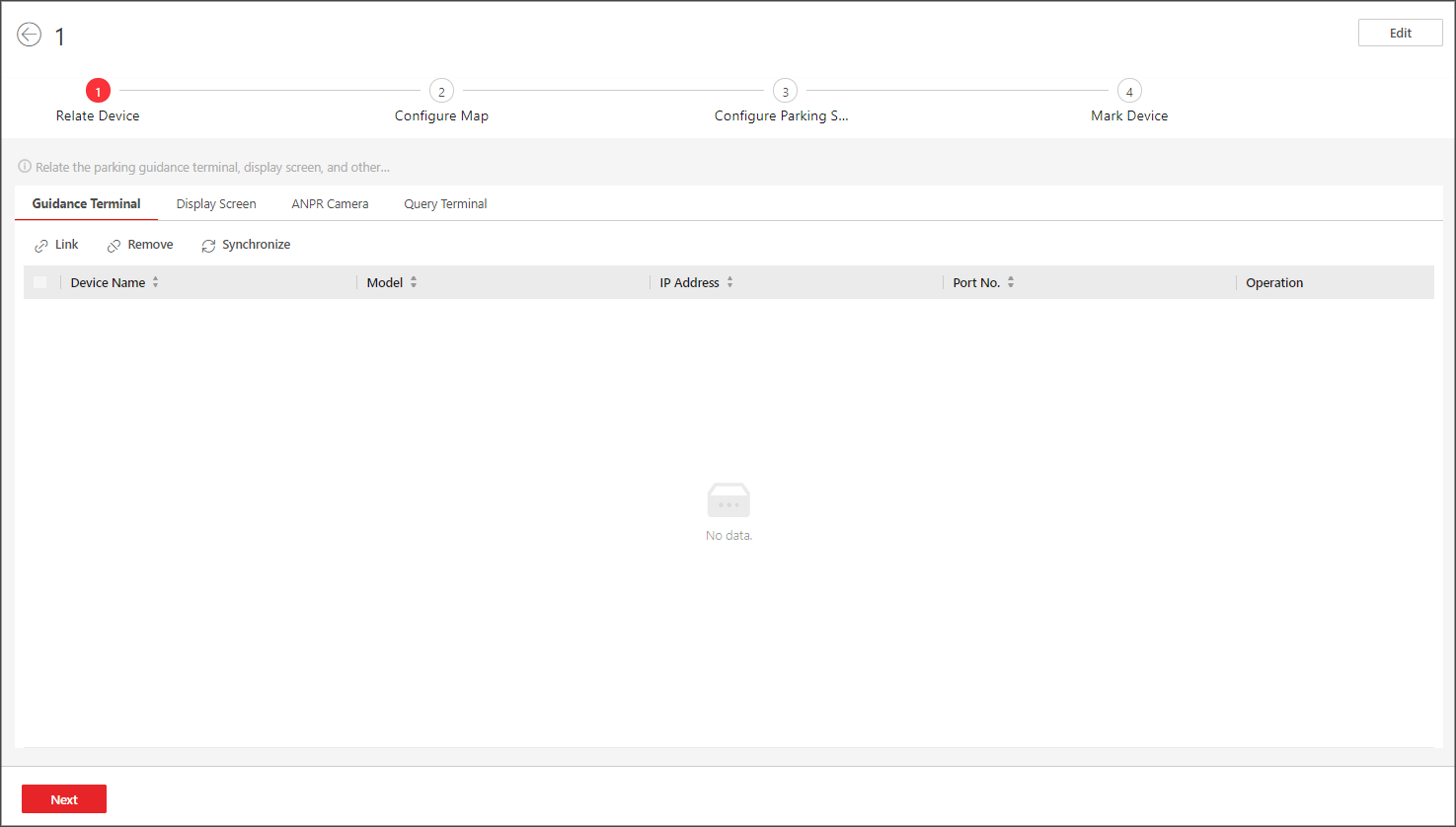 Figure 1 Link Device
 -
Link device(s) to the floor.
-
Click , and select guidance terminal(s) to link.
Note:
After relating a guidance terminal, you can perform the following operation(s) if needed.
-
Select one or multiple guidance terminals and click Synchronize to synchronize the parking spaces monitored by the parking cameras linked to the terminal(s).
-
Click
 to view
the parking camera(s) linked to a guidance terminal, and
the parking spaces monitored by the parking
camera(s).
to view
the parking camera(s) linked to a guidance terminal, and
the parking spaces monitored by the parking
camera(s). -
Click
 to edit
the settings of a guidance terminal.
to edit
the settings of a guidance terminal.
-
-
Click , and select ANPR camera(s) to link. After relating a
camera, you need to set its calculation mode in the Entry and
Exit field.
- Standard (Entry Detection) / Standard (Exit Detection)
-
Count the number of vehicles entered detected by the camera as the number of vehicles entered the floor, and count the vehicles exited as those exited the floor. Select this mode when the direction for entry detection configured on the camera is the same as the actual entry direction.
- Reverse (Entry Detection) / Reverse (Exit Detection)
-
Count the number of vehicles entered detected by the camera as the number of vehicles exited the floor, and count the vehicles exited as those entering the floor. Select this mode when the direction for entry detection configured on the camera is opposite to the actual entry direction.
Note:-
An ANPR camera can be linked to different floors.
-
The number of vacant parking spaces on the top floor is counted by the ANPR camera.
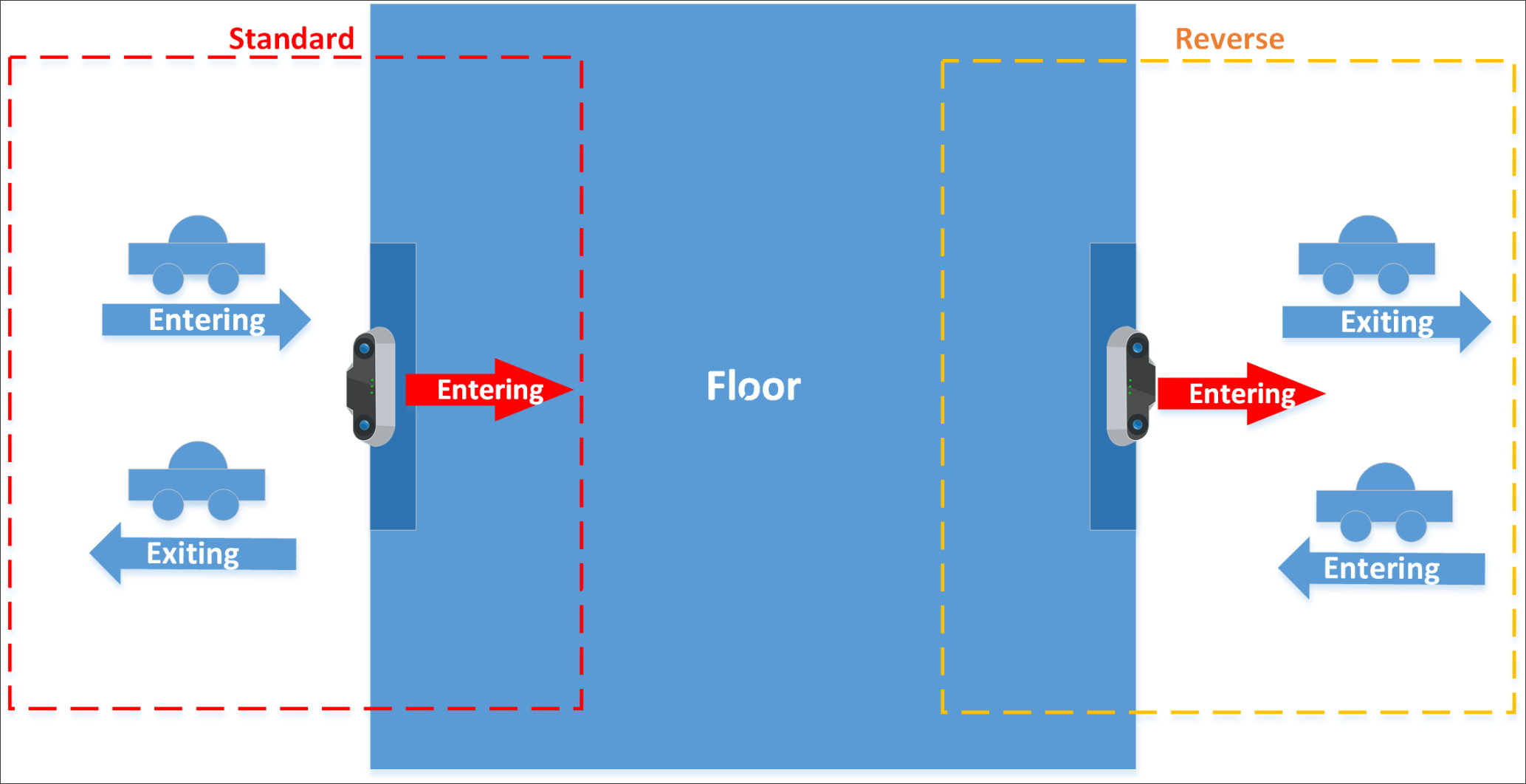 Figure 2 Schematic
Diagram of Calculation Mode
Figure 2 Schematic
Diagram of Calculation Mode
-
Click , and select guidance terminal(s) to link.