Set Types for Parking Spaces on the Map
You can set types for parking spaces and manage the types according to actual needs.
-
Enter the following page after configuring the map.
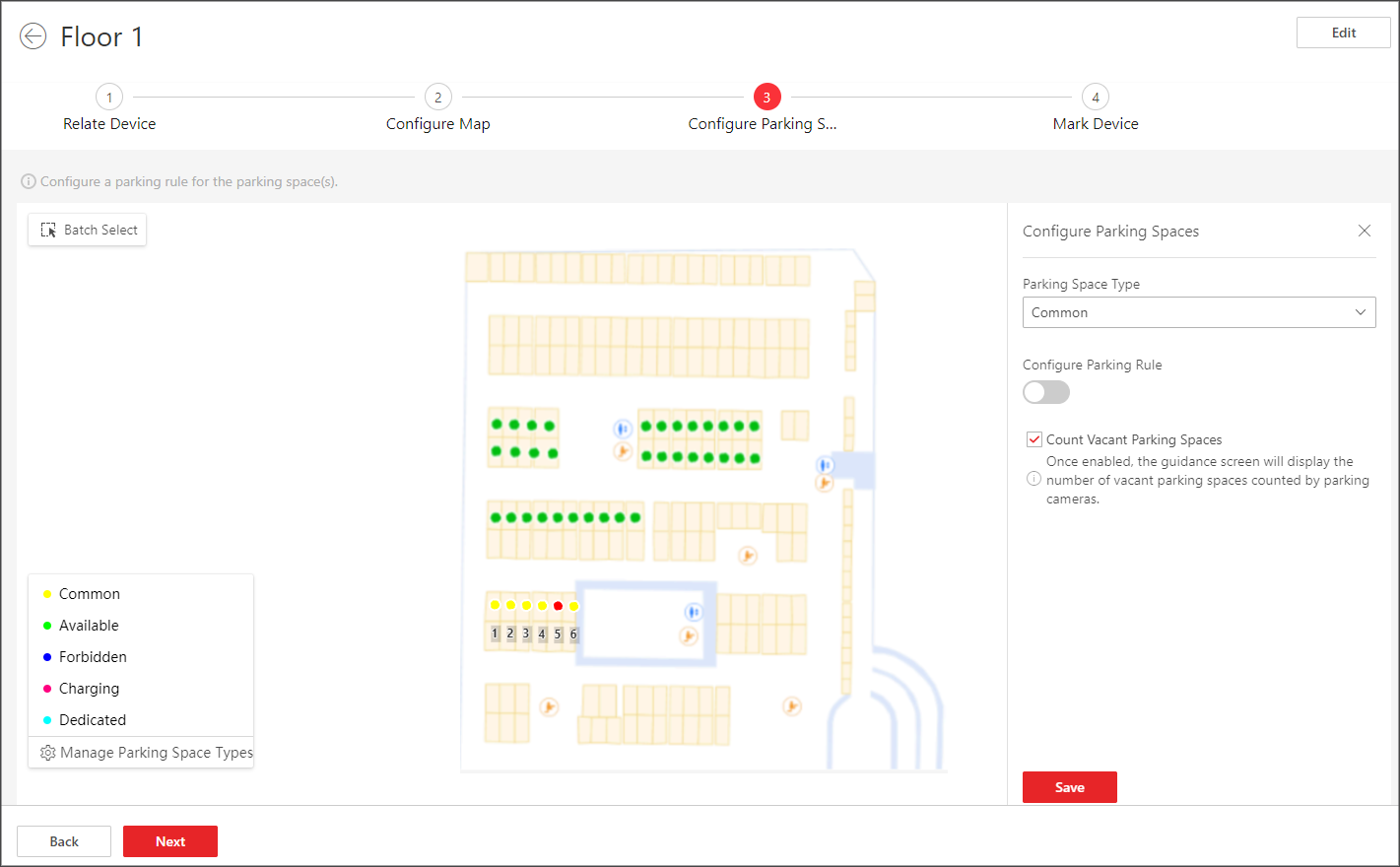 Figure 1 Set Types for Parking
Spaces
Figure 1 Set Types for Parking
Spaces -
Click a parking space to open the Configure Parking Spaces pane.
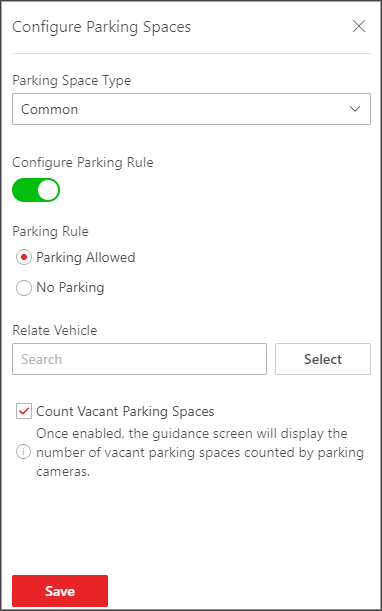 Figure 2 Configure Parking
Spaces Pane
Figure 2 Configure Parking
Spaces Pane - Optional:
Click Manage Parking Space Types and perform the
following operations if needed.
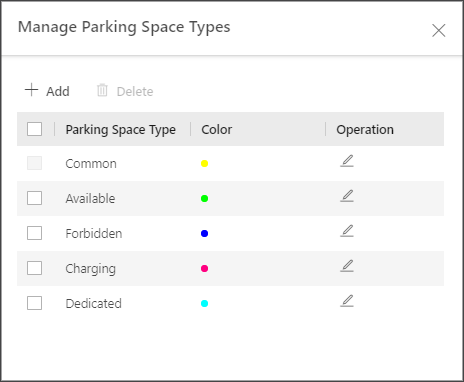 Figure 3 Manage Parking Space
Types
Figure 3 Manage Parking Space
TypesOption Description Add a Parking Space Type
-
Click Add.
-
Create a name for the type.
-
Set a color for the type.
Note:The color will be applied to the indicator light of the parking cameras monitoring this type of parking spaces.
-
ClickSave.
Edit a Parking Space Type
Click
 to edit the name and
color of a type.Note:
to edit the name and
color of a type.Note:The name of the default type (common) cannot be edited.
Delete Parking Space Type(s)
Select one or multiple types and click Delete to delete them.
Note:The default type cannot be deleted.
-
Click Next to mark device(s) on the map. See Mark Devices on the Map.