Parking detection is used to detect parking violation in the area,
applicable in expressway and one-way street.
-
Go to .
-
Select a camera.
-
Click Parking.
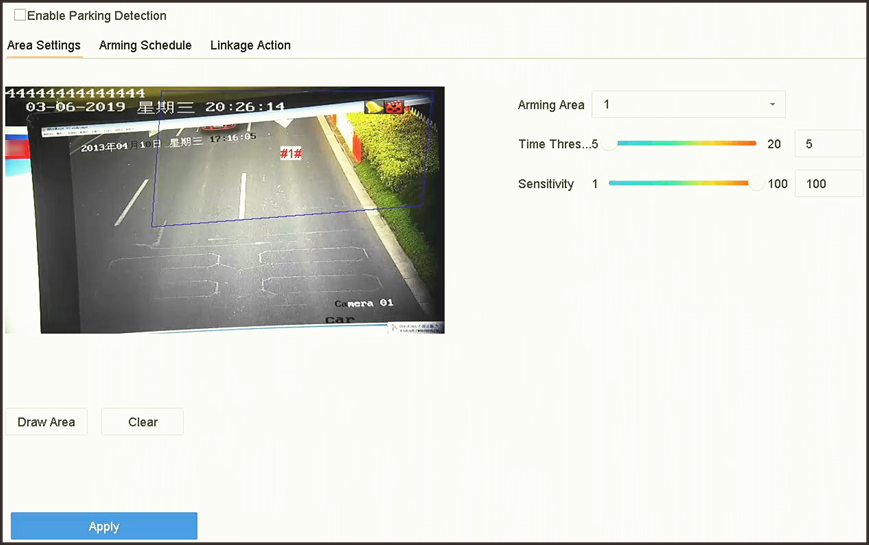 Figure 1 Parking
Detection
Figure 1 Parking
Detection
-
Check Enable Parking Detection.
- Optional:
Check Save VCA Picture to save the captured parking
detection pictures.
-
Set parking detection parameters.
-
Select Arming Area.
Note:
Up to 4 areas are selectable.
-
Set Time Threshold.
- Time Threshold
-
The time of a vehicle staying in the region.
If the value is 10, an alarm will be triggered after the
vehicle has stayed in the region for 10 s. Range:
[5-20].
-
Set Sensitivity.
- Sensitivity
-
Similarity of the background image to the
object. The higher the value is, more easily the
detection alarm will be triggered.
-
Set the arming schedule. Refer to Configure Arming Schedule.
-
Set the linkage actions. Refer to Configure Linkage Actions.
-
Click Apply.