Customize Additional Information
You can add additional information items as the options for configuring a person's basic information. The platform allows you to customize two types of additional information items: custom private information items and custom public information items. The former refers to private information such as the person's salary. The latter refers to public information such as the person's department and occupation. When an additional information item is added, it will be displayed as an configuration option on the Basic Information tab of the Add Person page.
The following figure shows the custom private information items (marked in red rectangles) on the Add Person page. See Add a Single Person for details about how to add a person.
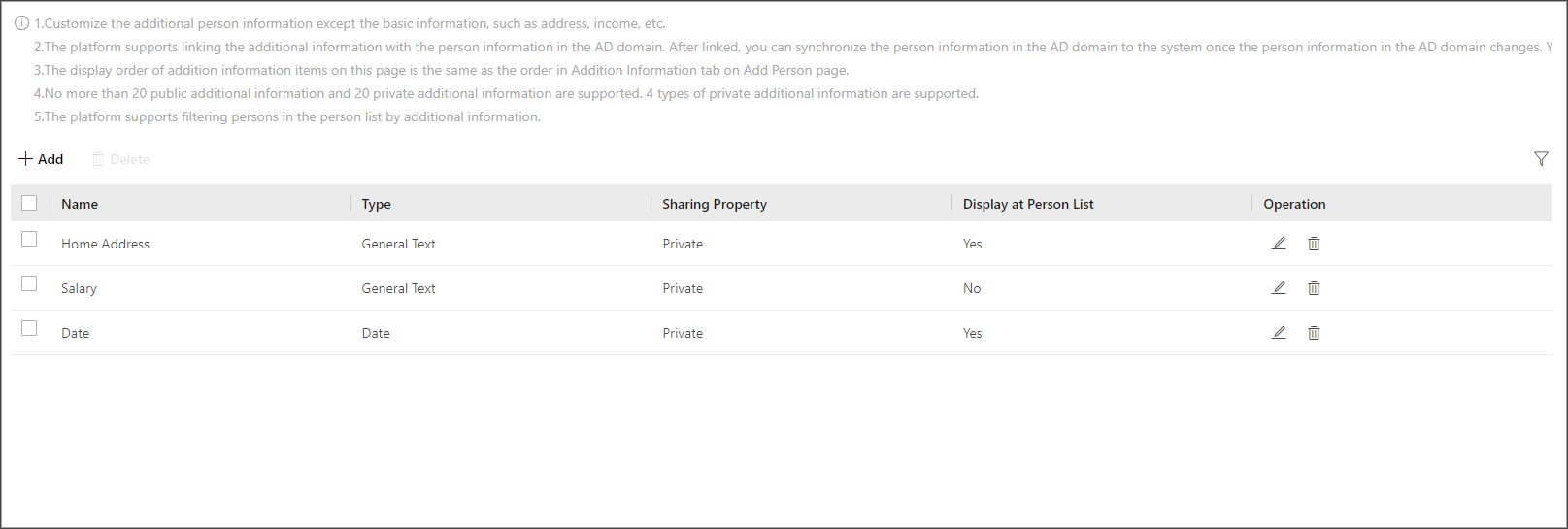 Figure 1 Custom Private Information
Item as Configuration Option
Figure 1 Custom Private Information
Item as Configuration Option
-
You can customize up to 20 private information items and 20 public information items.
-
The system administrator can define whether a user has the permission to view the custom private information when setting permissions for a user (see Add Role). For information security, the system administrator needs to make sure the custom private information is only viewable to specific users.
-
On the top navigation bar, select
 > Basic Management > Person.
-
In the pop-up window, enter the following parameters.
For example, if you select General Text, entering text information as the content of the item is required when adding a person. If you select Date, setting date as the content of the item is required when adding a person (see the figure below).
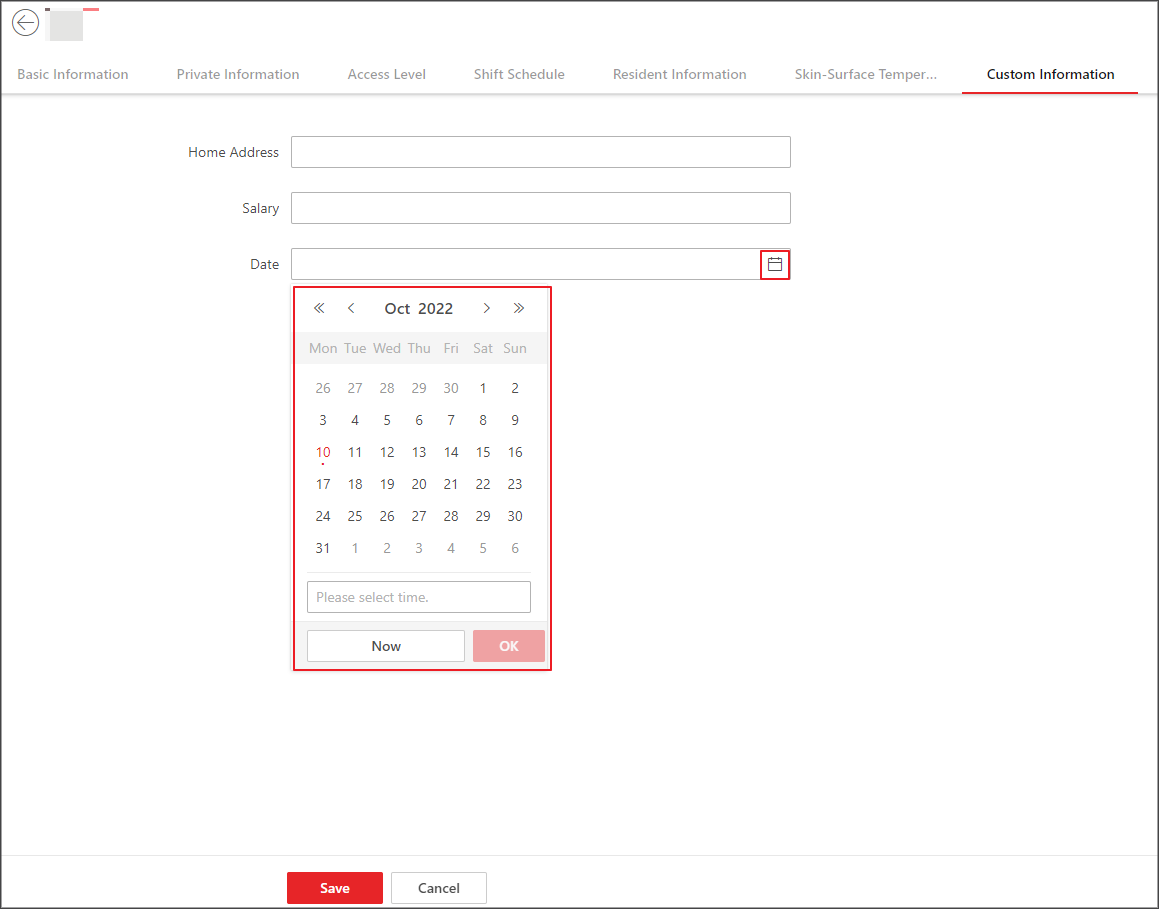 Figure 2 If You Select Date as
the Type
Figure 2 If You Select Date as
the Type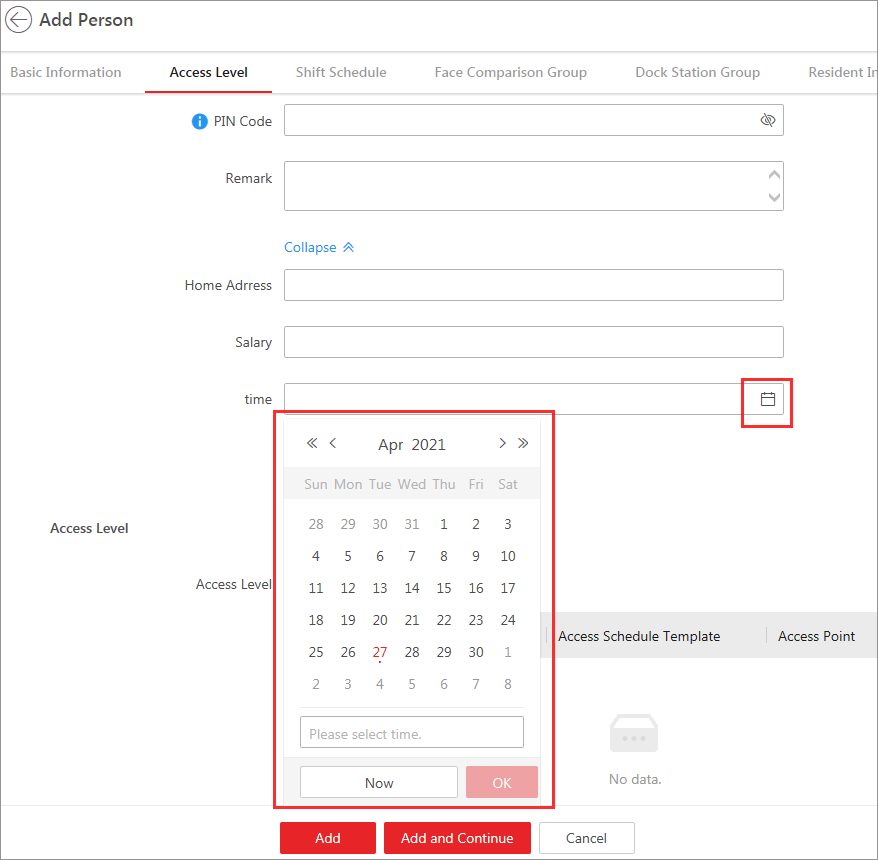 Figure 3 If You Select Date as
the Type
Figure 3 If You Select Date as
the Type - Optional:
Perform the following operation(s) if needed.
Option Description Edit Name
Click
 to edit the name of the additional information item.
Delete
Click
 to delete the additional information item.Note:
You cannot delete the additional information item linked with person information in the domain.