Menu
You can mute the device, unlock and live view the linked device on the menu page. You can also check the status of on the menu page.
You can view the status of the Hik-Connect, Wi-Fi, door station and the TF Card on the menu page.
The Live View icon can be disabled
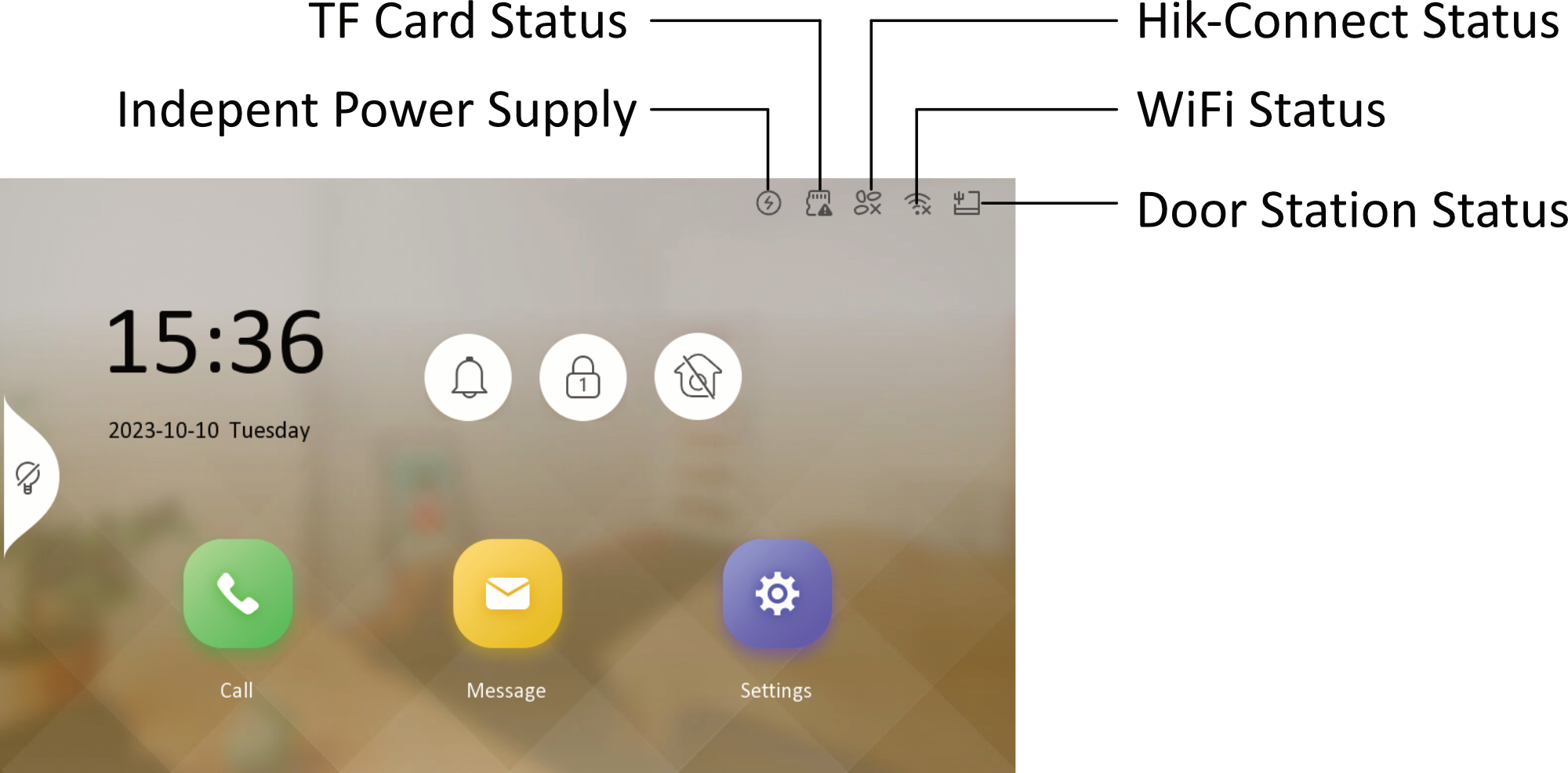
Icons on the page.
- Mute
- You can tap
 on the menu page to mute the
indoor station.Note:
After muting, there will be no ringtone when receiving a call.
- Unlock
-
You can tap
 on the menu page to unlock linked device. You can
set this key on the Shortcut Key Settings page.Figure 2 Shortcut Key Settings
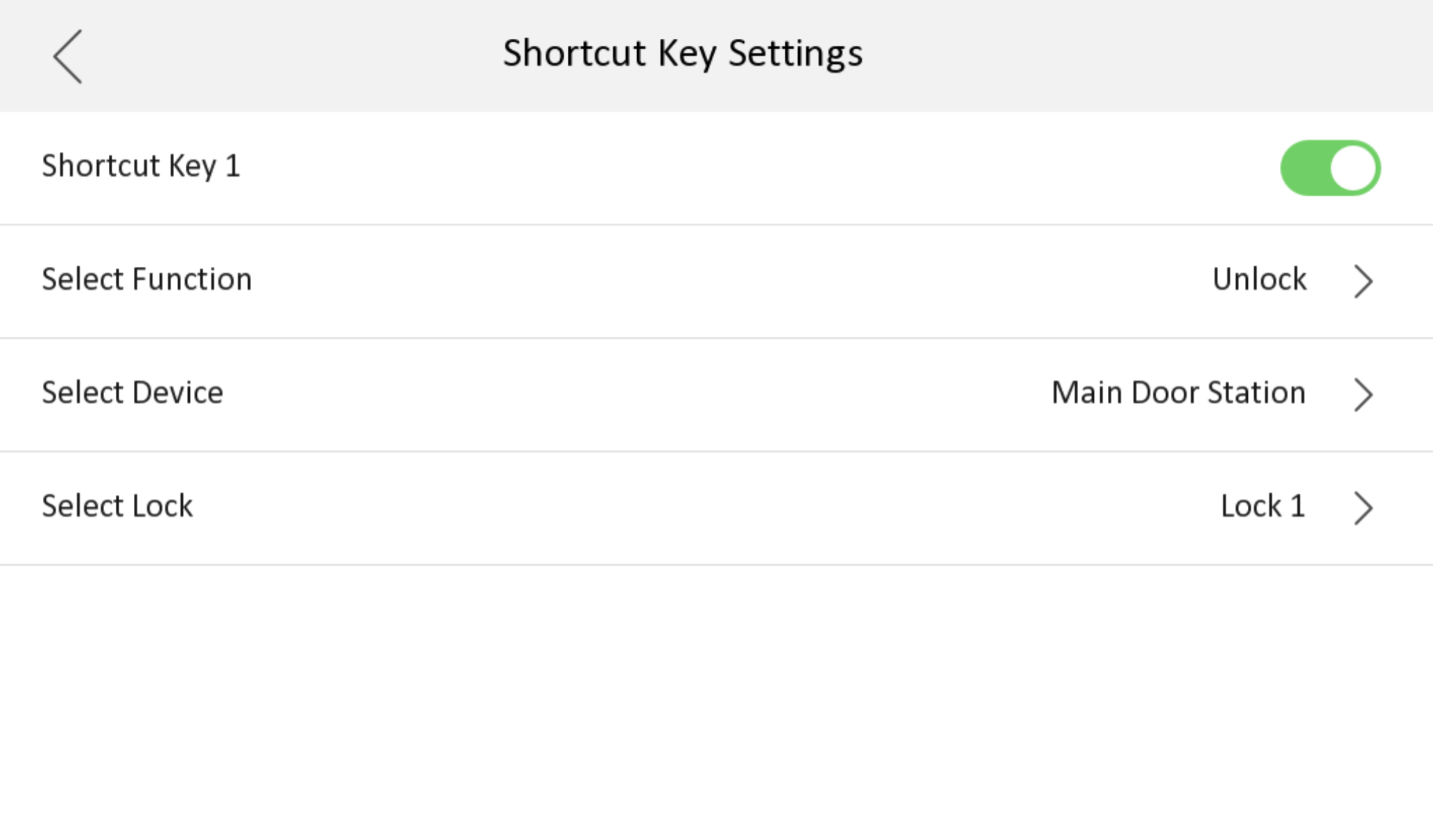
By default, you can tap this icon to unlock lock 1 of the main door station.
- Live View
-
You can tap
 to live view door station.
By default, you can tap this icon to live view the main door station.