Set Self-Registration Parameters
Before starting self-registration, you need to set self-registration parameters. A QR code is necessary for the persons to register their information by themselves. Besides, you can configure face quality verification and person information review.
On the top navigation
bar, select  > Basic Management > Person. Then select on the left panel to enter the Self-Registration Settings page.
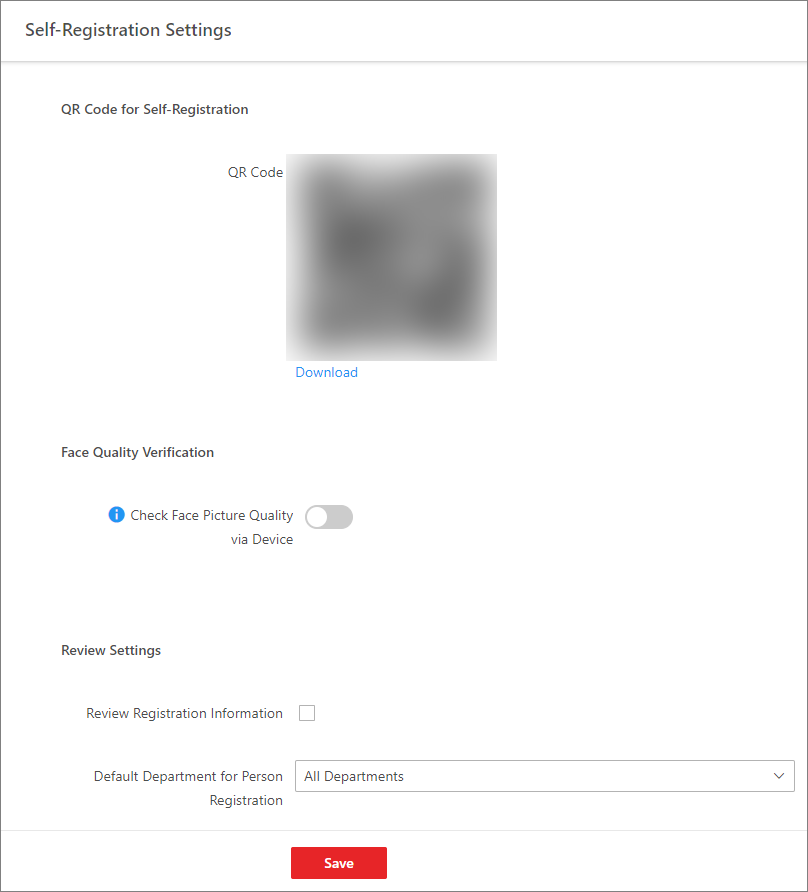 Figure 1 Self-Registration
Settings
Figure 1 Self-Registration
SettingsQR Code for Self-Registration
The platform will generate a QR code for you to download. After downloading the QR code, you can print it or send it to persons who are going to register.
Face Quality Verification
After the person uploads profile by a cellphone, the selected device will automatically start checking the profile's quality. If the profile picture is not qualified, the person will be notified. Only when the uploaded profile is qualified can the person register successfully. Otherwise, the person's information cannot be uploaded to the platform.
To use this function properly, make sure you have added an access control device or video intercom device to the platform beforehand.
Review Self-Registered Persons
Set a default department. Once the person information is registered, the person will be added to this group.
If you enable Review Self-Registered Persons, after registration, you need to review the person information on the Persons to be Reviewed page. After verification, the person will be added to the selected department. See Review Self-Registered Person Information for details about how to review.