Configure First Person In Rule
First Person In refers to a rule that only after the first person is authorized to enter with his or her card, fingerprint, or face, can other people's permission be activated. There are two modes for First Person In, the Remaining Open after First Person and the Authorization by First Person.
This function should be supported by the device.
-
In the top left corner
of
the Home page, select
 > Passing Management > Access Control > Access Control Application > First Person In.
-
Set
Rule of Opening Door.
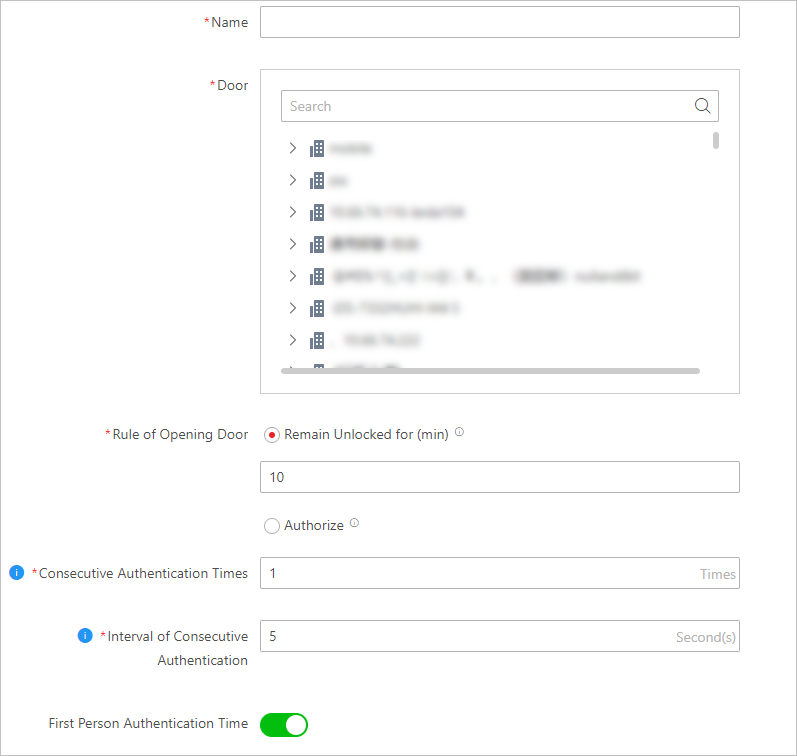 Figure 1 Add First Person In
Rule Page
Figure 1 Add First Person In
Rule Page- Remain Unlocked for (min)
-
When the door is locked, if the first person swipes card, the door will remain unlocked during the configured period.
- Authorized
-
The door is locked and access is denied with any credentials (except during the free access schedule) until you swipe the first card. After the first person swipes card, the door is authorized and the persons with corresponding access level are granted to access. The authorization will be invalid at 00:00 a.m. every day.