Configure Free Access and Access Forbidden Rules
You may need to set access points accessible or inaccessible during certain periods. To perform this function, you need to configure free access and access forbidden rule for certain access points.
This function should be supported by the device.
-
In the top left corner
of
the Home page, select
 > Passing Management > Access Control > Access Control Application > Free Access & Access Forbidden.
-
Select free access schedule or access forbidden schedule.
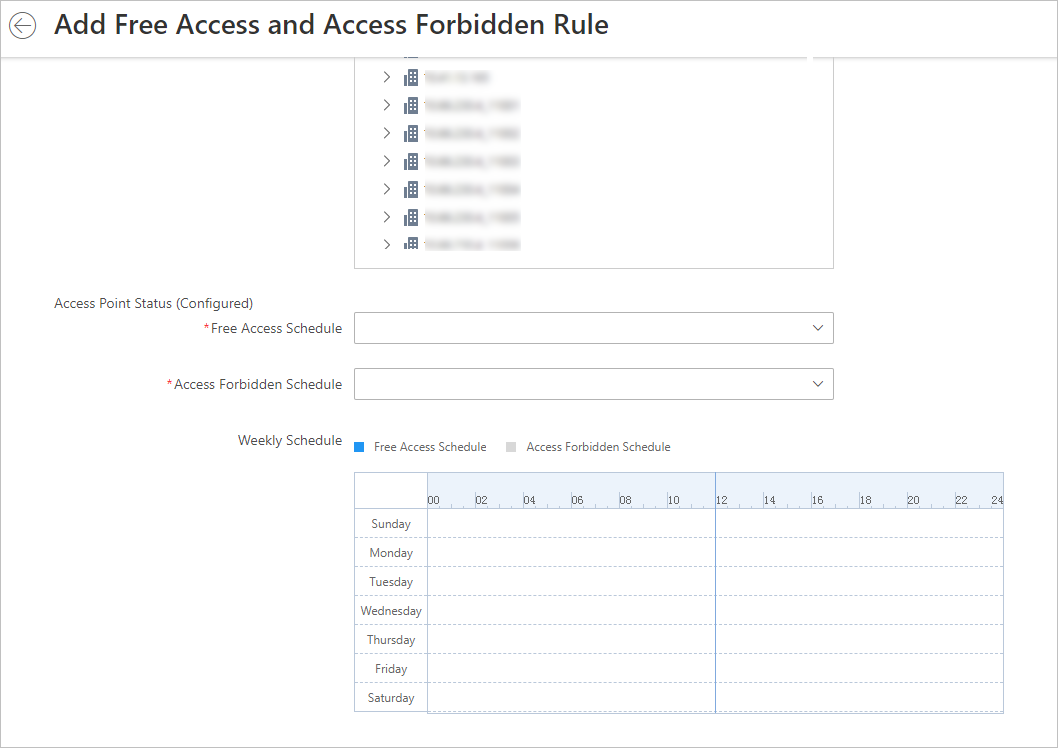 Figure 1 Add Free Access and
Access Forbidden Rule Page
Figure 1 Add Free Access and
Access Forbidden Rule Page- Free Access Schedule
-
During free access period, all persons can access the selected access points without credentials required.
- Access Forbidden Schedule
-
During access forbidden period, no persons can access the selected access points even if he/she has the authorized credentials, except the super users.
Note:-
You can click Add to add a custom access schedule or holiday schedule. See Set Access Schedule Template for details.
- Optional:
Perform the following operations.
Option Description View Schedule Details
Click
 to show the schedule
details.
to show the schedule
details.Copy Schedule to Other Access Point
Click a rule name to enter the rule page. Click Copy To on the top right to copy the schedule to other access points.