You can set zone parameters, such as zone type, linked camera, and
Stay/Away settings. Zone is a basic concept in the security control panel system. It refers
to a protection area in the system, and is regarded as the maximum recognizable unit to
distinguish the alarm event.
Make sure you have linked detector(s) to the security control panel. For
details, see the user manual of the security control panel.
-
On the device list page, tap the security control panel and then log in to the
device to enter the control panel page.
-
Tap Zone and then tap a detector (zone) on the zone list
to enter the Settings page.
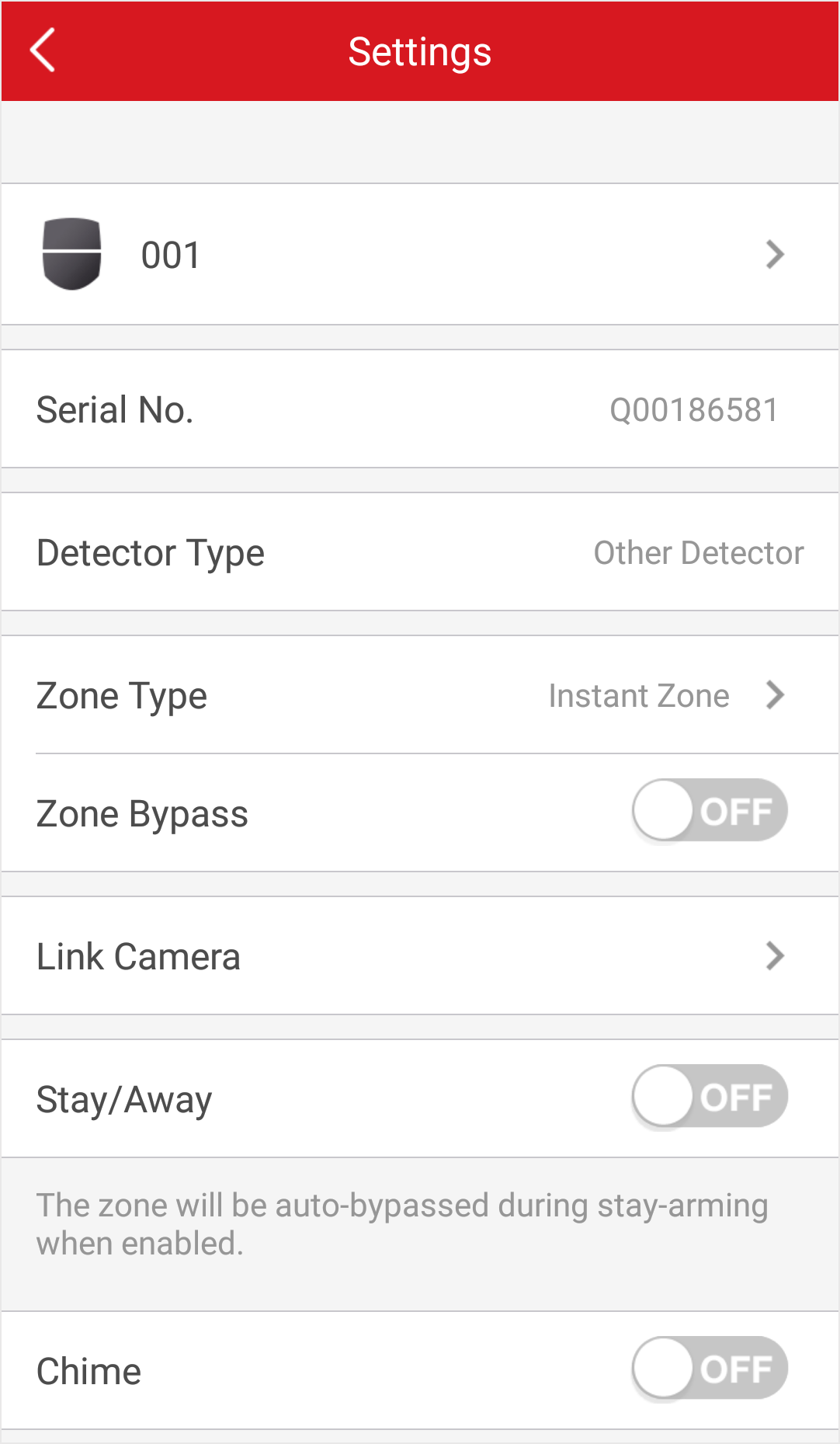
Figure 1 Zone Settings
Page
-
Set parameters for the zone (or detector).
- Zone Type
-
See the descriptions of each zone type on the Zone
Type page.
If you select
Delayed Zone,
you should select an entry delay (Entry Delay 1 or Entry Delay
2) on the pop-up page.
If you select Timeout Zone,
you should select a timeout value or tap
Custom to set a custom value.
- Linked Camera
-
Link a camera to the zone. See Link Camera to Zone for details.
- Stay/Away
-
If enabled, the zone will be auto-bypassed during
stay arming.
- Chime
-
Enable the security control panel to chime when the
zone is triggered.
- Enable Silent Zone
-
If enabled, no siren will be triggered if alarm
occurs.