Set ISUP parameters and the device can upload data via ISUP
protocol.
Make sure your device has connect to a network.
-
Tap (Communication Settings) on the Home page to enter the settings
page.
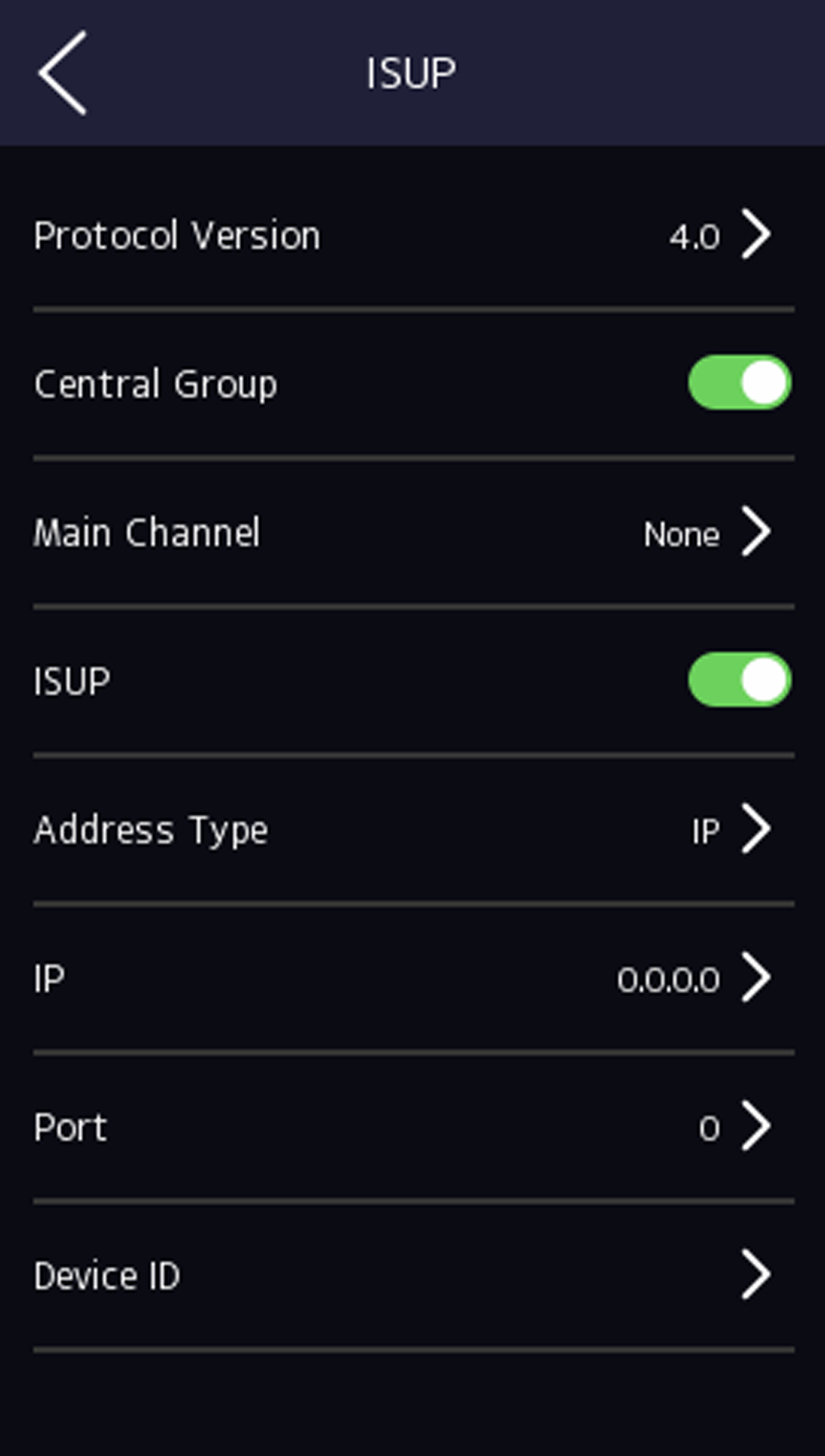 Figure 1 ISUP Settings
-
Enable the ISUP function and set the ISUP server parameters.
- ISUP Version
-
Set the ISUP version according to your actual needs.
- Central Group
-
Enable central group and the data will be uploaded
to the center group.
- Main Channel
-
Support N1 or None.
- ISUP
-
Enable ISUP function and the data will be uploaded
via EHome protocol.
- Address Type
-
Select an address type according to your actual
needs.
- IP Address
-
Set the ISUP server's IP address.
- Port No.
-
Set the ISUP server's port No.
Note:
Port No. Range: 0 to 65535.
- Device ID
-
Set device serial no.
- Password
-
If you choose V5.0, you should create an account and
ISUP key. If you choose other version, you should create an ISUP
account only.