Authentication Settings
You can set the access control permissions, including the functions of authentication mode, enable NFC card, enable M1 card, door contact, open duration (s), authentication interval (s), authentication result display duration (s), and password mode.
On the Home page, tap Authentication Settings to enter the Settings page.
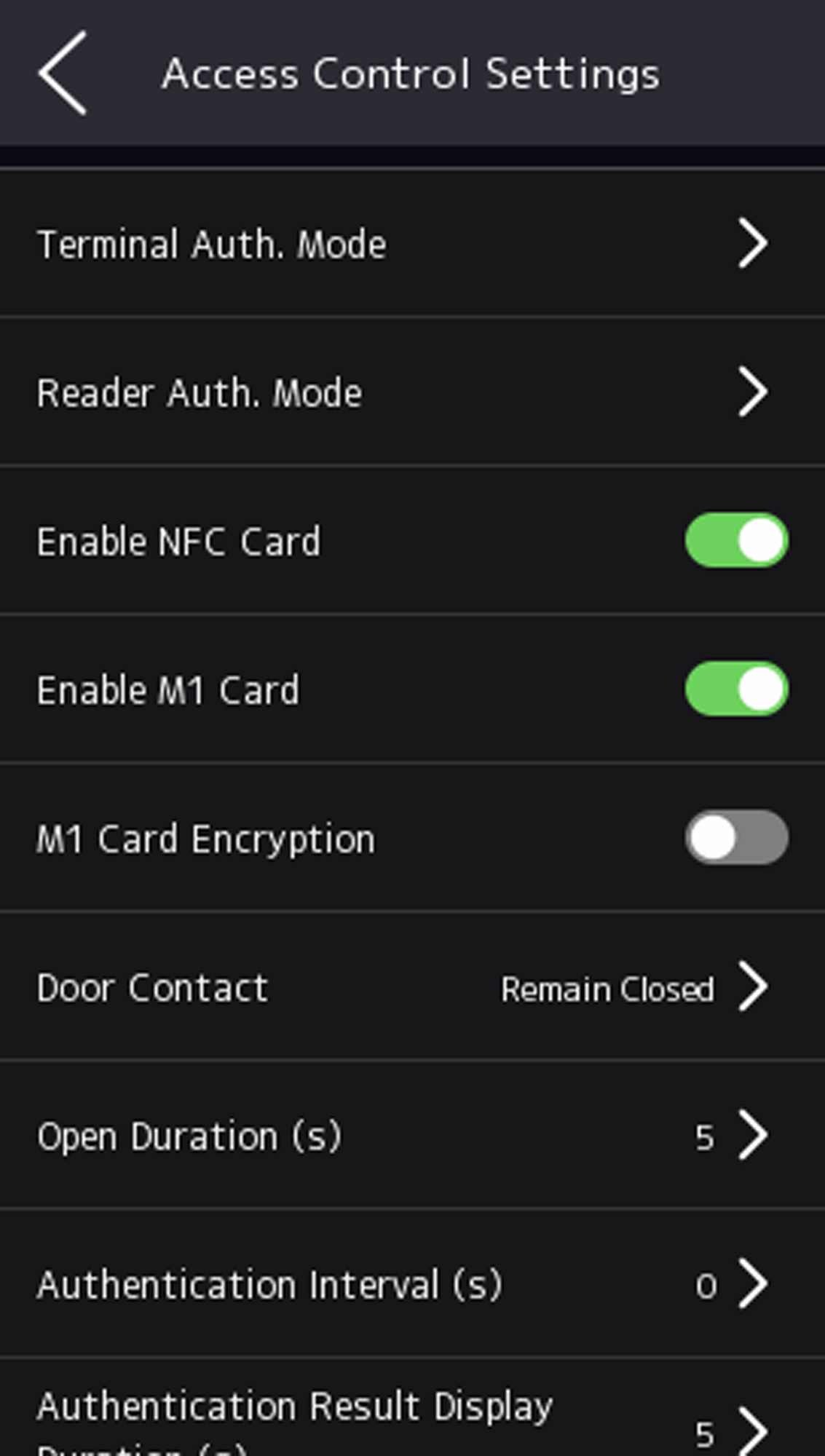 Figure 1 Authentication Settings
The available parameters descriptions are as follows:
|
Parameter |
Description |
|---|---|
|
Terminal Auth. Mode (Terminal Authentication Mode) |
Select the face recognition terminal's authentication mode. You can also customize the authentication mode. Note:
|
|
Reader Auth. Mode (Card Reader Authentication Mode) |
Select the card reader's authentication mode. |
|
Enable NFC Card |
Enable the function and you can present the NFC card to authenticate. |
|
Enable M1 Card |
Enable the function and you can present the M1 card to authenticate. |
|
M1 Card Encryption |
Enabling the M1 card encryption function can improve the card security level. The card will not be copied easily. |
|
Door Contact |
You can select "Open (Remain Open)" or "Close (Remian Closed)" according to your actual needs. By default, it is Close (Remian Closed). |
|
Open Duration |
Set the door unlocking duration. If the door is not opened for the set time, the door will be locked. Available door locked time range: 1 to 255s. |
|
Authentication Interval |
Set the device authenticating interval. Available authentication interval range: 0 to 65535. |
|
Authentication Result Display Duration (s) |
Set the authentication result displaying time duration after authentication. |
|
Password Mode |