Add Smart Wall
You can add the smart wall to the system and configure its rows and columns.
-
On the top navigation bar, select
 > Basic Management > Device.
-
Below Smart Wall, click
Add to enter the Add Smart Wall page.
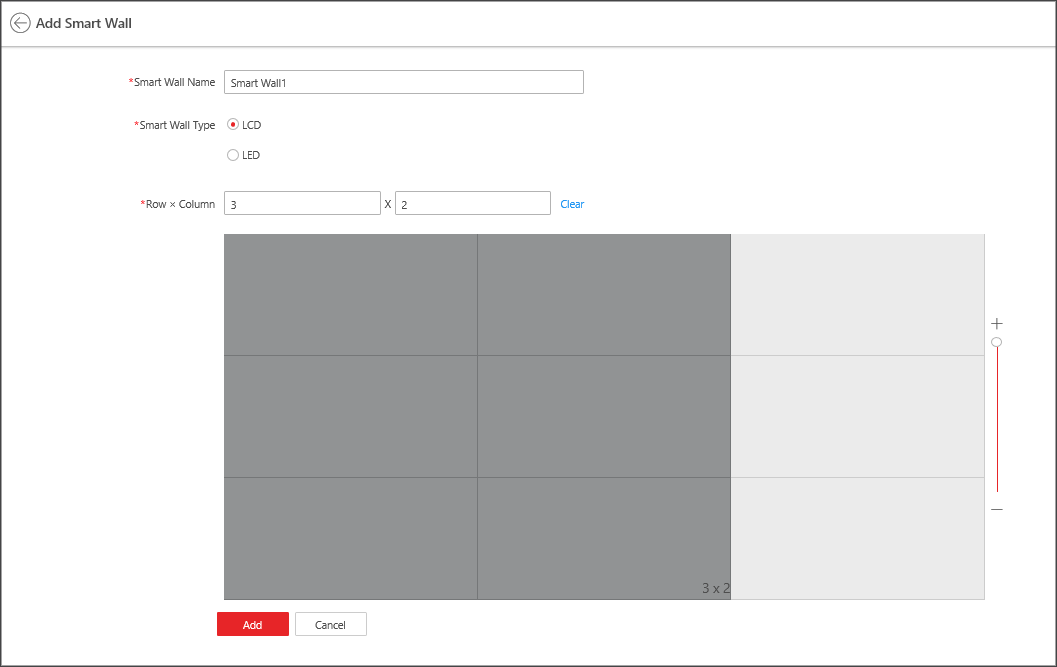 Figure 1 Add Smart Wall
Page
Figure 1 Add Smart Wall
Page - Optional:
Perform the following operations after adding the smart wall.
Option Description Link Decoding Output with Window
For details about the operations, see Link Decoding Output with Window.
Edit Smart Wall
Click
 to edit the name of
the smart wall.
to edit the name of
the smart wall.Delete Smart Wall
Click
 to delete the smart
wall.
to delete the smart
wall.Set Default Stream Type
For details about setting the default stream type for cameras, refer to Set Default Stream Type for Cameras on Smart Wall.