Add Display Screen
Display screens can be used in places such as the entrance of a parking lot to show the real-time number of vacant parking spaces. You can add a display screen to the platform by specifying its LAN IP address.
-
On the top navigation bar, select
 > Basic Management > Device to enter the device management module.
-
Set parameters which vary among different types of display screens.
- LAN IP Address
-
IP address assigned to the display screen on LAN.
- Device Port
-
For entrance guidance screens and indoor guidance screens, the port No. is required.
- Number of Display Rows
-
The number of rows of the content can be displayed on the screen, which is determined by the device model.
For example, if the value is 2, it means the screen supports showing 2 rows of different information.
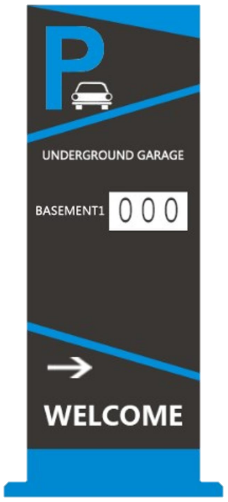 Figure 1 Entrance
Guidance Screen - One Row
Figure 1 Entrance
Guidance Screen - One Row - Number of Directions
-
The number of directions supported by the indoor guidance screen, which is determined by the device model.
For example, if the value is 3, it means the screen supports showing the vacant parking spaces in three directions.
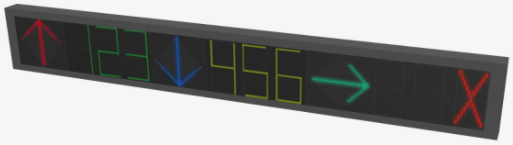 Figure 2 Indoor
Guidance Screen - Three Directions
Figure 2 Indoor
Guidance Screen - Three Directions
- Optional:
Perform the following operations after adding the screens.
Option Description Edit a Display Screen
In the Device Name column, click the name of a display screen to edit it.
Delete Device(s)
Check one or multiple devices in the list, and click Delete to delete the selected devices.
Search for Device
Enter the keyword(s) in the search box and click
 to search for a
specific device.
to search for a
specific device.Refresh Device Information
In the Operation column, click
 to refresh a display
screen's information, or click Refresh All to
refresh all the added display screens' information.
to refresh a display
screen's information, or click Refresh All to
refresh all the added display screens' information.
-
After adding an entrance and exit display screen or an entrance guidance screen, you can link a lane with the screen and configure the related information for the screen in Parking Lot Management. See details in Add Lane.
-
After adding an indoor guidance screen, you can set up a parking guidance system for your parking lot in Parking Guidance Configuration. See details in Parking Guidance Configuration.