Import Existing Visitors to the Watch List
You can import specific existing visitors to the watch list. Existing visitors refer to the visitors once reserved or checked in.
-
On the top left of the Web Client, select
 > Passing Management > Visitor > Watch List.
-
Click
 to select the existing visitors
from a specific visitor group and then click Add.
to select the existing visitors
from a specific visitor group and then click Add.
The selected visitors will be displayed on the pane.
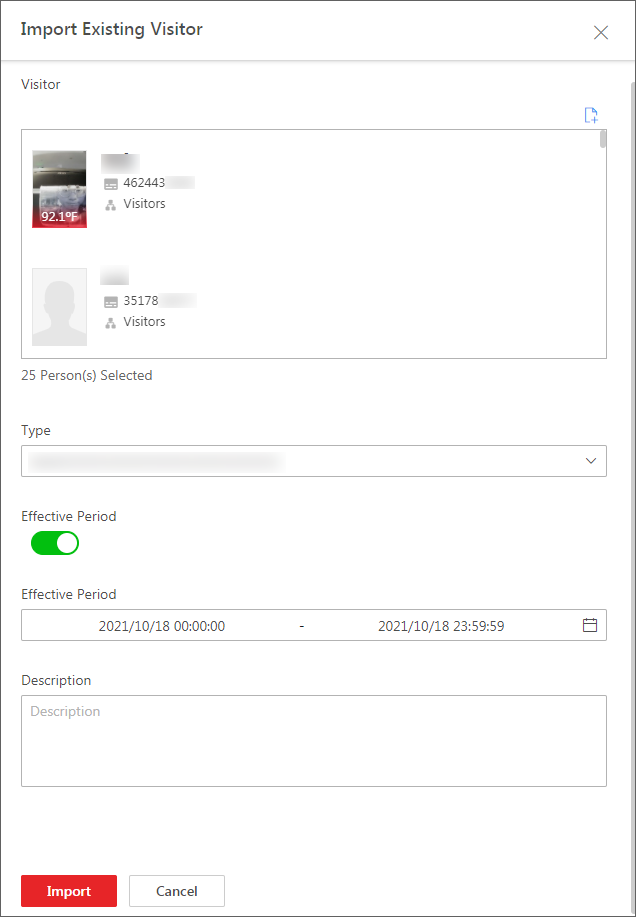 Figure 1 Import Existing
Visitor
Figure 1 Import Existing
Visitor - Optional:
Perform the following operations if needed.
Option Description Disable Monitoring of Existing Visitors
Select visitors and then click Disable to disable them. Once disabled, they will not be monitored.
Enable Monitoring of Existing Visitors
Select disabled visitors and then click Enable to enable them. Once enabled, they become monitored.
Edit an Existing Visitors in the Watch List
Click the name of an entity to edit it.
Delete Existing Visitors from Watch List
Select visitors and then click Delete to delete them.
Or hover the cursor over
 and then click
Delete All to delete all visitors.
and then click
Delete All to delete all visitors.